About this brochure
This brochure covers browser-based visitor sign-in for schools and multi-academy trusts. Visitors can sign in on a reception tablet or their own phone, read safeguarding rules and receive a printed badge. Hosts are told when visitors arrive, and office staff can see who is expected, on site or waiting for approval. A visitor roll call can be opened on a phone or laptop at an assembly point.
The guide is for school offices, school business managers and trust teams considering how to manage visitors and contractors. It explains how to set host lists, block visitors and choose when records are deleted. It also describes optional door access, hardware requirements and published plan prices. Staff and pupil records remain in the school’s existing system, and the brochure says there is no current link to a school’s MIS. The visitor log can be used without door access.
What’s inside
The text of each page, written out so it can be read and searched.
Page 1
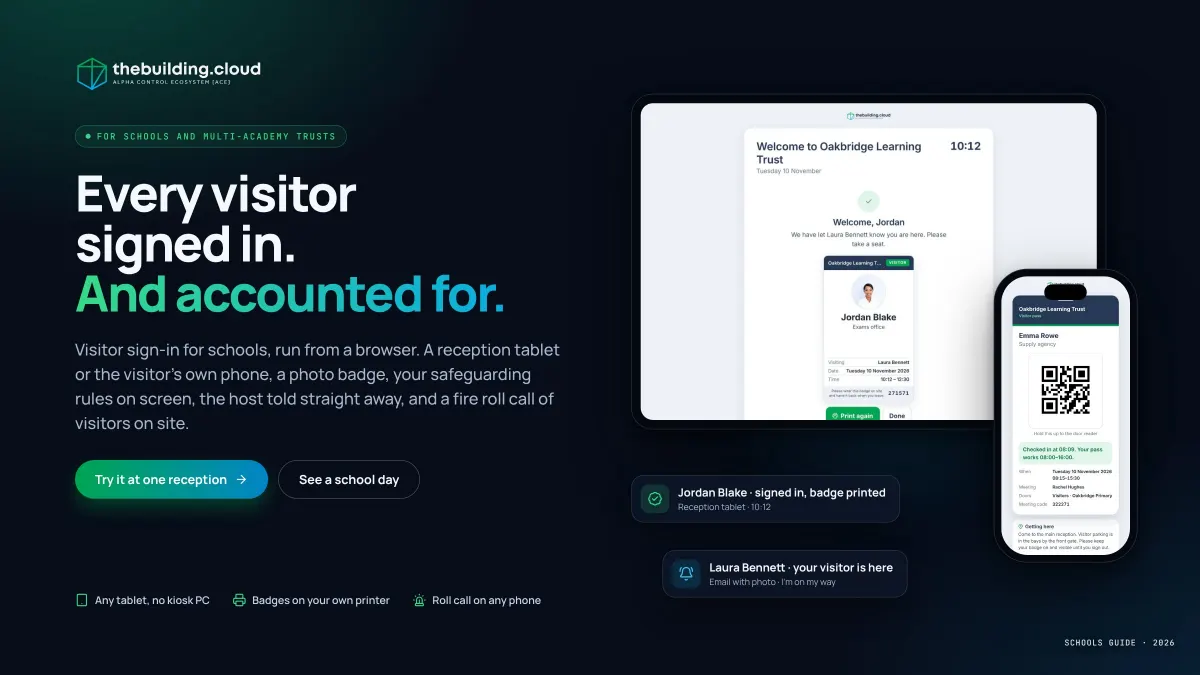
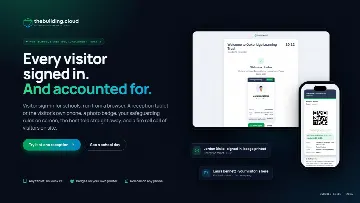
Every visitor signed in. And accounted for.
The guide introduces browser-based visitor sign-in using a reception tablet or the visitor’s phone. It covers photo badges, safeguarding rules, host alerts and a visitor fire roll call.
Page 2
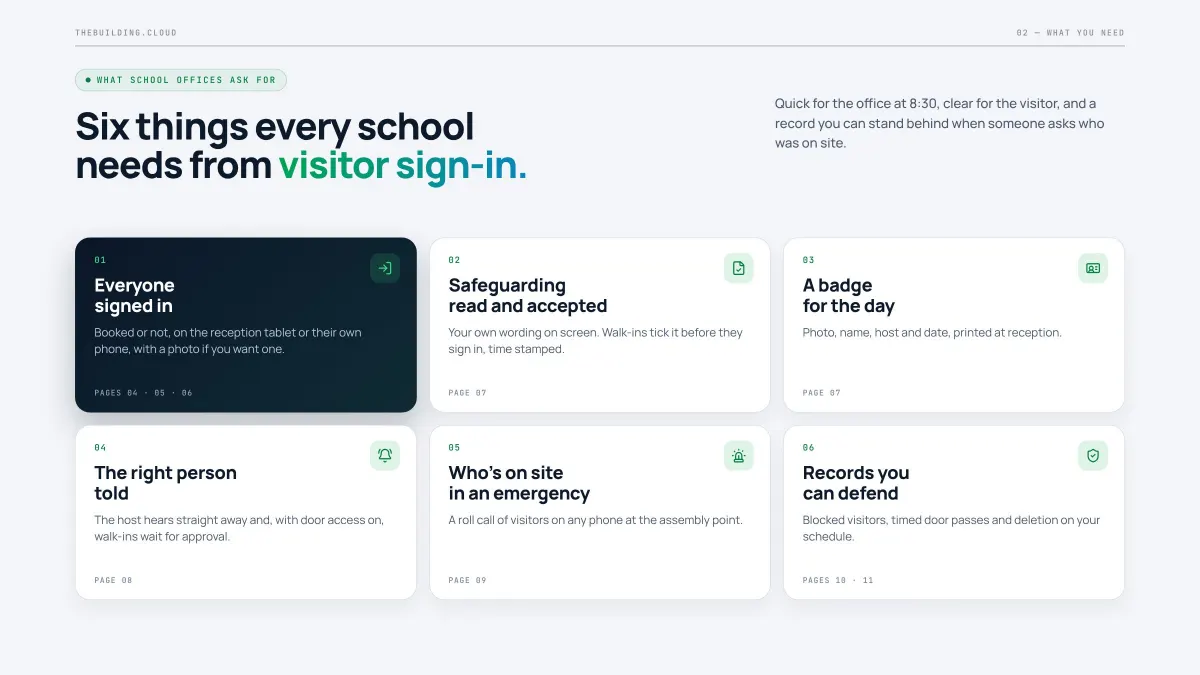
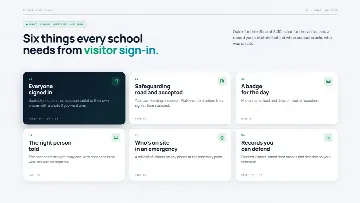
Six things every school needs from visitor sign-in.
The brochure identifies six needs: signing visitors in, recording acceptance of safeguarding rules, printing badges, notifying hosts, viewing visitors on site and keeping records.
Page 3
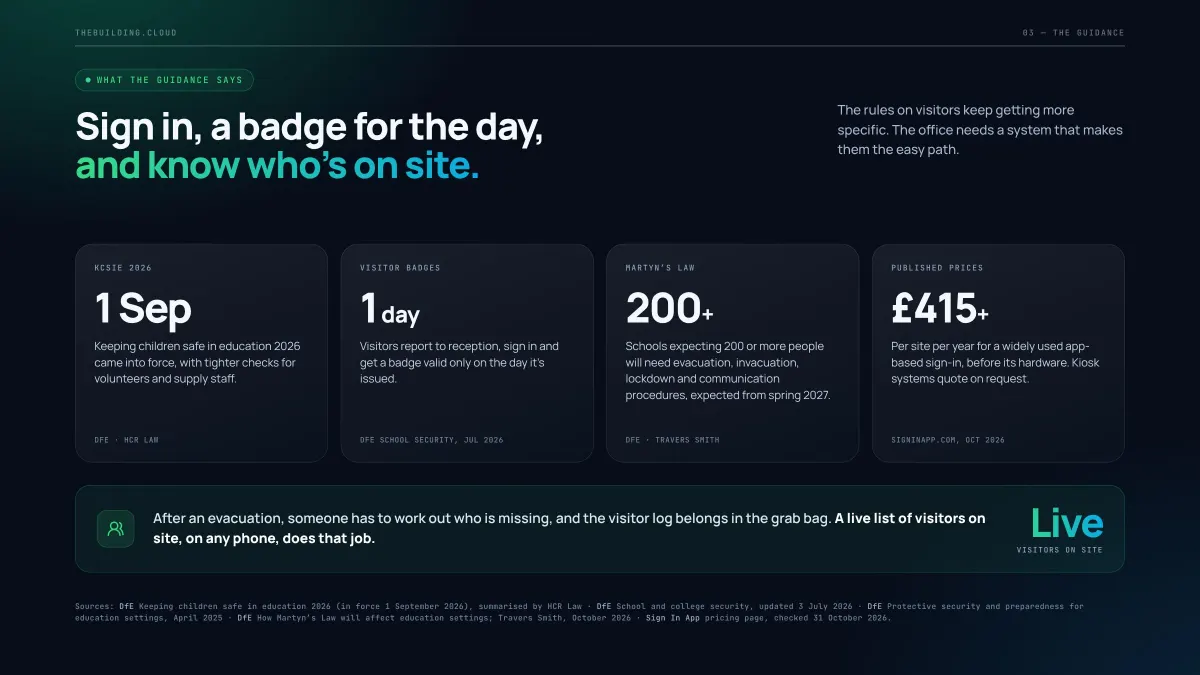
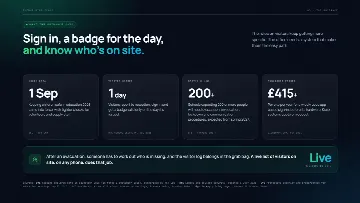
Sign in, a badge for the day, and know who’s on site.
The brochure discusses visitor guidance, badges, emergency procedures and published sign-in prices. It describes a live visitor list that can be opened on a phone after an evacuation.
Page 4
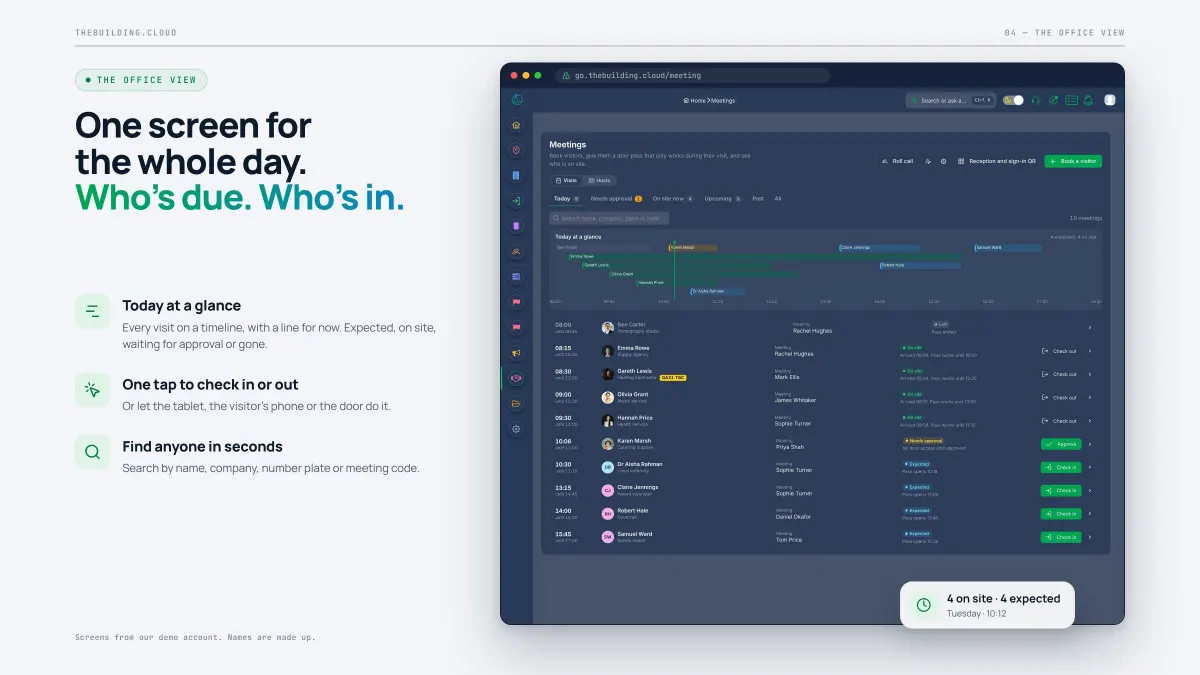
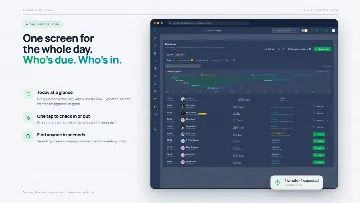
One screen for the whole day. Who’s due. Who’s in.
The office view shows visits on a timeline as expected, on site, waiting for approval or gone. Staff can check visitors in or out and search by name, company, number plate or meeting code.
Page 5
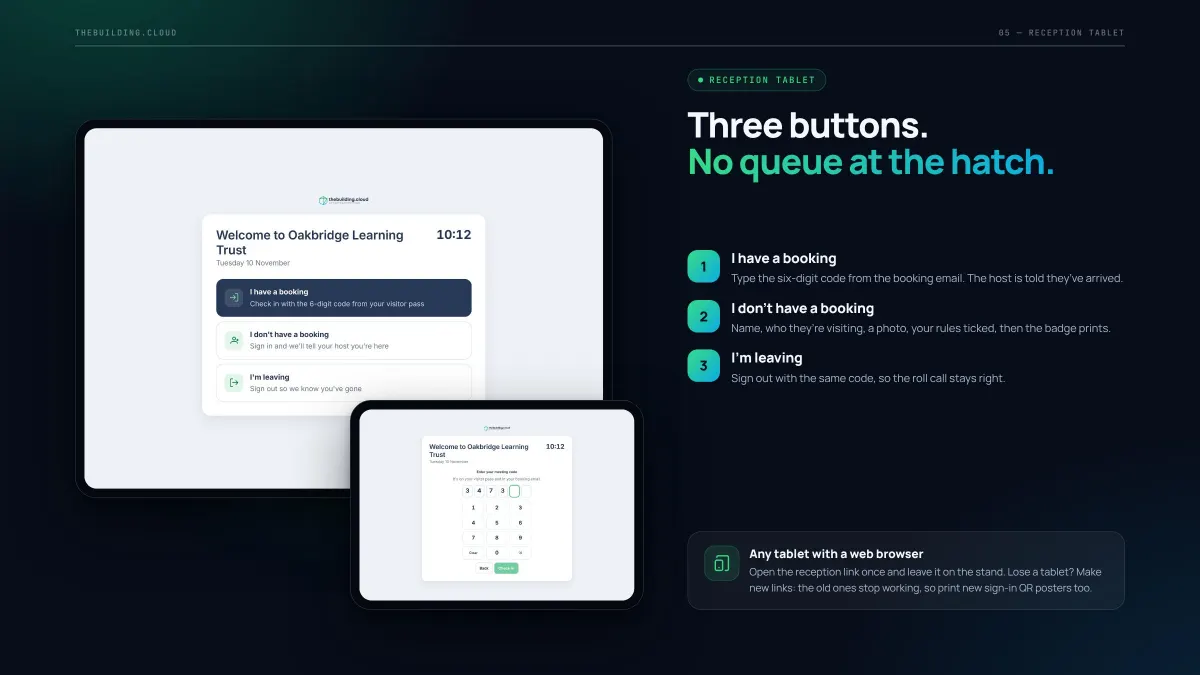
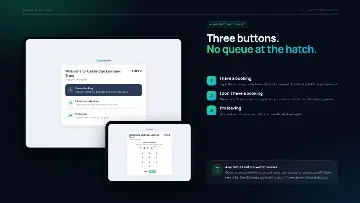
Three buttons. No queue at the hatch.
On the reception tablet, visitors can enter a booking code, sign in without a booking or sign out. The tablet needs a web browser, and reception links can be replaced if a tablet is lost.
Page 6
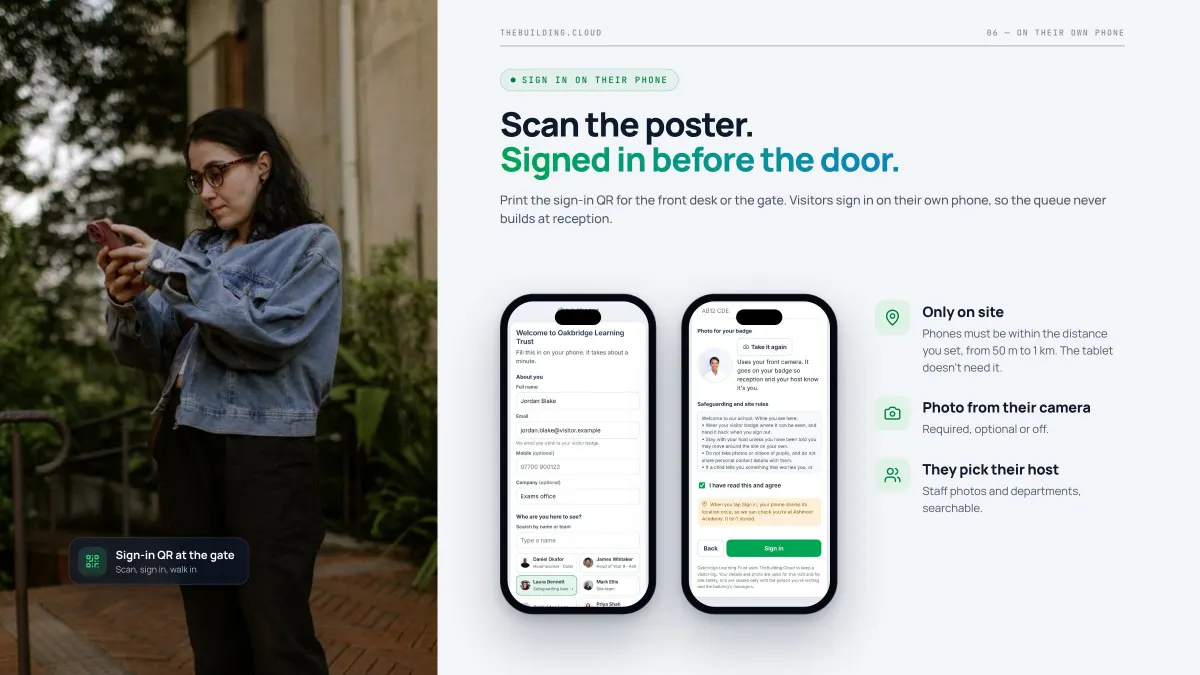
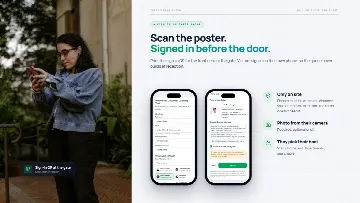
Scan the poster. Signed in before the door.
Visitors can scan a sign-in QR poster and use their own phone. Schools can set a permitted distance for phone sign-in, choose whether photos are required and let visitors search for their host.
Page 7
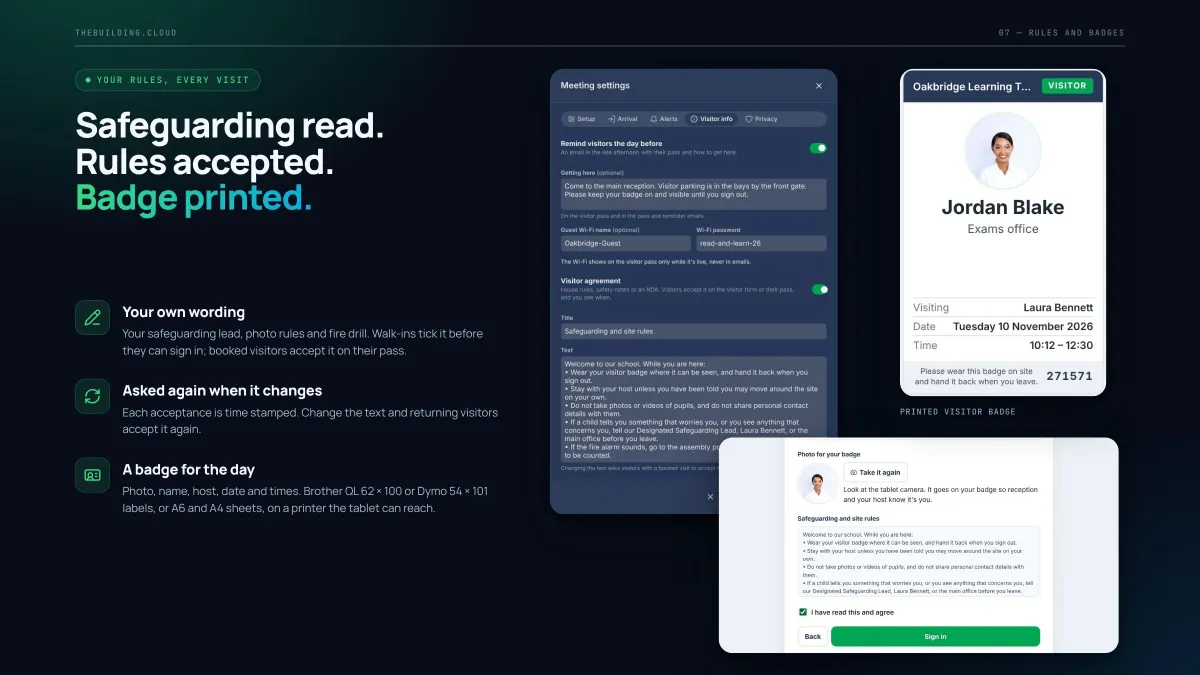
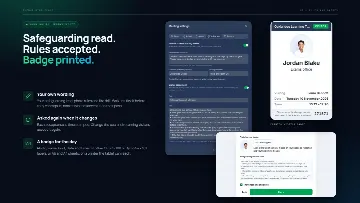
Safeguarding read. Rules accepted. Badge printed.
Schools can put their own safeguarding and other rules on screen. Acceptances are time stamped, returning visitors are asked again if the text changes, and badges can be printed on labels or sheets.
Page 8
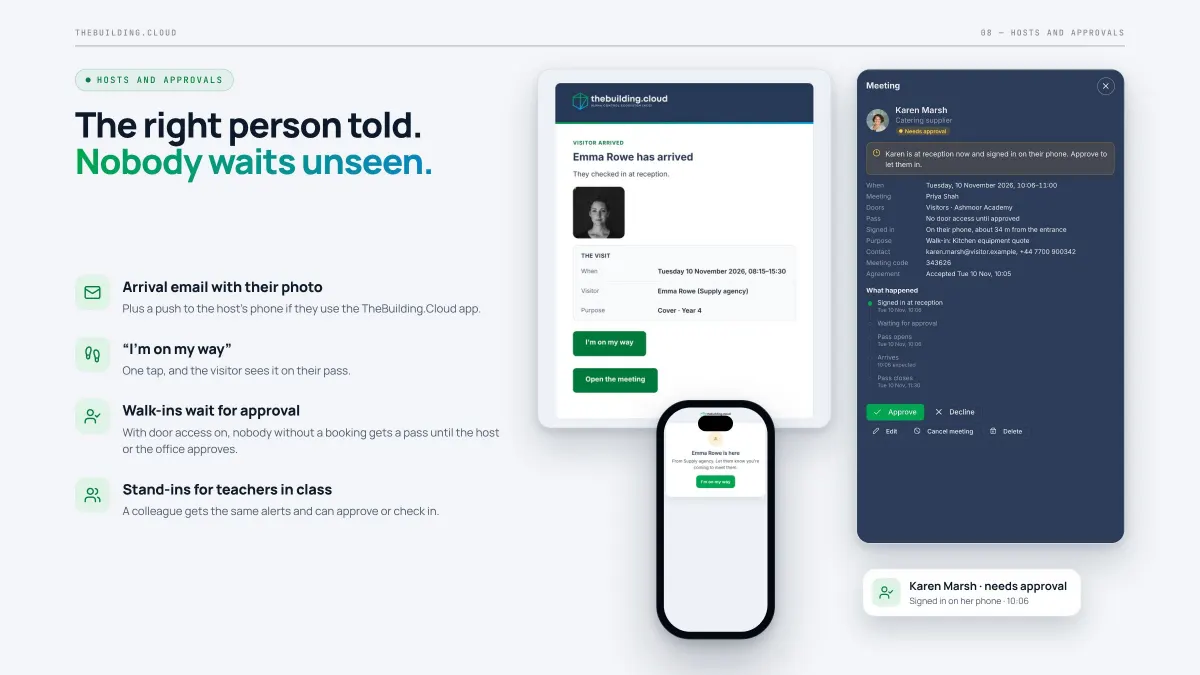
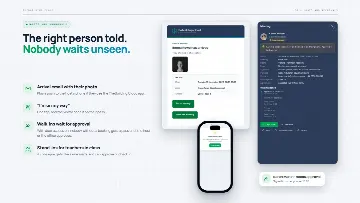
The right person told. Nobody waits unseen.
Hosts receive an arrival email with the visitor’s photo and can receive an app notification. With door access on, walk-ins wait for host or office approval; a colleague can also act as a stand-in.
Page 9
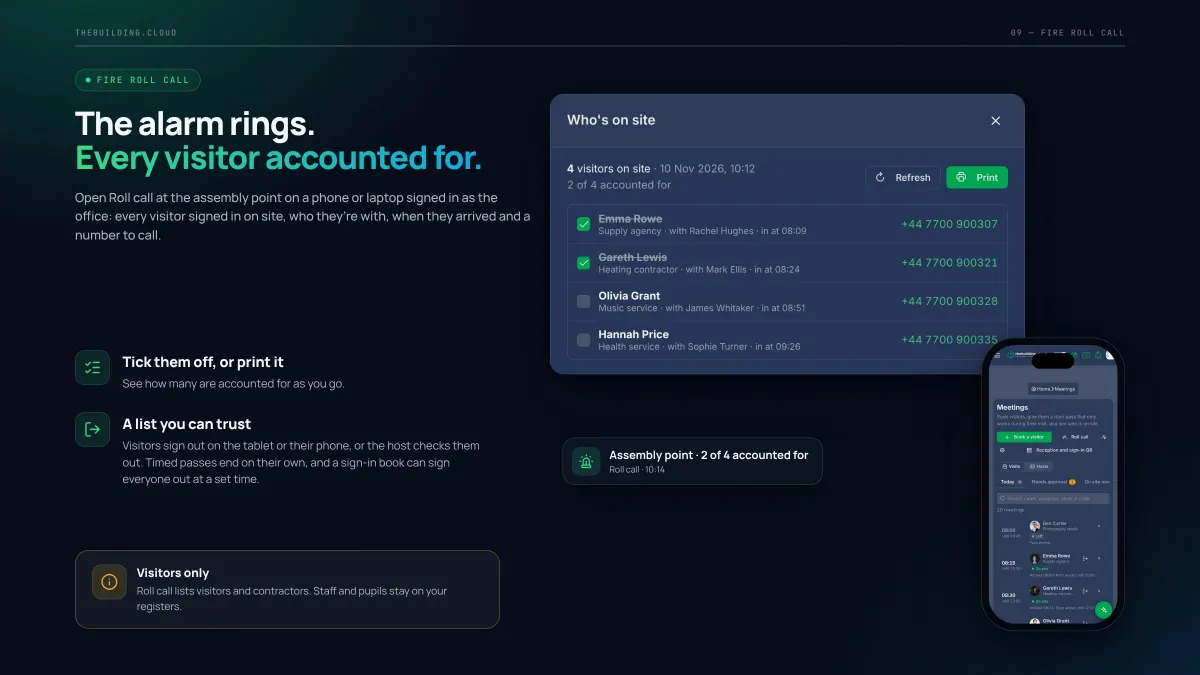
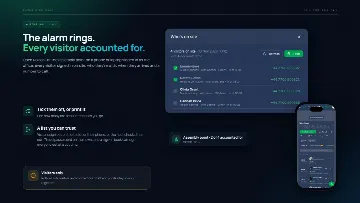
The alarm rings. Every visitor accounted for.
Office staff can open a visitor roll call on a phone or laptop, tick people off or print the list. It covers visitors and contractors; staff and pupils remain on their existing registers.
Page 10
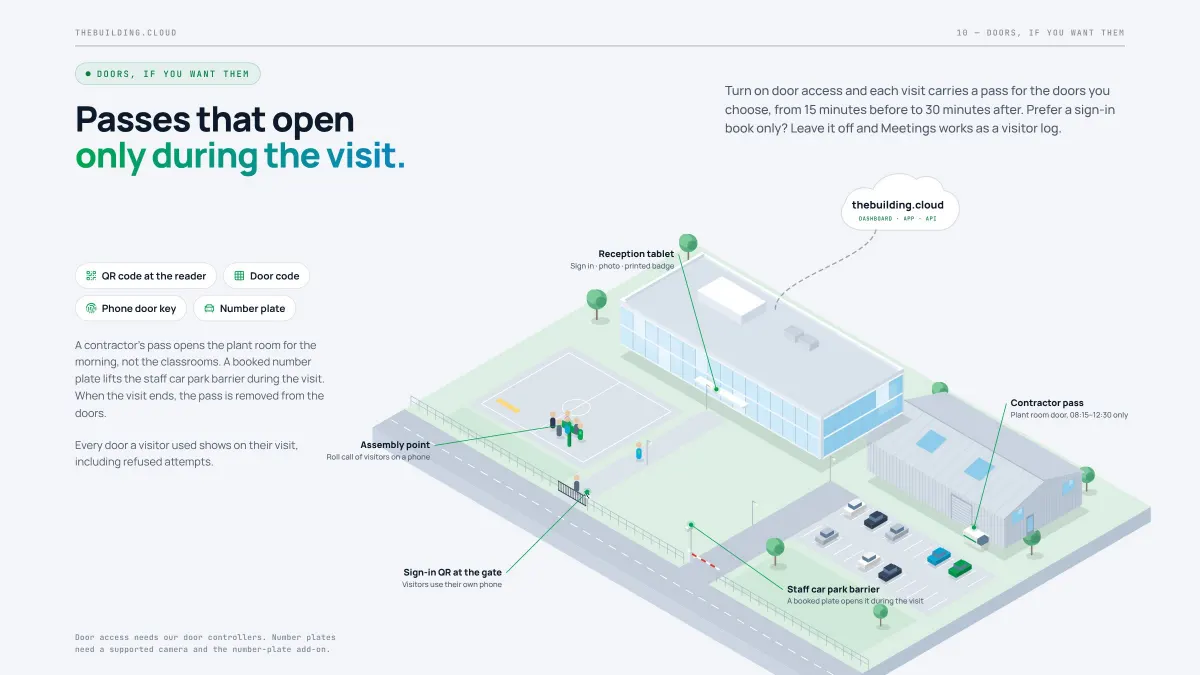
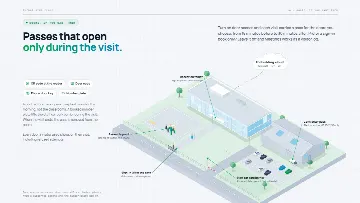
Passes that open only during the visit.
Optional door access gives visitors a timed pass for selected doors and records door use, including refused attempts. Door access needs door controllers, and number-plate access needs a supported camera and add-on.
Page 11
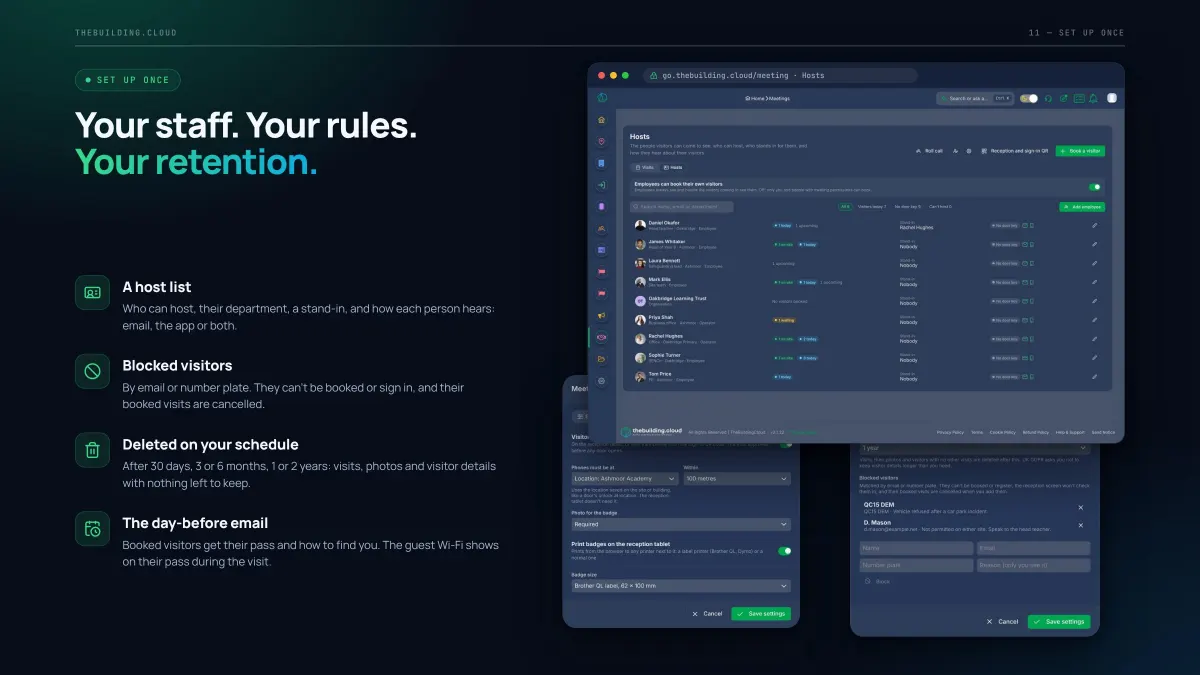
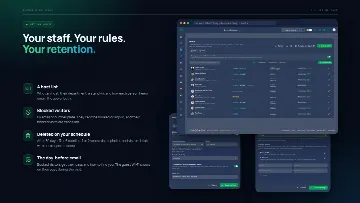
Your staff. Your rules. Your retention.
Schools can set host lists and stand-ins, block visitors by email or number plate and choose a deletion schedule for visit records. Booked visitors receive their pass and directions by email the day before.
Page 12
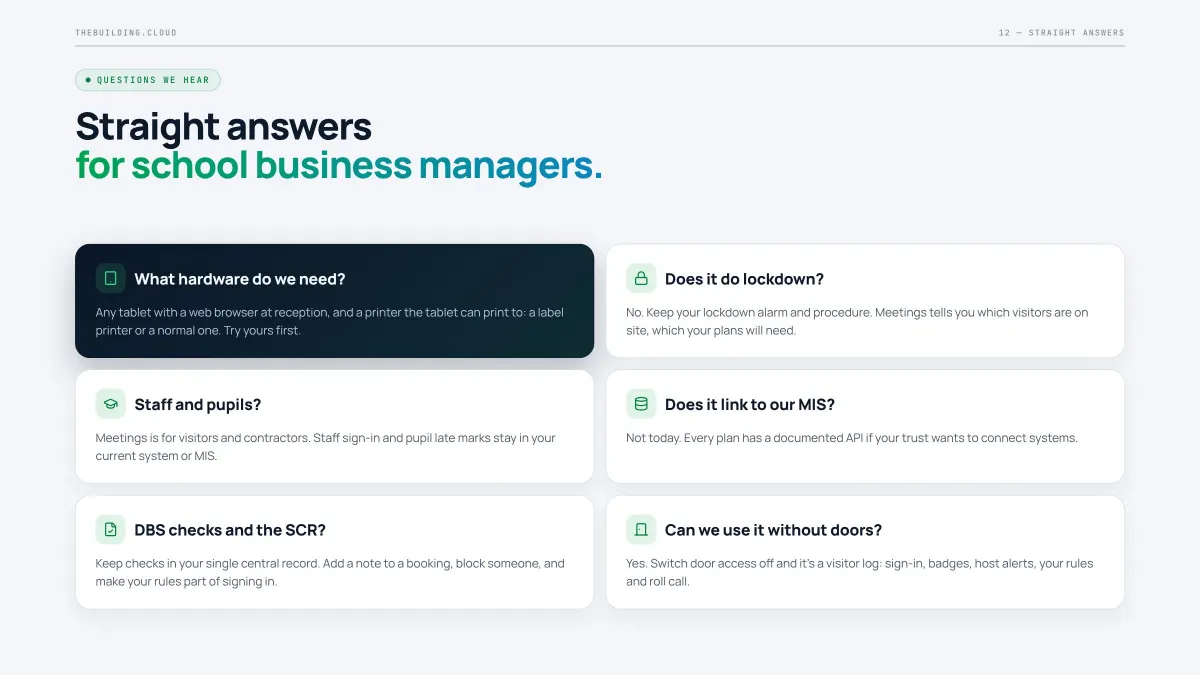
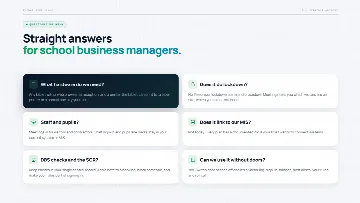
Straight answers for school business managers.
The brochure answers questions about hardware, lockdown, staff and pupil records, MIS links, DBS checks and using the visitor log without doors. It says schools should keep their existing lockdown procedure and single central record.
Page 13
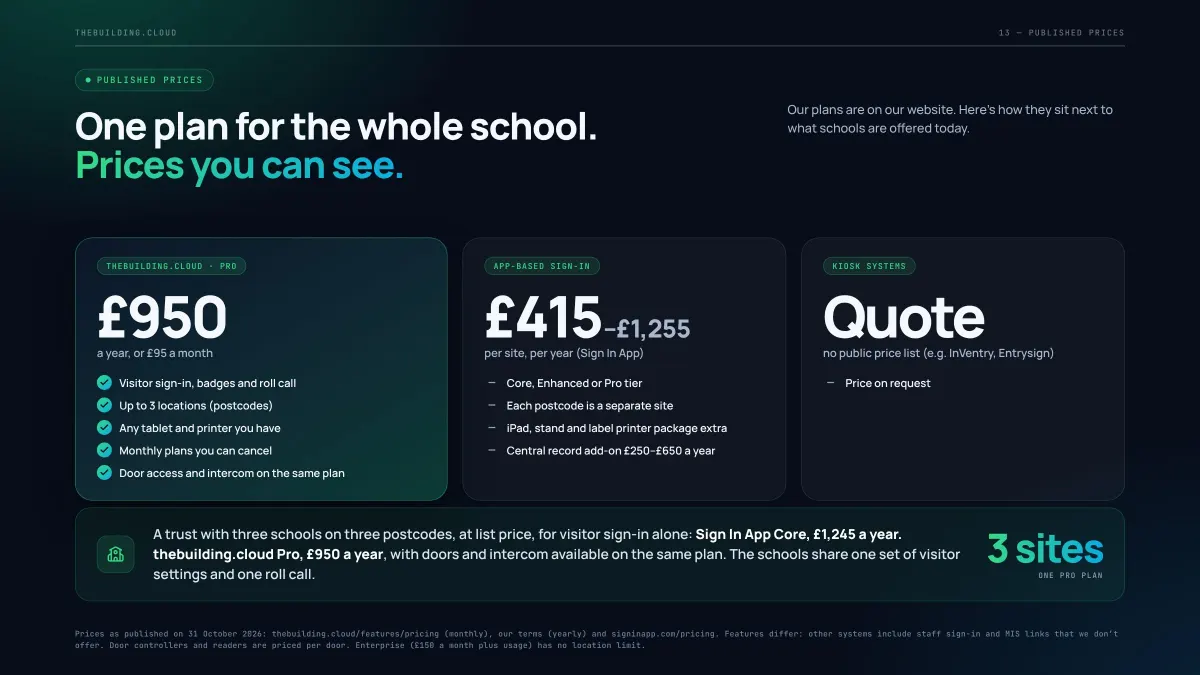
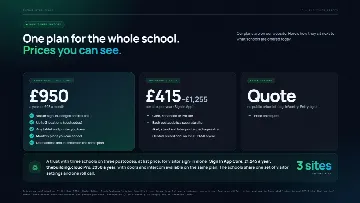
One plan for the whole school. Prices you can see.
The brochure lists the Pro plan at £950 a year or £95 a month, with up to three locations, and compares published prices with other sign-in systems. It notes that features differ and that door controllers and readers are priced per door.
Page 14
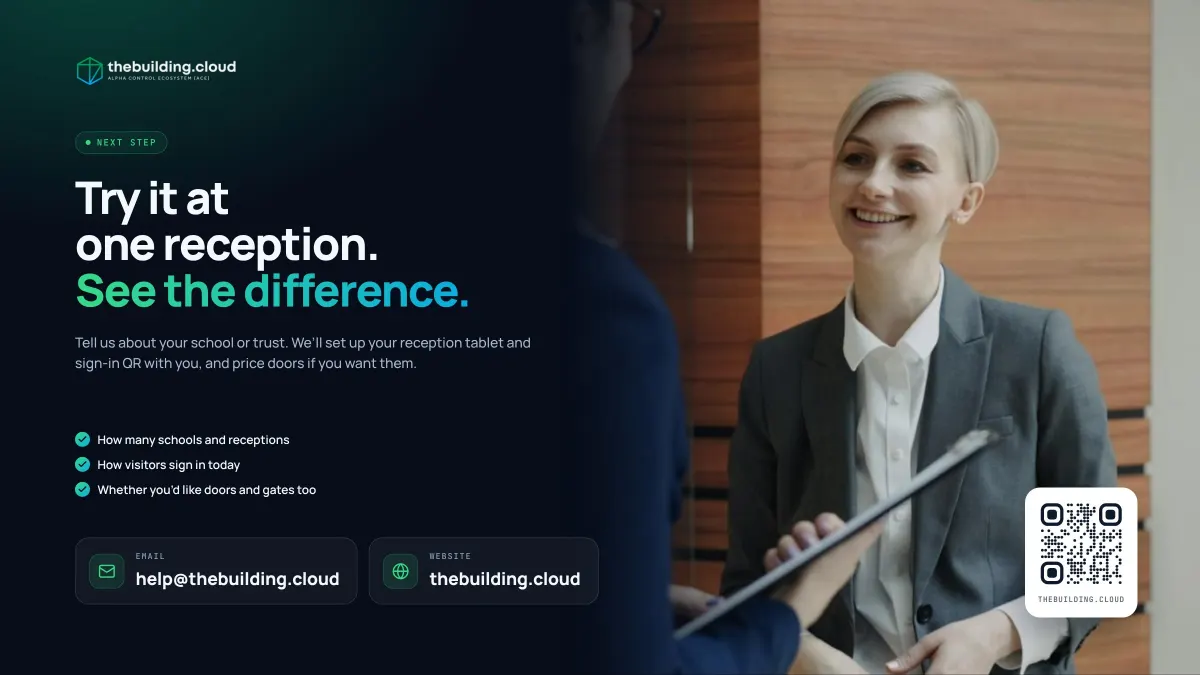
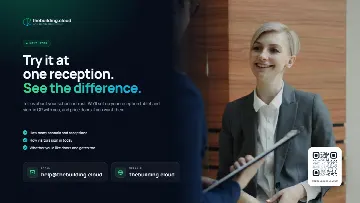
Try it at one reception. See the difference.
Schools and trusts are invited to discuss their receptions, current visitor sign-in and whether they want doors and gates. The brochure offers help setting up a reception tablet and sign-in QR.
Key points
- Visitors can sign in on a reception tablet or their own phone.
- Schools can put their own safeguarding wording on screen.
- Visitor roll call includes visitors and contractors, not staff or pupils.
- Door access can be switched off for a visitor log.
- The brochure lists Pro at £950 a year or £95 a month, for up to three locations.
Who it’s for
- School office and reception teams
- School business managers
- Multi-academy trust teams
- School safeguarding leads
Questions people ask
What hardware does a school need?
The brochure says a reception tablet needs a web browser, and badges need a printer the tablet can print to. This can be a label printer or a normal printer.
Can we use visitor sign-in without door access?
Yes. With door access switched off, Meetings works as a visitor log with sign-in, badges, host alerts, school rules and roll call.
Does the roll call include staff and pupils?
No. The roll call lists visitors and contractors. Staff and pupils stay on the school’s existing registers.
Does it link to our school MIS?
The brochure says there is no current MIS link. It also says every plan has a documented API if a trust wants to connect systems.
Does it provide lockdown?
No. The brochure says schools should keep their lockdown alarm and procedure. Meetings shows which visitors are on site.