Build to rent
Resident access for build to rent blocks that never stand still
Move-ins every week, a gym and a roof terrace to look after, a parcel room that's always full and residents who expect the door to know them. TheBuilding.Cloud gives each resident a door key on their phone, puts visitors on video in the app and keeps amenities to the people who live there.
Your on-site team moves people in and out, answers the door from the dashboard and sends building news by email or app notification. We don't do rent or leasing: we make the building itself easy to live in and run.
Residents
Door keys and intercom calls
Your team
One dashboard per building
The building that knows its residents
- built-in roles, plus your own
- 7
- people: big sends go out gradually
- 1000+
- attachment limit on an email notice
- 3 MB
- checked steps to import from your old system
- 4
How it works
A resident's first week in four steps
Everything the on-site team does for a new resident, in the order it happens.
-
1
Add the resident
Add them with their apartment's entrance groups and the amenities they use.
-
2
Door key before day one
They set up a door key from one email, ready for moving day.
-
3
Deliveries and visitors
Couriers and friends call them from the QR code at the entrance; they open the door from the app.
-
4
Part of the building
They get building news and report repairs from their phone.
How TheBuilding.Cloud helps build to rent operators
The features that matter in a rental building with amenities and a busy on-site team.
Access Control
Entrance groups for apartments, floors, the gym, the cinema room and the car park, managed in one place.
See Access ControlVideo Intercom
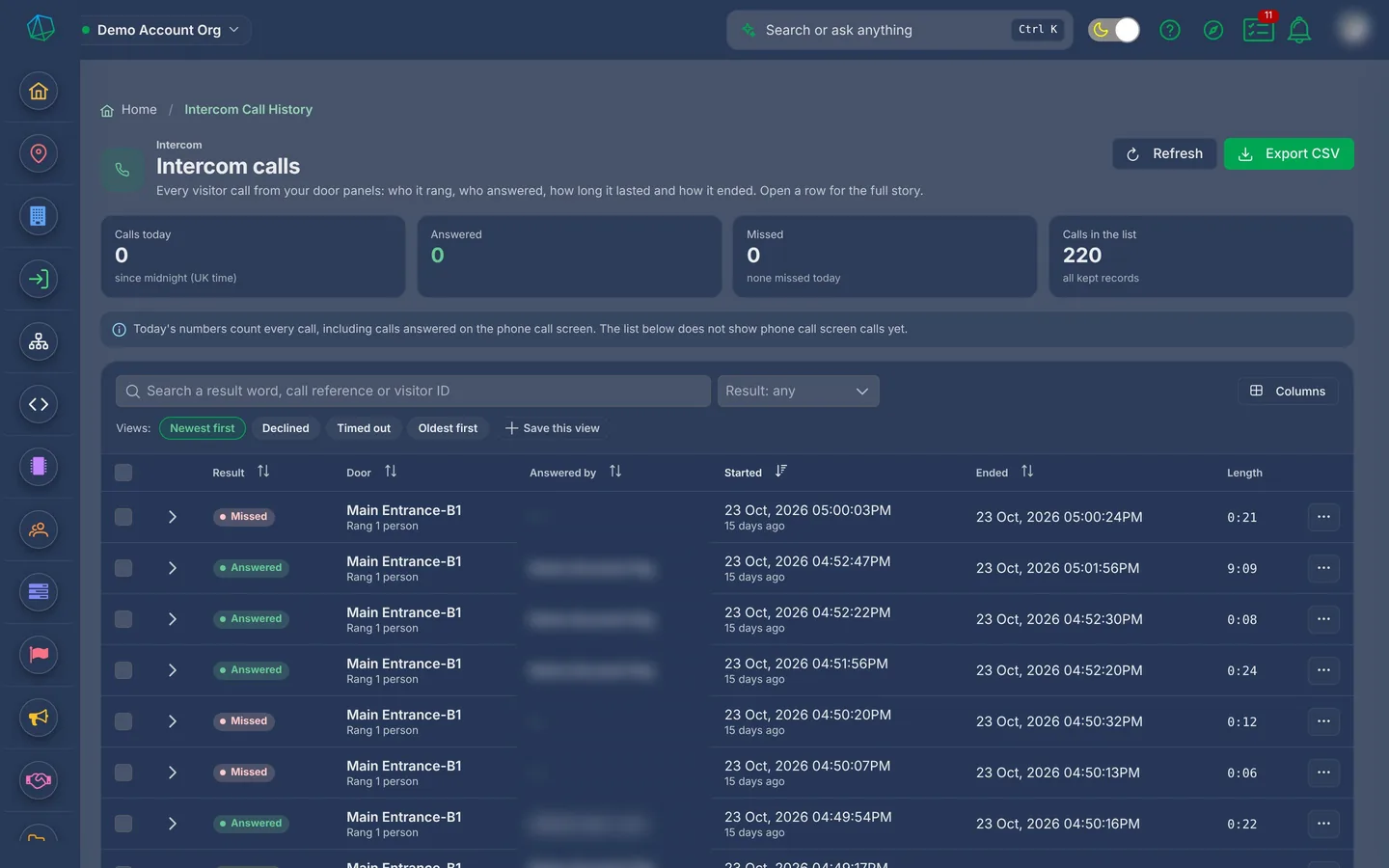
Visitors pick a resident or a group; residents see them on video and open the door from the app.
See Video IntercomNotice Board
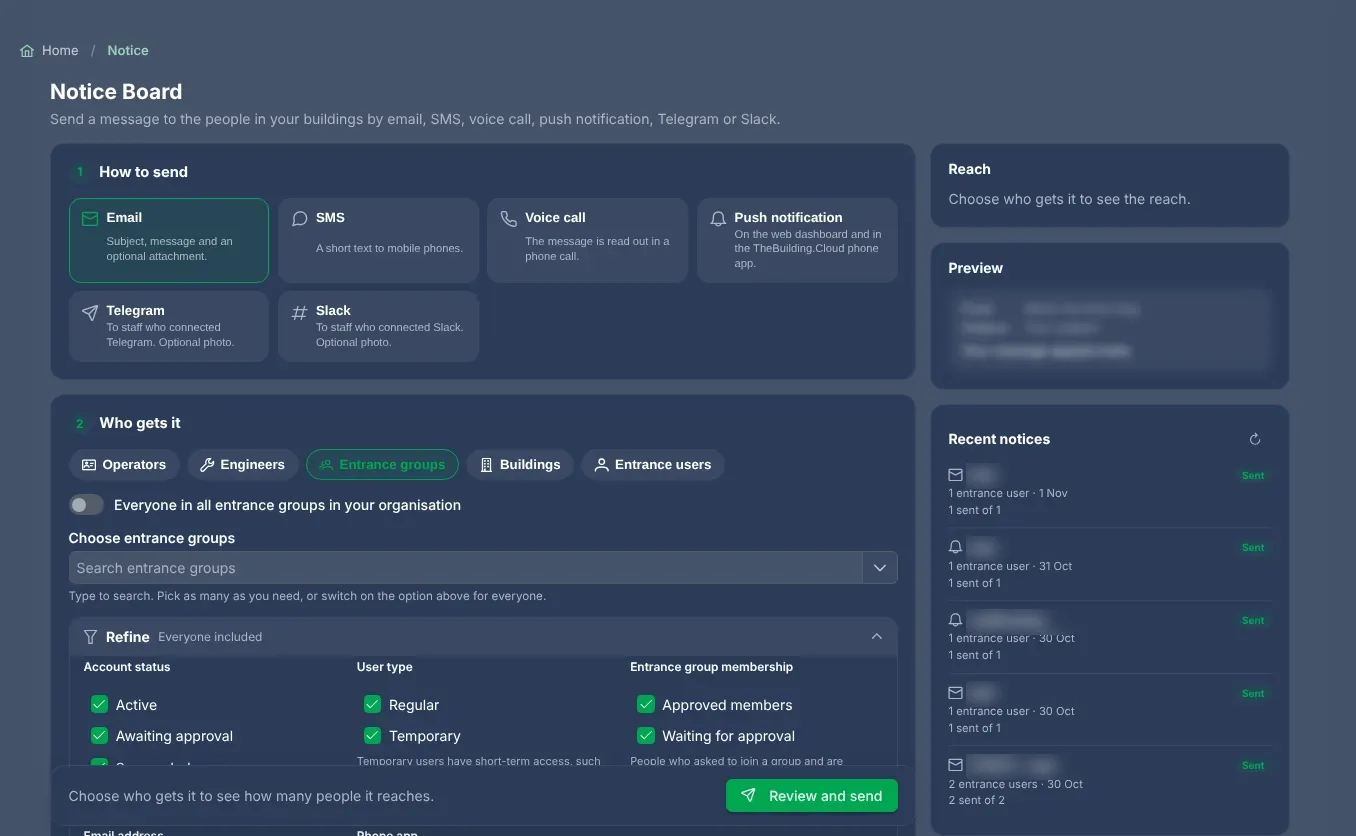
Building news to every resident, one block or one amenity group, with the reach checked before you send.
See Notice BoardSwitch Systems
Bring residents, PIN codes and card numbers across from your old system in four checked steps.
See Switch SystemsIssue Reporting
Repairs with photos and access details, with every reply in one conversation.
See Issue ReportingDoor Schedules
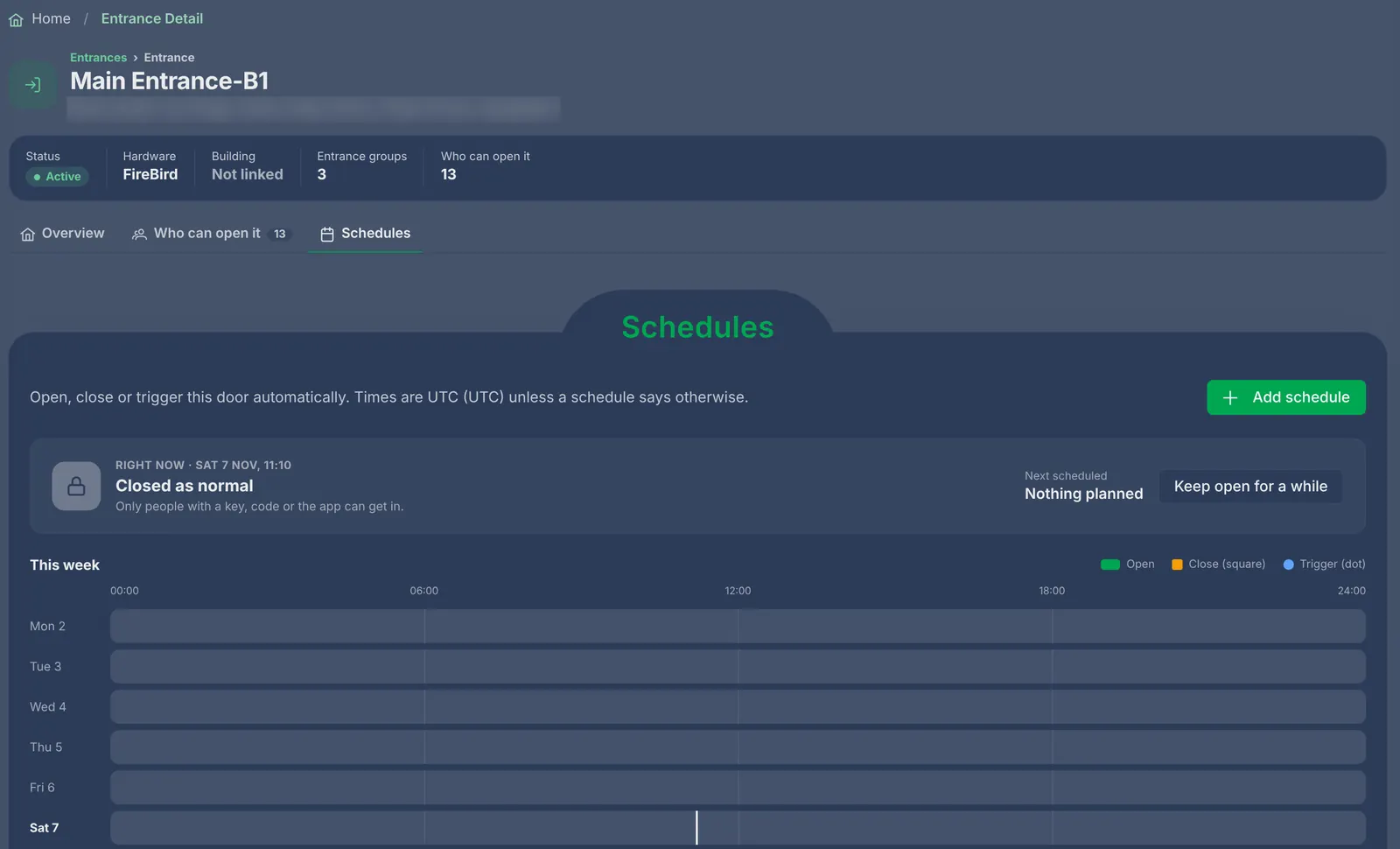
Amenities open and close by cloud timer, so the roof terrace locks at 22:00 without anyone on shift.
See Door SchedulesIn the product
What your on-site team sees
Real screens from the dashboard and app, taken from our demo organisation. Personal details are blurred or made up.
Who it's for
Built for build to rent operators and on-site teams
From a single block to a national portfolio.
Build to rent operators
Every building, resident and amenity in one platform.
On-site teams
Move-ins, deliveries and visitors without a fob desk.
Maintenance teams
Repairs with photos and access details.
Residents
Door keys, intercom calls and building news on their phone.
The problem
- Move-ins and move-outs every week mean a constant fob shuffle.
- Residents expect an app-like experience at the door.
- Amenities are used by people who have moved out.
- Building news emails go to old addresses.
- Visitors wait at the door while the resident is out.
- Repairs come in through every channel at once.
Works with
Works with
TheBuilding.Cloud works with the entrances and amenities you already have.
The TheBuilding.Cloud app
iPhone and Android: answer door calls with video, open doors and get building news. Older app versions keep working.
Any modern phone
Phone door keys use passkeys: the phone's own fingerprint, face or screen lock. Nothing to install for a door key.
FireBird controllers
Our own controllers for doors, gates and barriers, with online status, signal and remote firmware updates.
ANPR cameras
Plate reads are logged with the time and building, and listed plates can open the barrier.
Smart devices
Tuya devices, and Shelly, Zigbee2MQTT, Tasmota, ESPHome and Home Assistant devices through Device Hub, after you approve them.
Your own software
A documented API, webhooks and an MCP server for AI assistants, with the same permissions as the dashboard.
A typical week
Moving day
The resident arrives with a door key on their phone and opens the lift lobby and their floor.
Gym hours
The gym opens by cloud timer at 06:00 and closes at 23:00, for residents only.
Parcel day
The courier calls the resident, who opens the parcel room door from the app.
A water shut-off
Tower B gets an app notification within minutes of the supplier's call.
Why TheBuilding.Cloud
Why build to rent operators choose TheBuilding.Cloud
Feels like an app
Door keys, video calls and notices on residents' phones.
Amenities for residents
Entrance groups and cloud timers decide who gets in, and when.
Move-outs handled
One change takes a resident off every door.
Always-current lists
Building news reaches the people who live there now.
On-site team freed up
Fewer fobs, fewer calls, fewer locked-out residents.
Honest scope
We run the building, not the leases.
Questions from build to rent operators
Do you handle rent, leasing or tenancy agreements?
Can we connect our resident CRM?
Do residents need an app?
Can residents invite their own guests?
Can amenities have their own opening hours?
Can we move from our current system?
Guides and next steps
Send a message to residents
From channel to Reach.
Answer intercom calls
Calls in the app and the dashboard.
Set up your door key
How residents get a door key on their phone.
Doors on a timetable
Open and close doors by cloud timer.
Report a problem
How residents raise repairs.
Plans and pricing
See what each plan includes.
Other homes and living sectors
Build to rent shares most of its needs with apartment operators and co-living.
Same platform
The same doors, people and app
Same rules
Residents only open their own doors
Same app
Calls, doors and notices in one place
Build to rent
A building your residents don't have to think about
Book a demo and see a resident's first week: door key, deliveries, amenities and building news.