Mixed-use developers
One platform for homes, offices and shops on one estate
Residents upstairs, an office on the first floor, a café and a gym at street level, and one car park for all of them. TheBuilding.Cloud runs every door, gate and intercom on the estate from one dashboard, while each part keeps its own people and rules.
Operators look after their own buildings, roles decide who does what, and automation links doors, plate reads, alarms and devices. One record of who opened what, instead of a different system for every use.
Each use
Its own people and rules
The estate
One record of every door
Every use, one dashboard
How it works
Bring every use onto one platform in four steps
Start with one building and add the rest as each part of the scheme opens.
-
1
Map the estate
Set up sites, buildings and doors, then building groups for residential, office and retail.
-
2
Give each team its part
Operators manage only their building group; roles decide what each person may do.
-
3
Connect the hardware
FireBird controllers for doors, gates and barriers, plus cameras, alarms and smart devices.
-
4
Join it up
Automation rules link events: a plate read opens the gate, a fire panel fault emails the team.
How TheBuilding.Cloud helps mixed-use schemes
One platform that keeps each part of the estate separate where it should be and joined up where it helps.
Multi-site Management
Sites, buildings and doors, with operators by building group and roles with tick boxes.
See Multi-site ManagementAutomation
If this happens, do that: across doors, plate reads, fire panels and smart devices, with every run logged.
See AutomationDevice Hub
Plugs, relays, sensors and cameras you already own, approved before anyone can switch them.
See Device HubAccess Control
Every way in, managed in one place, with switch-off that reaches the readers.
See Access ControlANPR & Parking
Number plates and barriers for a car park shared by residents, staff and visitors.
See ANPR & ParkingFire & Intruder Alarms
Fire panels online through FireBird and intruder alarm events in the same platform.
See Fire & Intruder AlarmsLockdown and Martyn's Law
One lockdown for the whole estate or one building
Shops, food and drink, leisure and hotels are among the uses Martyn's Law (Terrorism (Protection of Premises) Act 2025) lists, depending on capacity. Lockdown mode locks the FireBird doors you choose, from one building to everywhere, and tells the people there what to do.
Start it in seconds
Press and hold on the dashboard or the Lockdown page, or start it from a panic button, a lockdown code at a FireBird keypad, another alarm system or an automation.
Every way in refused
Codes, cards, phones, plates, visitor passes and remote opens are refused on the FireBird doors you chose. It doesn't touch exit buttons or fire release, which are wired on the door.
Everyone told at once
Push and email alerts through the Notice Board (never SMS), a red banner for everyone signed in, and TV screens that switch to a lockdown message.
Know who is safe
Roll call with Safe, Need help, No answer and Expected, drills that follow the same steps, and a PDF report for your records.
Lockdown works on FireBird doors connected to the cloud; the board shows any door it can't reach. It helps you put your lockdown and communication procedures into practice; you stay responsible for your own procedures. This is general information, not legal advice.
In the product
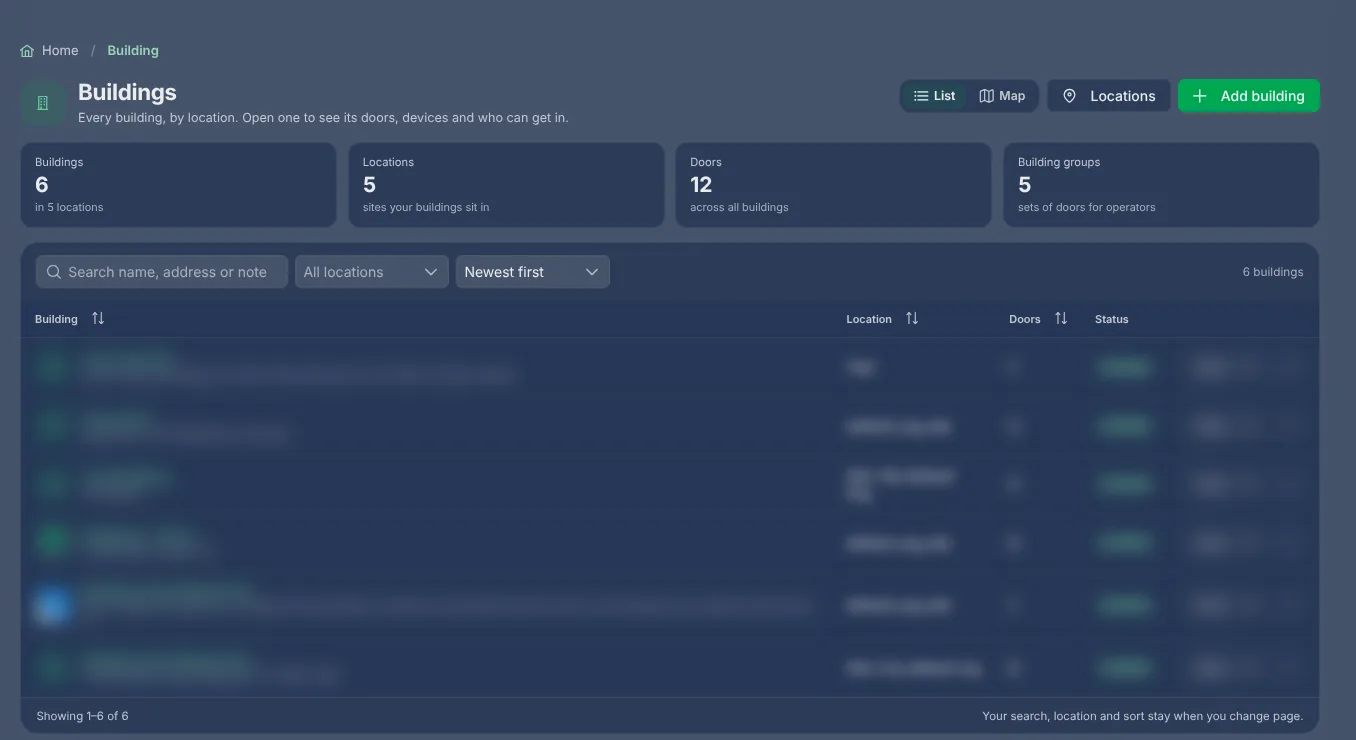
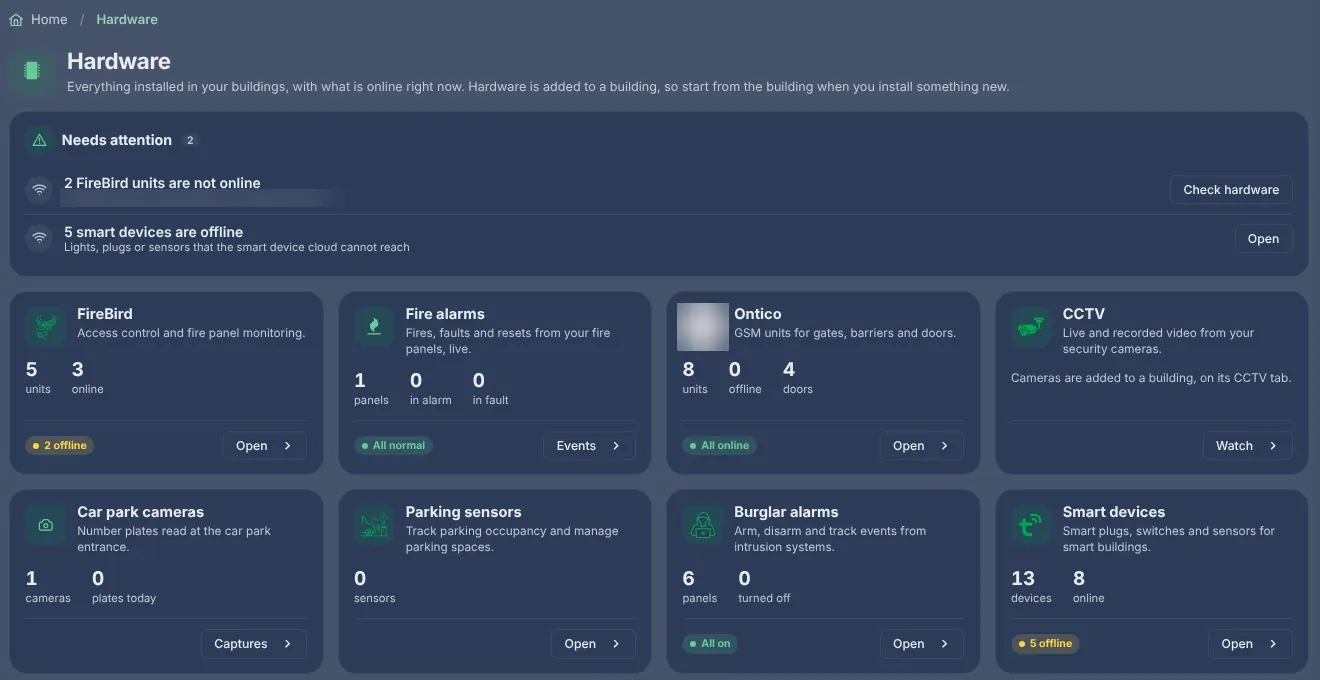
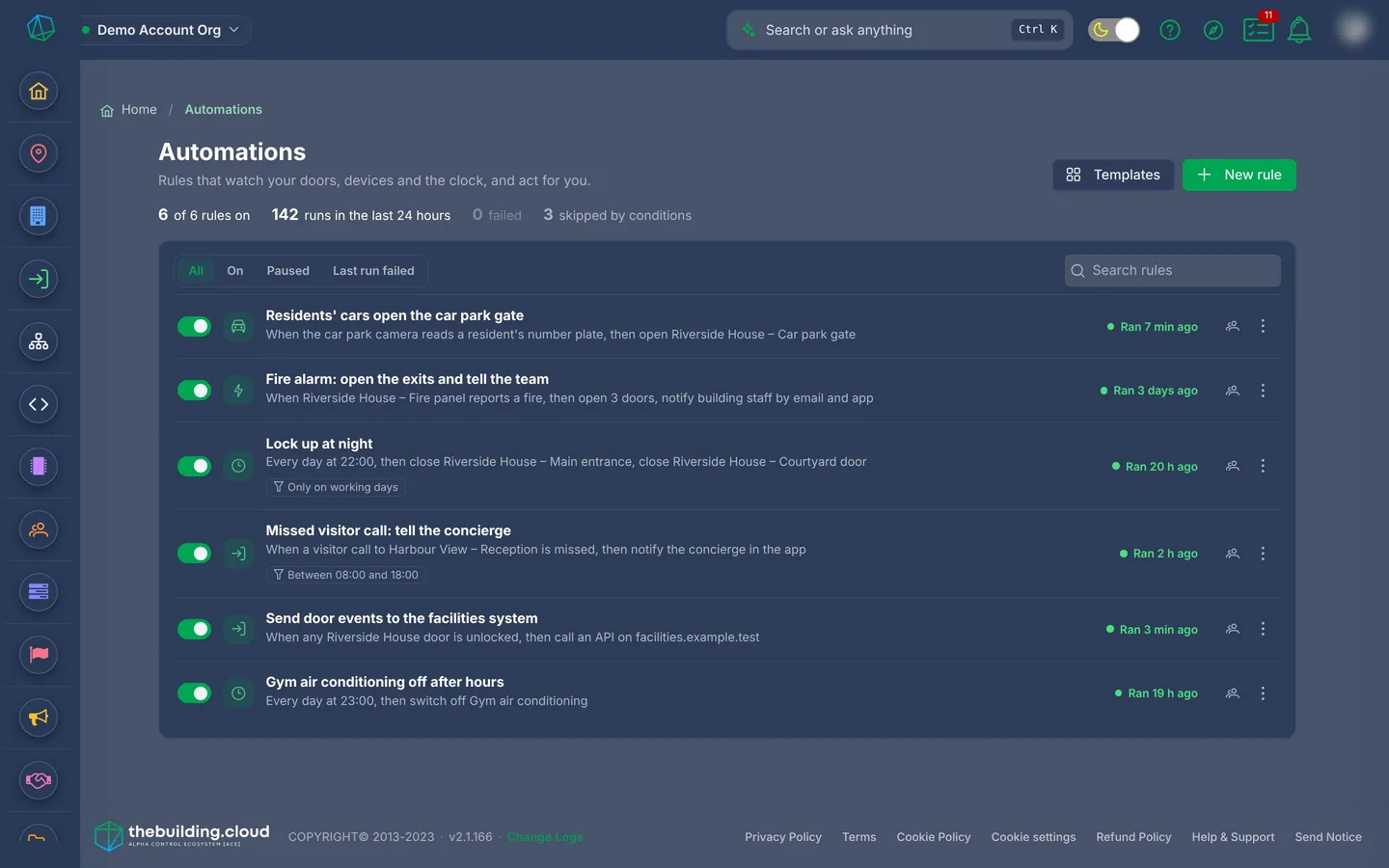
What your estate team sees
Real screens from the dashboard and app, taken from our demo organisation. Personal details are blurred or made up.
Who it's for
Built for developers and the teams who run mixed-use estates
If your scheme has more than one use and more than one team, this is for you.
Developers
Choose one platform at handover instead of a different system for every use.
Estate managers
See the whole estate, its doors, alarms and devices, in one dashboard.
Operators
Run the residential block or the offices without seeing the rest.
Facilities teams
One list of hardware that needs attention.
The problem
- Every use came with its own access system and its own login.
- Nobody can see the whole estate in one place.
- The shared car park needs rules from three different teams.
- A fault on one system is found by the next shift.
- Contractors need a different fob for every part of the building.
- Changes between teams happen by email.
Works with
Works with
TheBuilding.Cloud connects to the equipment on each part of the estate.
FireBird controllers
Our own controllers for doors, gates and barriers, with online status, signal and remote firmware updates.
ANPR cameras
Plate reads are logged with the time and building, and listed plates can open the barrier.
Cameras (RTSP)
Watch cameras live in the dashboard, next to the building they belong to.
Fire and intruder alarms
Fire panels through FireBird, and intruder alarm panels that report using SIA DC-09.
Smart devices
Tuya devices, and Shelly, Zigbee2MQTT, Tasmota, ESPHome and Home Assistant devices through Device Hub, after you approve them.
Your own software
A documented API, webhooks and an MCP server for AI assistants, with the same permissions as the dashboard.
A typical week
The shared car park
Residents' and office staff's plates open the barrier; visitors' plates are added to their meeting.
Shop opening hours
Retail doors open and close by cloud timer, with a different timetable at Christmas.
A fire panel fault at night
An automation rule emails the estate team and the engineer at once.
A contractor for two weeks
One profile, with codes for the plant room and the roof that end on the last day.
Why TheBuilding.Cloud
Why mixed-use teams choose TheBuilding.Cloud
One platform
Homes, offices, shops and parking in one place.
Kept apart
Operators only see their own building group.
Joined up
Automation links events across the estate.
One record
Every open, call and alarm in one log.
Hardware you own
Use existing locks, cameras and devices where they connect.
Room to grow
Add each phase of the scheme as it opens.
Questions from mixed-use developers
Can residential and office teams share one account?
Do we need new hardware everywhere?
Can different parts of the estate have different rules?
Can it talk to our building management system?
Who sees the whole estate?
Can we start with one building?
Guides and next steps
Add an operator
Give a team the buildings they look after.
Entrance groups
Group doors and the people who use them.
Connect a FireBird controller
Add a unit and link it to a door.
Doors on a timetable
Open and close doors by cloud timer.
Lockdown
Set up and run a lockdown.
Plans and pricing
See what each plan includes.
Other work and mixed-use sectors
Mixed-use schemes combine the needs of several sectors we work with.
Same platform
One login for the whole estate
Same rules
Each team stays in its own buildings
Same record
Every door and alarm logged
Mixed-use developers
One platform for the whole estate
Book a demo and see homes, offices, shops and parking run from one dashboard.