Parking operators
Number plates instead of fobs, cards and barrier calls
Permit holders who lost their fob, visitors buzzing the barrier and a log nobody can search. TheBuilding.Cloud reads each plate through your ANPR camera, logs it (with its photo when the camera sends one) and opens the barrier for plates on your list.
Visitors' plates come with their meeting and stop working when it ends. Bay sensors show which spaces are taken, and automation rules decide what happens when an unlisted plate arrives.
Permit holders
Their plate opens the barrier
Visitors
A plate pass with their meeting
The plate is the permit
How it works
A car park that runs itself in four steps
Set the rules once and the barrier follows them.
-
1
Add the plates
Add permit holders' plates to their profiles, or import them with your list of people.
-
2
The camera reads
Your ANPR camera sends each read; it is logged with the time and building.
-
3
The barrier opens
A rule opens the barrier for listed plates, through a FireBird controller.
-
4
Exceptions handled
An unlisted plate can email the team, or the driver calls you from the intercom.
How TheBuilding.Cloud helps parking operators
The features that take barrier calls off your team.
ANPR & Parking
Every plate your camera reads is logged and searchable, and listed plates open the barrier.
See ANPR & ParkingAutomation
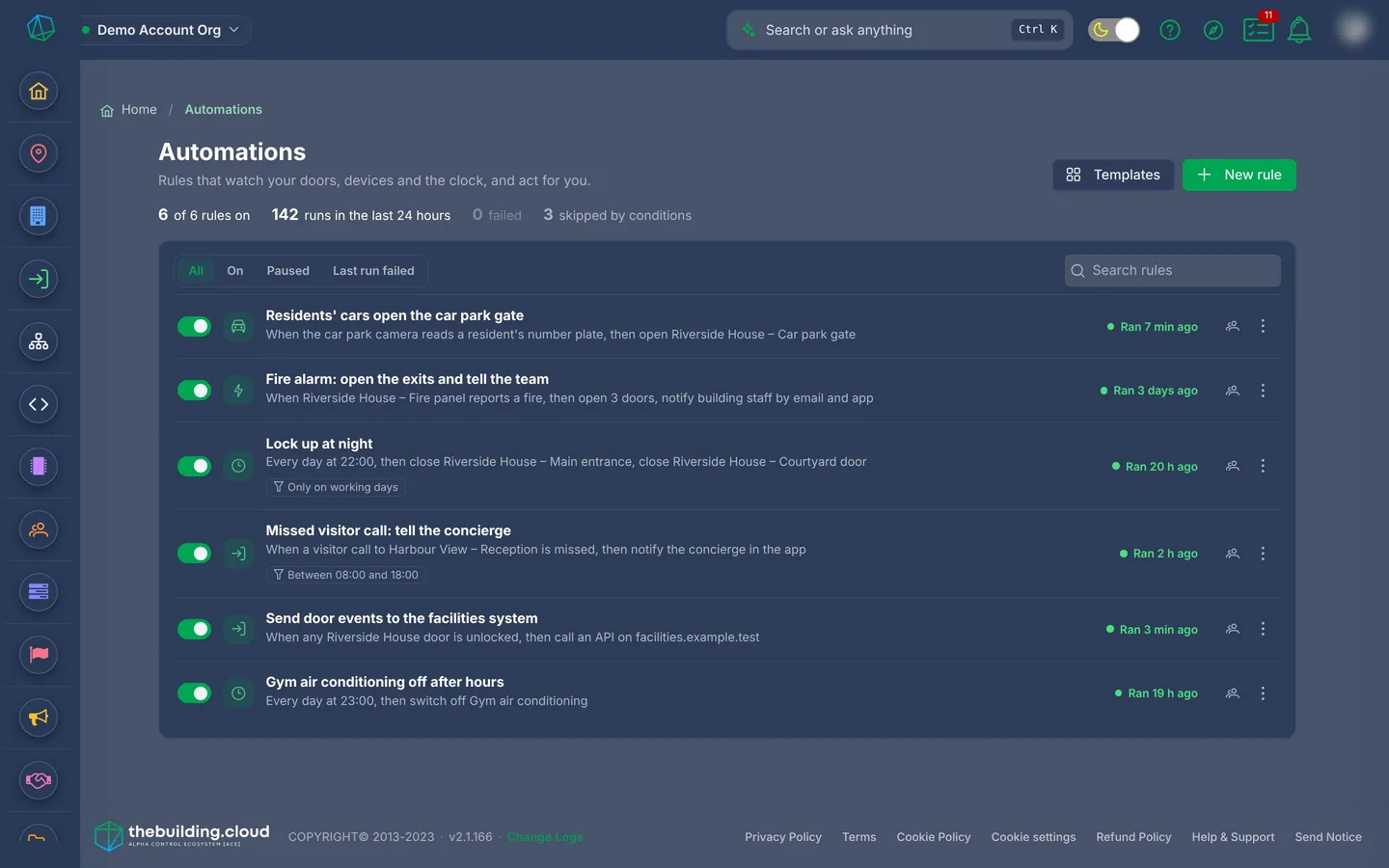
Rules for any plate, a listed plate or an unlisted plate: open a gate, send an email, alert the team.
See AutomationDoor Schedules
Open a barrier for set hours, or close it every night, by cloud timer.
See Door SchedulesFireBird Controllers
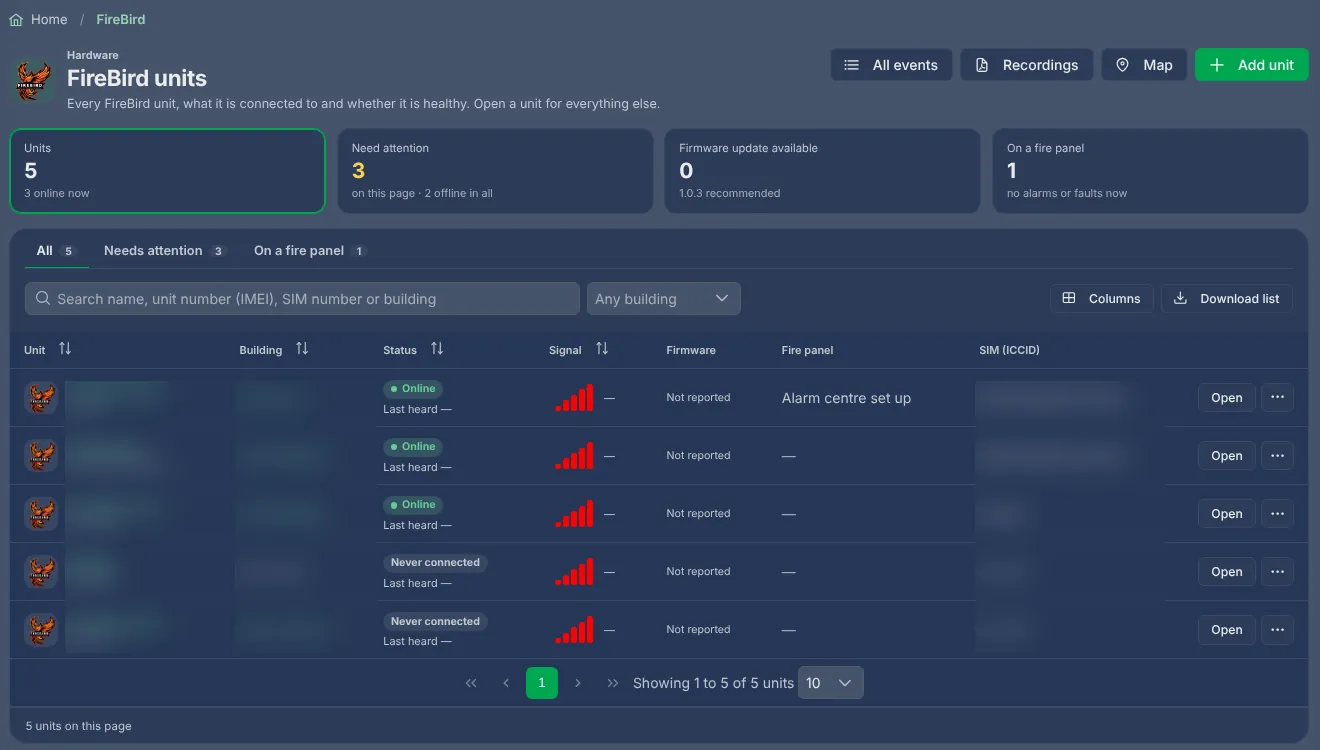
Our own controllers open barriers and gates, with online status and remote updates.
See FireBird ControllersVisitor Management
Add a visitor's plate to their meeting, and it works as a pass until the meeting ends.
See Visitor ManagementGate remotes and caller ID
Remote fob codes and phone numbers for controllers that open on a call, next to plates.
See Gate remotes and caller IDIn the product
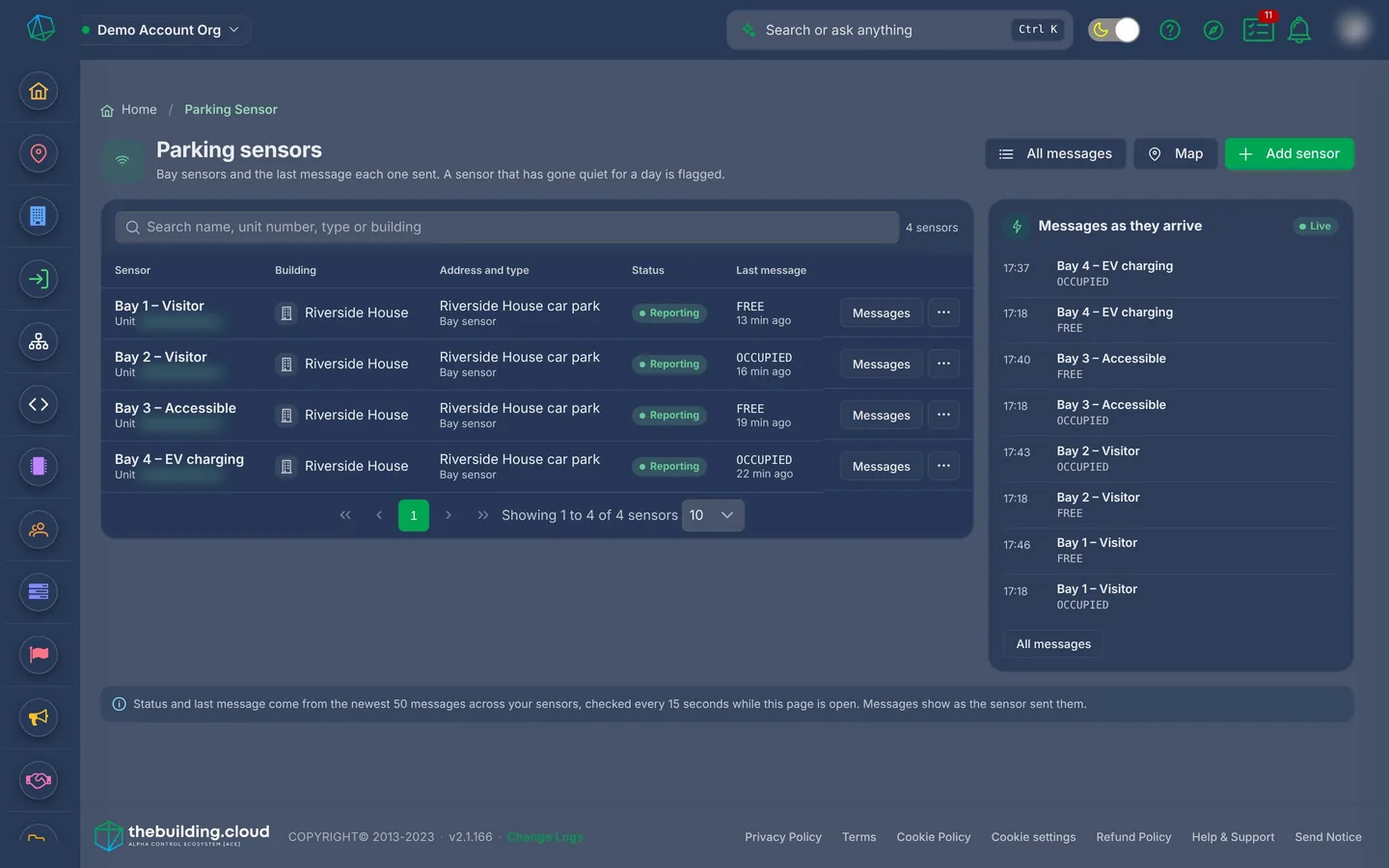
What your parking team sees
Real screens from the dashboard and app, taken from our demo organisation. Personal details are blurred or made up.
Who it's for
Built for car parks with a barrier and a list of plates
Private car parks, residential and office car parks, and the teams that run them.
Car park operators
Plates, barriers and logs in one dashboard.
Estates and facilities teams
Staff and visitor parking without a fob desk.
Site managers
See who came in, and when.
Drivers
Drive in without a fob or a call.
The problem
- Permit fobs are lost, lent and copied.
- Visitors buzz the barrier all day.
- The plate log can't be searched when there's a complaint.
- Barrier hours are set on a timer box nobody can reach.
- Nobody notices when a bay sensor stops reporting.
- Every exception needs someone on site.
Works with
Works with
TheBuilding.Cloud works with the cameras, barriers and sensors you already have.
ANPR cameras
Plate reads are logged with the time and building, and listed plates can open the barrier.
FireBird controllers
Our own controllers for doors, gates and barriers, with online status, signal and remote firmware updates.
Parking bay sensors
Register sensors and see their latest messages; a sensor quiet for a day is flagged.
Cameras (RTSP)
Watch cameras live in the dashboard, next to the building they belong to.
Gate remotes and caller ID
Remote fob codes, and a phone number for controllers that open on a call.
Your own software
A documented API, webhooks and an MCP server for AI assistants, with the same permissions as the dashboard.
A typical week
A new permit holder
Their plate is added to their profile and the barrier opens for them from the next morning.
A visitor for lunch
The visitor's plate is added to their meeting; after the meeting it stops working.
Overnight
The barrier closes at 22:00 by cloud timer, and only listed plates open it.
An unlisted plate
A rule emails the site team with the plate and the time.
Why TheBuilding.Cloud
Why parking operators choose TheBuilding.Cloud
The plate is the permit
No fobs to issue, lose or replace.
Searchable log
Every read with the time and building, and its photo when sent.
Visitors handled
Plate passes that end with the meeting.
Rules, not phone calls
Automation decides what happens at the barrier.
Hardware you can see
Controller status and quiet sensors flagged.
Next to your buildings
Plates live with the doors and people they belong to.
Questions from parking operators
Do you take parking payments?
Does every plate read come with a photo?
How does the barrier open?
Can visitors' plates expire?
Which cameras work?
Can drivers call us from the barrier?
Guides and next steps
Connect a FireBird controller
Add a unit and link it to a door.
Doors on a timetable
Open and close doors by cloud timer.
Add people and choose doors
Give someone the right doors.
Answer intercom calls
Calls in the app and the dashboard.
Add your first door
Start with one door.
Plans and pricing
See what each plan includes.
Other sectors with gates and barriers
Parking operators share their gates with industrial sites and mixed-use schemes.
Same platform
Plates, doors and people together
Same rules
Automation for every plate read
Same record
Every read logged
Parking operators
Let the plate open the barrier
Book a demo and see a plate read, a barrier rule and a visitor's plate pass from start to finish.