iPhone and Android
The TheBuilding.Cloud app puts your building in your pocket
See who is at the door before you answer, talk to them, and open the door from wherever you are, even from your car screen. Building managers also get their doors, people and devices on the go.
The app is called "TheBuilding.Cloud" in the App Store and Google Play. Older versions keep working, so nobody is forced to update to keep answering the door.
Phones
iPhone and Android
In the car
Accept on the car screen
See the visitor, answer, open the door
- steps from ring to door open
- 4
- car systems: CarPlay and Android Auto
- 2
- app for residents, staff and managers
- 1
- forced updates: older apps keep working
- 0
How it works
A visitor at the door, handled in four steps
Visitors scan the intercom QR at the door and choose who to call; the people on that door's call list ring on their phones.
-
1
Your phone rings
You see which door the visitor is calling from, even on a locked phone.
-
2
See them first
A live preview shows the visitor if their camera is on. They can't hear you until you answer.
-
3
Answer and talk
Tap Answer to talk. Mute, switch the speaker or end the call from the call screen.
-
4
Open the door
Tap Unlock. The visitor sees and hears that the door is open.
Who uses the app?
One app, every role
Pick a role to see what the app does for them.
Answer the door from anywhere
See who is calling, talk to them and open the door, even from the car screen.
- Live preview before you answer.
- Accept on the car screen connects straight away.
- Notice Board messages as notifications.
Your doors in your pocket
Open the doors you have access to from your door list.
- Location checks where the door asks.
- The same doors as your account.
- No fob to carry.
The building, on the go
Add buildings, doors and entrance groups, manage people and codes, and check FireBird units.
- Guests by group, status and date.
- People and codes.
- FireBird unit status.
Everything you do at the door, on your phone
One app for residents answering visitors and for managers looking after buildings.
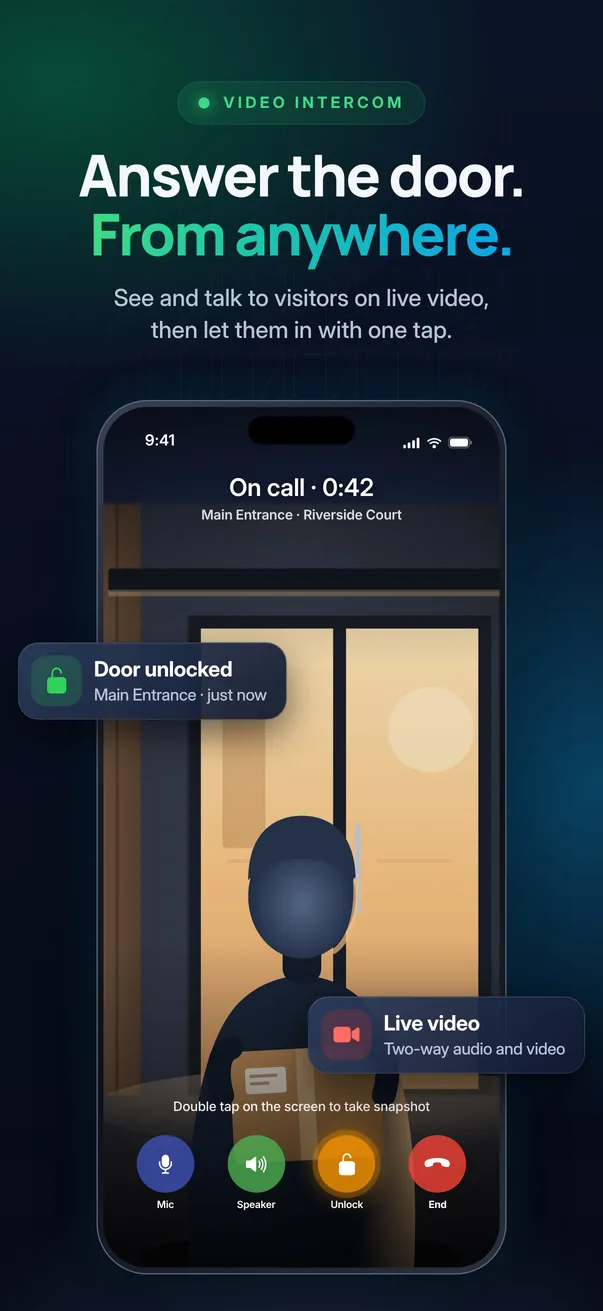
Video intercom calls
Ring with a live preview, answer with video or voice, and see "door open" confirmed on screen.
Answer from the car
With CarPlay or Android Auto, Accept on the car screen connects the call straight away, without unlocking your phone.
Open your doors
Open the doors you have access to from your door list, with location checks where the door asks for them.
Building notifications
Get Notice Board messages from your building manager as app notifications.
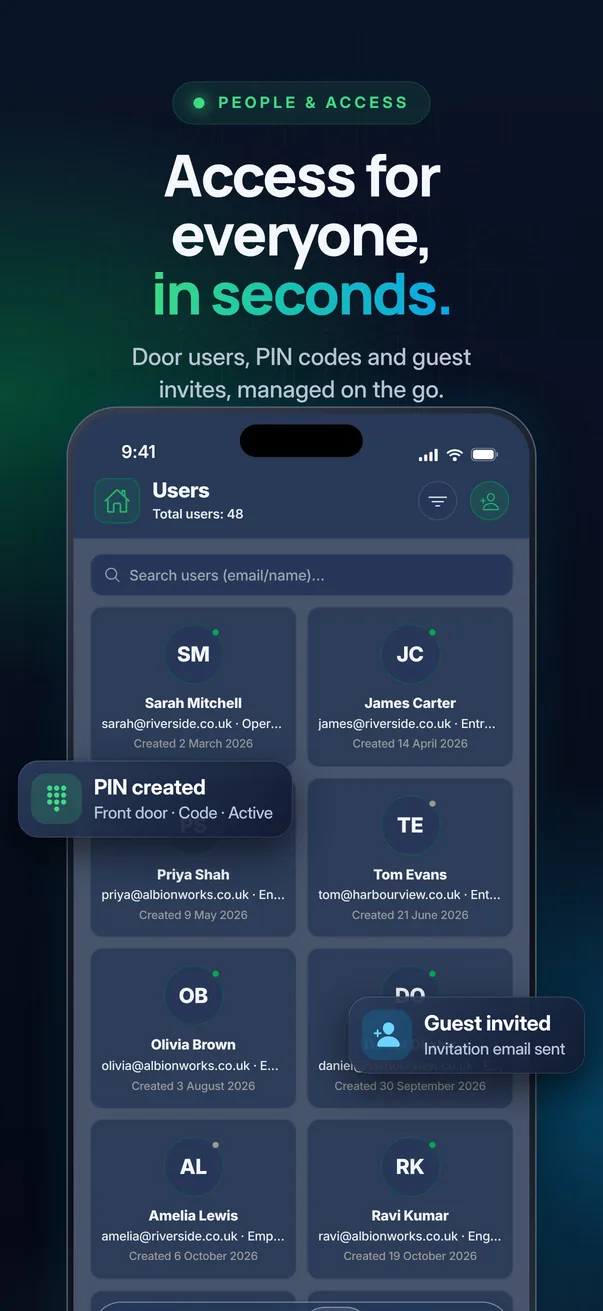
Manage guests
Managers can see guests and their access by entrance group, status and date.
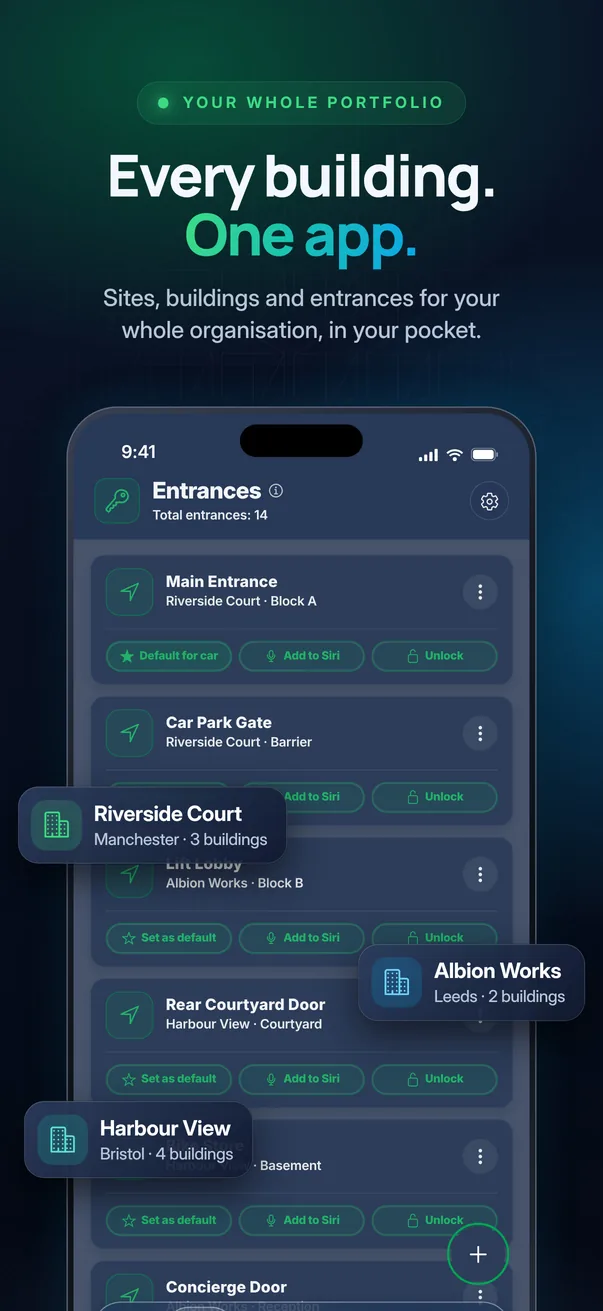
Doors and devices
Managers can add buildings, doors and entrance groups, manage people and codes, and check FireBird units.
In the product
Screens from the TheBuilding.Cloud app
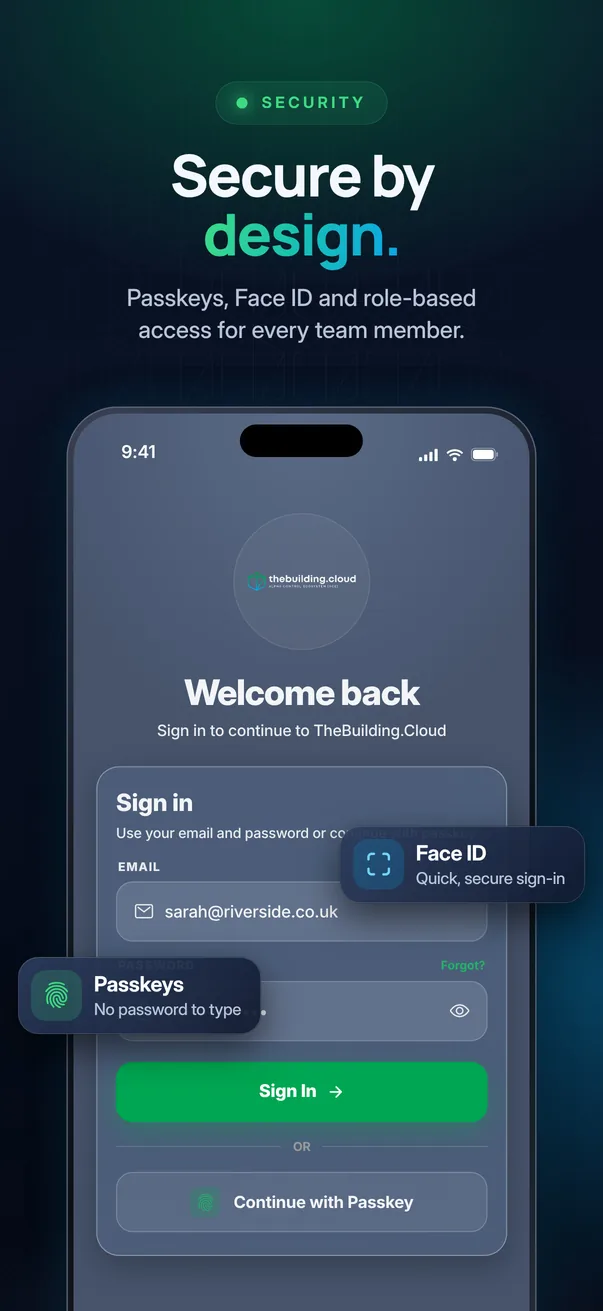
From our App Store listing. Names, sites and emails are invented sample data.
Who it's for
For residents, staff and managers
The app is how people answer the door and how managers keep an eye on their buildings away from the desk.
Residents
Answer visitors and delivery drivers from anywhere, and let them in without going downstairs.
Office staff
Take reception calls for your team on your own phone.
Building managers
Check doors, people and devices while you are out on site.
Installers
Add a door, a FireBird unit or an entrance group while you are standing next to it.
Problems it solves
- Missed deliveries because nobody heard the door entry phone.
- Wall-mounted handsets that only work when you are at home.
- Visitors waiting outside while someone finds the right flat.
- Answering the door while driving is unsafe or impossible.
- Managers have to go back to a desk to change anything.
- Being forced to update an app before you can let someone in.
Works with
Works with the rest of TheBuilding.Cloud
The app uses the same doors, call lists and people as the web dashboard.
Video intercom
Visitors call from the intercom QR or the door's call page; the app rings the people on the call list.
CarPlay and Android Auto
Calls show on the car screen and connect on Accept, using the car's own audio.
Door keys
Residents can also open doors with a passkey from the QR code by the door, with or without the app.
Notice Board
Messages sent as app notifications land on residents' phones.
FireBird controllers
Managers see units, their events and input and output logs.
Your account
Sign in once and stay signed in; managers and residents use the same app.
Everyday examples
A delivery at work
A resident sees the courier on the live preview from their office, answers, and taps Unlock so the parcel goes in the lobby.
Arriving home
A friend rings while you are driving. You tap Accept on the car screen and talk through the car speakers.
A family flat
The call goes to everyone in the flat's group; the first person to answer talks to the visitor.
On site
An installer adds a new FireBird unit and links it to the door from the app before leaving the site.
Why TheBuilding.Cloud
Why residents and managers like the app
See before you answer
A live preview with your microphone off until you choose to talk.
Safe in the car
Accept connects straight away on CarPlay and Android Auto, with no unlock prompts.
Door open, confirmed
Visitors always see and hear that the door is open.
No forced updates
Older app versions keep working, so an update is never a barrier.
One app for everyone
Residents and managers use the same app, with the right screens for their role.
Built for the real world
Calls ring on a locked phone, and Android shows a clear prompt if a setting is missing.
Questions about the mobile app
Where do I get the app?
Do I need the app to open a door?
Can I answer in the car?
Why isn't my phone ringing?
Does the visitor know I am watching?
Do I have to update to the newest version?
Guides and next steps
Answer intercom calls
Ringing, answering and unlocking.
Call a resident from the door
What visitors see and do.
Open a door with your phone
Door keys without a call.
Video intercom
How visitors call your building.
Passkey door access
Open doors with a door key.
Plans and pricing
See what each plan includes.
The phone end of your whole building
Calls, doors, notifications and management all come from the same platform, so what you set up on the web works in the app.
Same call lists
The people on a door's list are the people who ring
Same doors
Your door list matches your entrance groups
Same messages
Notice Board notifications arrive in the app
Mobile app
Answer the door from anywhere
Give residents a live preview, one-tap unlock and calls on the car screen, and give managers their buildings on the go.