Shared ownership
Resident access and repairs for shared ownership schemes
Shared owners, renters and leaseholders under one roof, across dozens of schemes, with every repair and every lost fob arriving by phone. TheBuilding.Cloud gives your residents a door key on their phone, a video intercom in their pocket and one place to report a repair.
Your housing teams see each scheme in one dashboard, send building news to exactly the right residents and follow repairs to the end. We don't handle rent, staircasing or leases: we look after the doors, the residents and the building.
Residents
Door keys and repairs on their phone
Housing teams
Each scheme in one dashboard
Every scheme, every resident, one place
- files per reply on a repair
- 10
- people: big sends go out gradually
- 1000+
- longest guest access, then it ends by itself
- 30 days
- systems with ready-made import presets
- 29
How it works
A repair from report to resolved in four steps
The details your team needs arrive with the report, not three phone calls later.
-
1
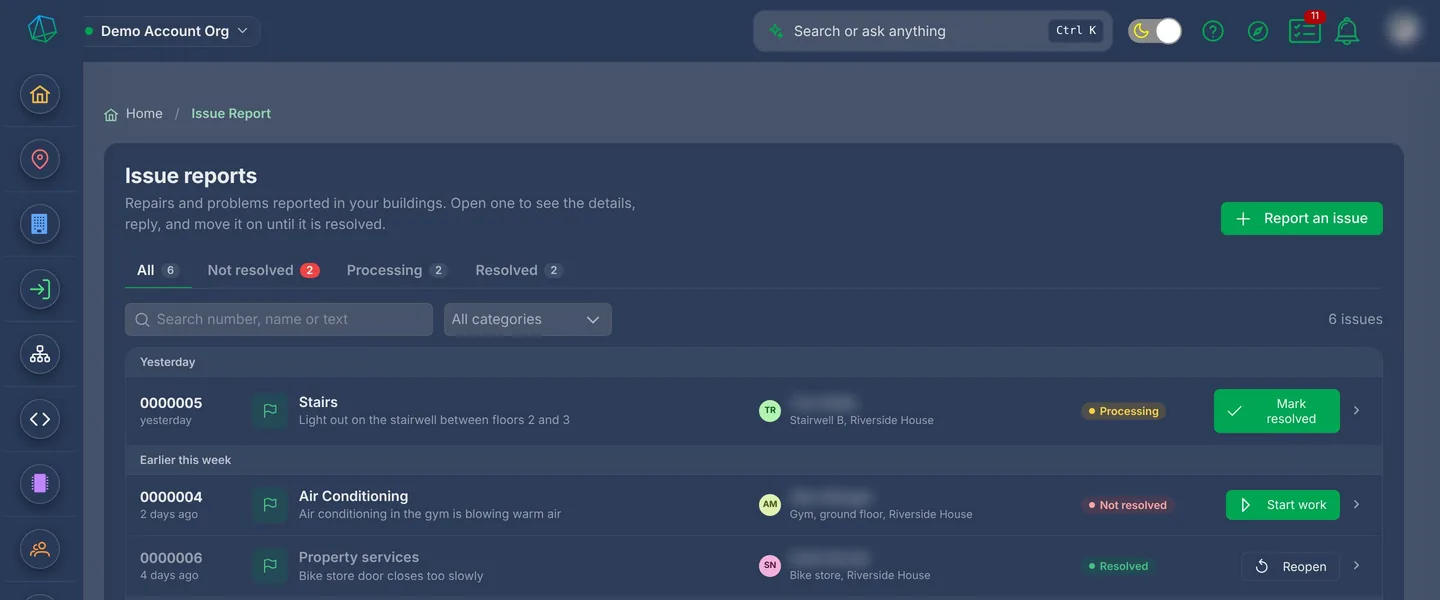
The resident reports it
Category, description, a photo, the address, access to the property and whether a vulnerable person lives there.
-
2
Your team is told
The organisation and the operators who look after the scheme get a notification.
-
3
One conversation
Replies with photos, PDFs, videos and voice notes, all on the issue.
-
4
Resolved
Not Resolved, Processing, Resolved: every change shown to the resident.
How TheBuilding.Cloud helps housing providers
The features that matter across many schemes and many kinds of resident.
Issue Reporting
A repair form that asks the right questions, your own categories, and one conversation per issue.
See Issue ReportingNotice Board
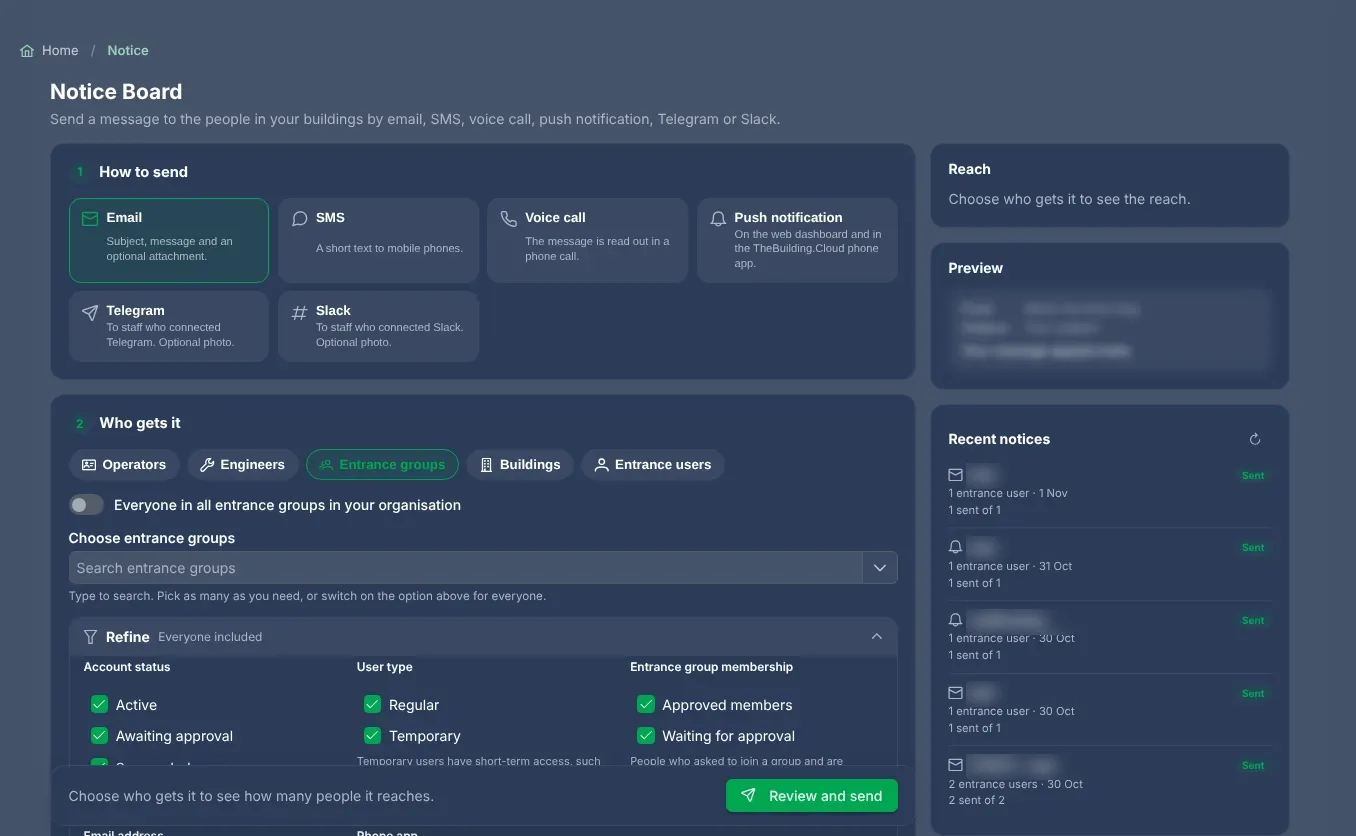
Tell one scheme about planned works, or every resident about a change, by email or app notification.
See Notice BoardMulti-site Management
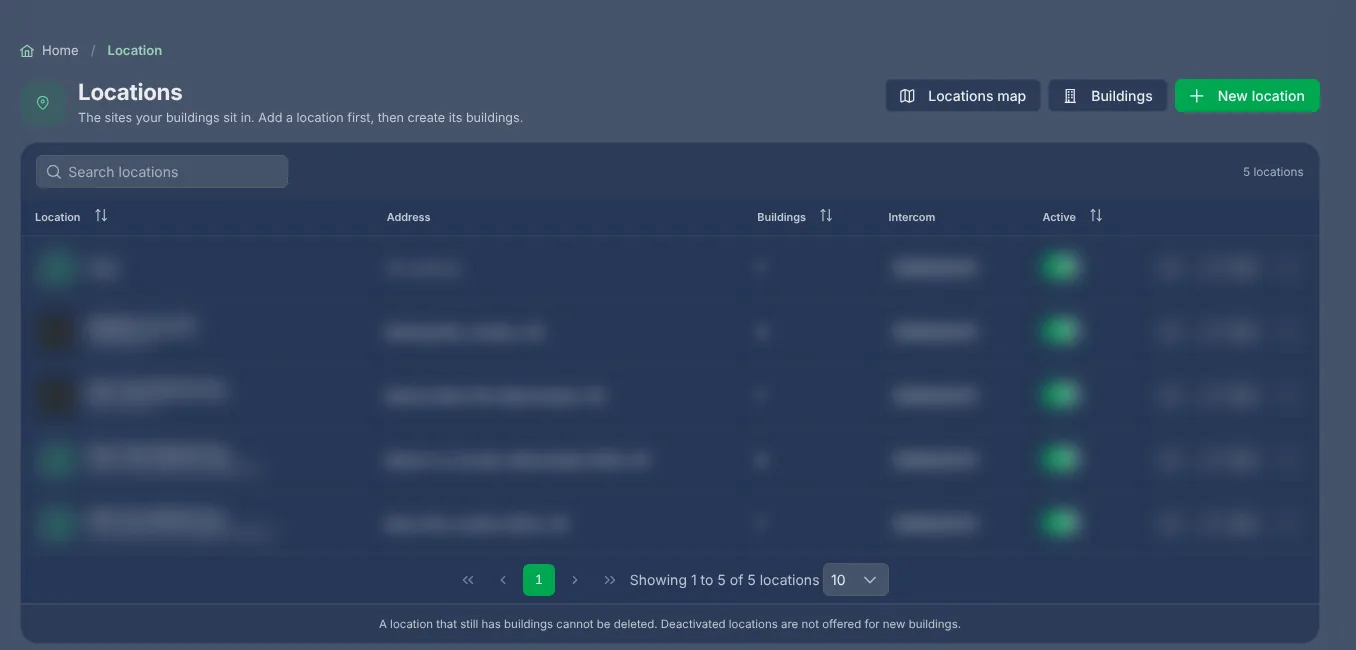
Schemes as sites and buildings, with housing officers as operators on just their patch.
See Multi-site ManagementVideo Intercom
Visitors call residents from the QR code at the entrance; residents answer on their phone.
See Video IntercomPasskey Door Unlock
Door keys on residents' phones, with PIN codes or fobs for anyone who prefers them.
See Passkey Door UnlockGuest Access
Residents add a carer or family member for up to 30 days, and it ends by itself.
See Guest AccessIn the product
What your housing teams see
Real screens from the dashboard and app, taken from our demo organisation. Personal details are blurred or made up.
Who it's for
Built for housing associations and registered providers
For shared ownership, affordable rent and mixed-tenure schemes.
Housing associations
Every scheme and every resident on one platform.
Housing officers
Look after your own patch, with nothing else in the way.
Repairs teams
Reports with photos, access details and vulnerable occupiers flagged.
Residents
Door keys, intercom calls, repairs and news on their phone.
The problem
- Repairs arrive by phone with no photo and the wrong address.
- Communal fobs are lost, copied and expensive to replace.
- A notice meant for one scheme reaches the whole estate.
- Vulnerable residents aren't flagged until someone visits.
- Each scheme has a different door entry system.
- Housing officers can't see what happened at the door.
Works with
Works with
TheBuilding.Cloud works with the communal doors you already have.
Any modern phone
Phone door keys use passkeys: the phone's own fingerprint, face or screen lock. Nothing to install for a door key.
FireBird controllers
Our own controllers for doors, gates and barriers, with online status, signal and remote firmware updates.
Keypads, cards and fobs
PIN codes, cards, tags and fobs on FireBird doors and supported controllers, managed from the same profile.
The TheBuilding.Cloud app
iPhone and Android: answer door calls with video, open doors and get building news. Older app versions keep working.
Your old system's export
Import people, PIN codes and card numbers from a CSV or Excel export, with presets for 29 systems.
Visitor passes, door key invitations and notices go by email, never SMS.
A typical week
A communal door fault
A resident reports it with a photo. The repairs team sees it at once and replies with the visit time.
Planned works
Scheme 14 hears about roof works next month by email, with the contractor's letter attached.
A carer's visits
A resident adds their carer as a guest. The carer opens the communal door with their own phone.
A new housing officer
They are added as an operator on their patch and see only those schemes.
Why TheBuilding.Cloud
Why housing providers choose TheBuilding.Cloud
Repairs with context
Photos, access details and vulnerable occupiers on the report.
Right residents only
Notices go to exactly the scheme or block you choose.
One platform
Every scheme, whatever its door hardware, in one dashboard.
Patches respected
Officers only see the schemes they look after.
Inclusive
Door keys, PINs or fobs: residents choose what suits them.
Honest scope
Doors, residents and repairs; your housing system keeps the tenancies.
Questions from housing providers
Do you handle rent, staircasing or leases?
Can it link to our housing management system?
What about residents without smartphones?
Can repairs categories match ours?
How is a vulnerable resident flagged?
Can we move schemes from other door systems?
Guides and next steps
Report a problem
How residents raise repairs.
Send a message to residents
From channel to Reach.
Add an operator
Give a team the buildings they look after.
Set up your door key
How residents get a door key on their phone.
Answer intercom calls
Calls in the app and the dashboard.
Plans and pricing
See what each plan includes.
Other homes and living sectors
Housing providers share most of their needs with block managers and landlords.
Same platform
The same doors, people and app
Same rules
Officers stay on their own patch
Same record
Every open and every repair logged
Shared ownership
Repairs that arrive with everything you need
Book a demo and see a repair go from a resident's phone to resolved, and a notice reach exactly one scheme.