One account, every building
Multi-site management with the right access for every team
Organise your portfolio as sites, buildings and doors. Give each operator team the buildings they look after, give each role exactly the actions it needs, and see everything you are responsible for from one dashboard.
Operators only see and open what is theirs. Staff who work for more than one organisation can reach all of their doors without juggling logins, and every organisation's data stays its own.
Structure
Sites, buildings, doors
Teams
Operators by building group
Sites, buildings, doors and teams in one place
- steps to organise a portfolio
- 4
- levels: sites, buildings and doors
- 3
- dashboard for everything you look after
- 1
- kinds of dashboard: cards for managers, a simple pass for everyone else
- 2
How it works
A portfolio set up in four steps
Build the structure once, then let each team work inside its own part of it.
-
1
Add sites and buildings
Create a site for each location and add its buildings and doors.
-
2
Group the doors
Put doors into entrance groups, and entrance groups into building groups for each team.
-
3
Add your operators
Add each operator with the building group they look after; they get an email to get started.
-
4
Fine-tune roles
Use roles with tick boxes for what each kind of user may see and do.
Who sees what?
Each role, exactly what it needs
Pick a role.
The whole portfolio
Sites, buildings, doors, people and operators, with a map of your locations.
- Create sites, buildings and doors.
- Import people from a spreadsheet.
- Create roles with tick boxes.
Their building group, nothing else
An operator manages the doors of their building group from the portal.
- Invited by email.
- Only their buildings.
- Card dashboard for their work.
A simple personal pass
Residents, guests and engineers get a simple pass with the doors they may open.
- No admin screens.
- Their own doors only.
- Several organisations, one login.
Built for portfolios, not single doors
The tools managing agents, landlords and installers need to run many buildings without losing control.
Sites and buildings
Organise doors under buildings and buildings under sites, with a map of your locations.
Operators by building group
An operator manages the doors of their building group from the portal, and nothing else.
Roles with tick boxes
Create roles and tick what each one may do, from viewing doors to unlocking or editing people.
A dashboard for each role
Organisations and operators get card dashboards; residents, guests and engineers get a simple personal pass.
Several organisations, one person
Staff who work for more than one organisation open the doors of each without switching accounts.
Bring people in at scale
Import residents and staff from a spreadsheet in the background, with checks before anything is created.
In the product
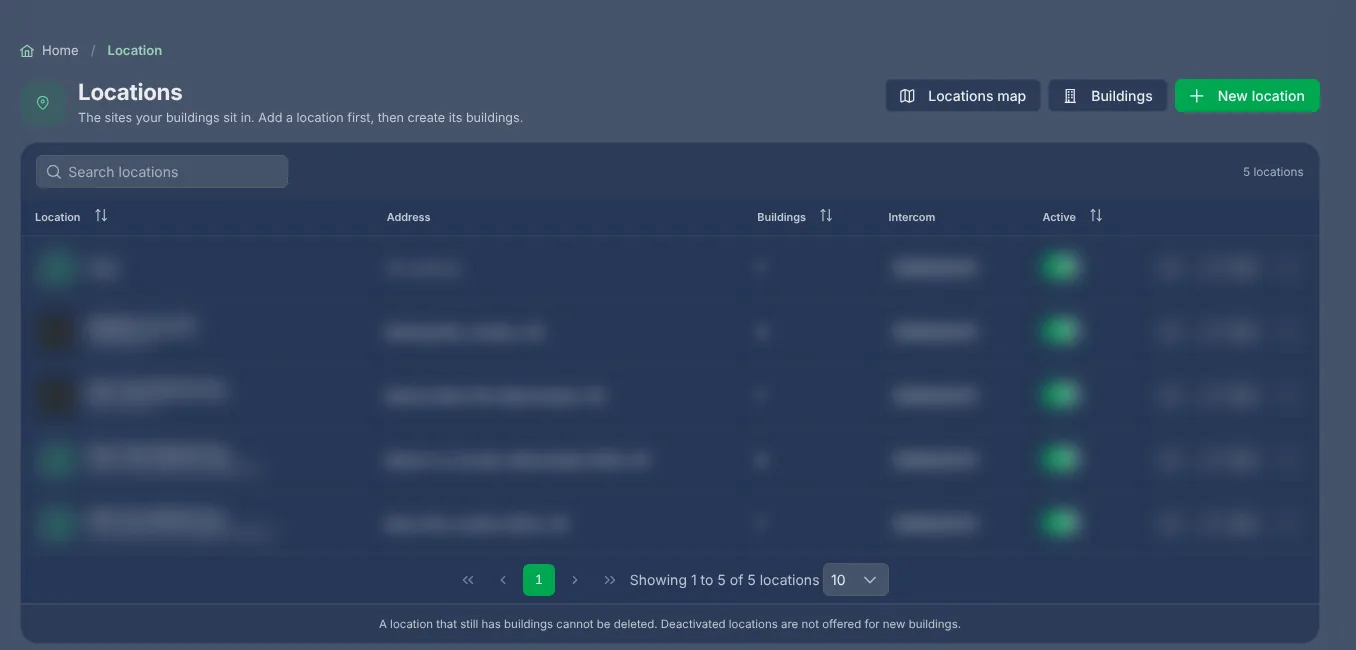
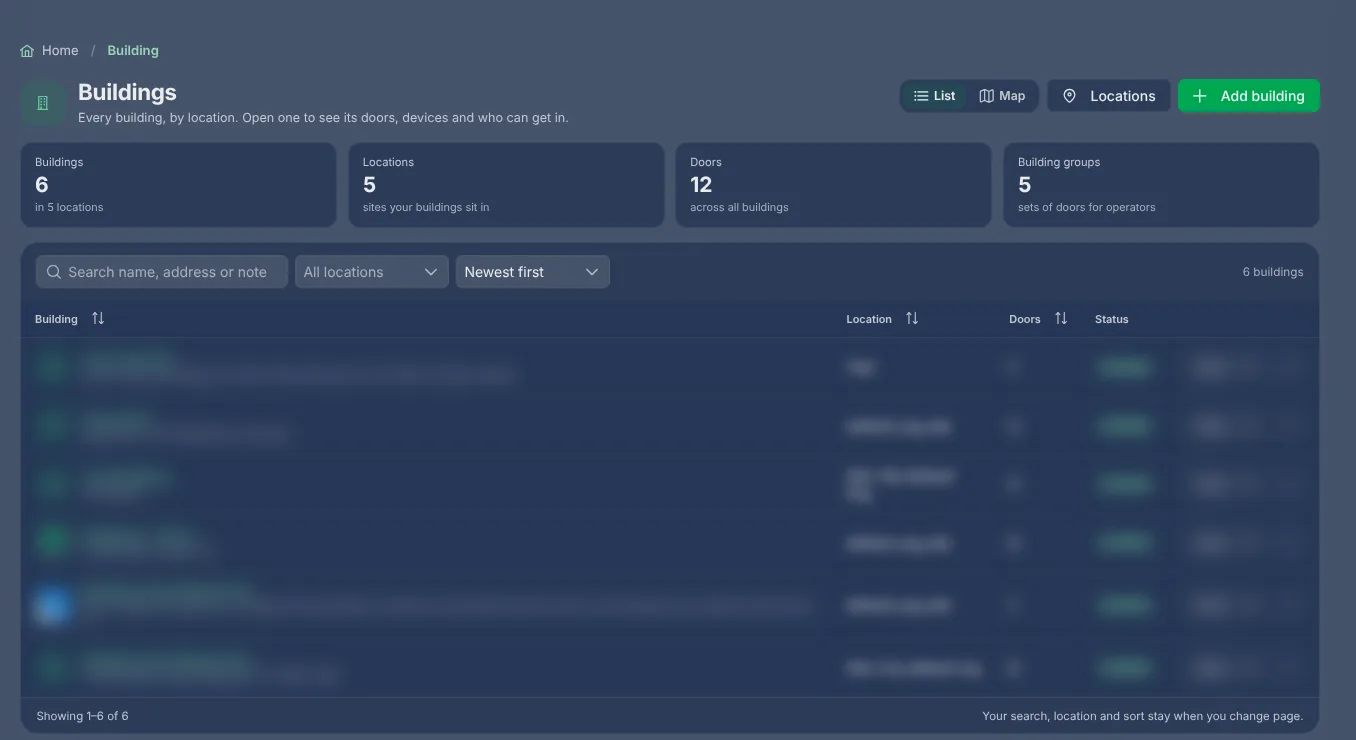
Real screens from the dashboard
Taken from our demo organisation on 7 November 2026. Location and building names and addresses are blurred.
Who it's for
For anyone responsible for more than one building
Multi-site management suits organisations with several locations and teams who each look after part of them.
Managing agents
Run every block you manage from one account, with each property manager seeing their own buildings.
Landlords and housing providers
Keep a whole estate in one place, with access rules that match how your teams work.
Multi-site businesses
Run offices, depots and stores together, with local teams for each.
Installers and integrators
Look after many customers' sites, each in its own organisation.
Problems it solves
- Every building has its own system and its own login.
- Staff see far more than they should, or far less than they need.
- A new property manager takes days to set up.
- Nobody can see the whole portfolio at once.
- Contractors who work for several clients juggle accounts.
- Moving a building between teams means redoing its access.
Works with
The same structure drives everything
Sites, buildings and groups are not just labels: they decide who sees what across the platform.
Doors and entrance groups
Who can open which door comes from group membership.
Building groups
Which doors an operator manages comes from their building group.
FireBird and Ontico controllers
Operators see the units on the doors they manage.
Smart devices
Operators control only the devices in the buildings they manage.
Notice Board
Operators can only message the people in their groups.
Billing
One subscription for the organisation, with plan limits that grow with you.
Everyday examples
A managing agent
Three property managers each get a building group for their blocks. Each sees and manages only their own doors and residents.
A retail chain
Each store manager is an operator for their store; head office sees every site on one dashboard.
An installer
An engineer working for two customers opens both customers' plant rooms with the same phone, without switching.
A security team
A custom role can view doors and unlock them, but not add or remove people.
Why TheBuilding.Cloud
Why portfolios run on TheBuilding.Cloud
Least access by default
Operators and staff only reach what their groups give them.
One change, every door
Change a building group and the operator's doors follow.
Clear separation
Each organisation's people and data stay its own.
Fast onboarding
Add an operator with a building group and they get an email to start.
Built for scale
Designed for large estates, with background imports and bulk messaging.
Your colours
Organisations can give the dashboard their own colour theme.
Questions about multi-site management
What is an operator?
What is a building group?
Can operators open doors with a key or code?
Can I create my own roles?
Can one person work for several organisations?
Can I add many people at once?
Guides and next steps
One platform for the whole portfolio
Doors, people, devices and messages all follow the same sites, buildings and groups, so the structure you set up works everywhere.
Same structure
Sites, buildings and groups across every feature
Same rules
Roles and groups decide what each person reaches
Same dashboard
Every building you manage, side by side
Multi-site management
Run every building from one place
Give each team the buildings they look after and keep the whole portfolio in view.