GP surgeries and clinics
Staff-only doors with locums and contractors under control
A locum on Monday, a cleaner every evening, a pharmacy rep on Thursday and a back door that should only open for staff. TheBuilding.Cloud gives each person the doors they need, for the hours they need them, and opens and closes the public doors on your opening hours.
When a locum's week ends, so does their code. The practice manager sees who opened which door, and lockdown mode can secure the FireBird doors you choose in seconds.
Locums
Access that ends with the booking
Public doors
On your opening hours
The right doors for the right hours
- built-in roles, plus your own
- 7
- longest Open once for a responder
- 60 s
- keep a door open from one button
- 2 hours
- ways to open a door: door key, passcode or both
- 3
How it works
A week at the practice in four steps
Staff, locums, contractors and the public, each through the right door.
-
1
Doors on opening hours
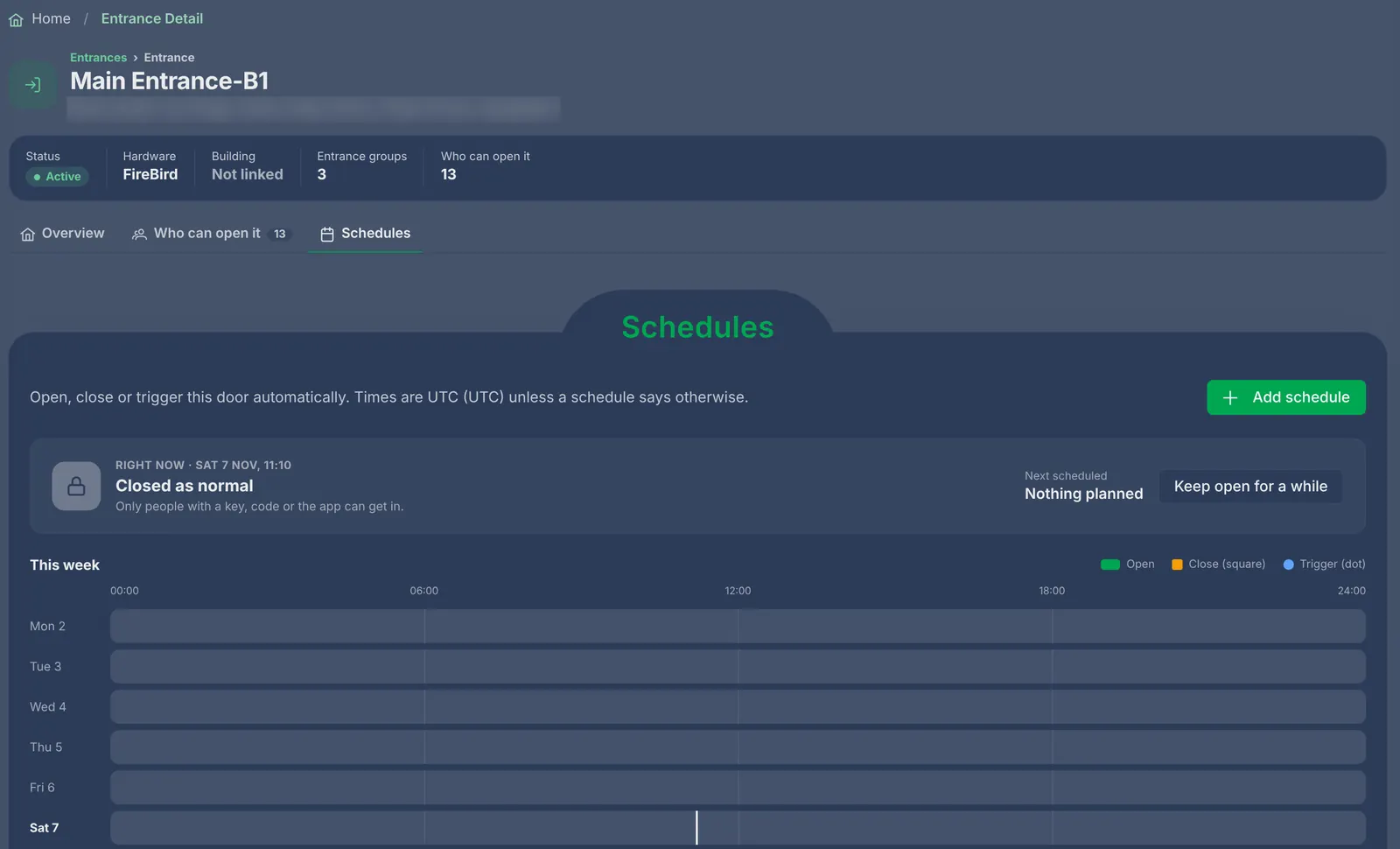
Public doors open and close by cloud timer, with extended hours on late evenings.
-
2
Locums arrive
A locum's card or code works on the staff doors for the days of their booking.
-
3
Cleaners after hours
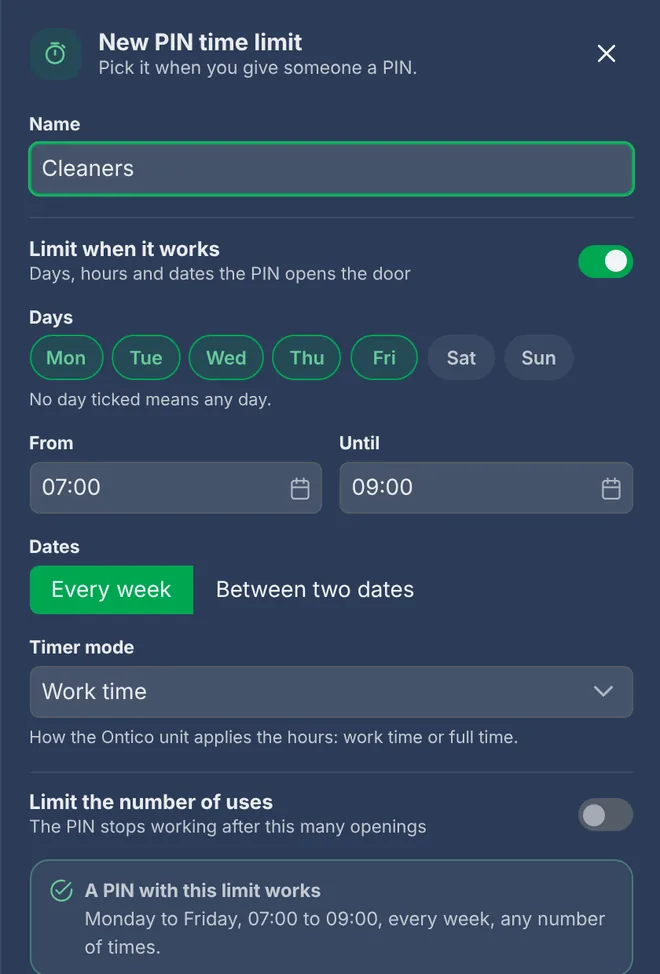
Cleaners' codes work 18:30 to 21:00 on the areas they clean.
-
4
Visitors booked
Reps and contractors get a pass for their visit that ends when it is completed.
How TheBuilding.Cloud helps surgeries and clinics
The features that keep staff areas staff-only without slowing anyone down.
Access Control
Entrance groups for clinical areas, the dispensary and the staff room, with every way in managed in one place.
See Access ControlPIN Codes, Cards & QR
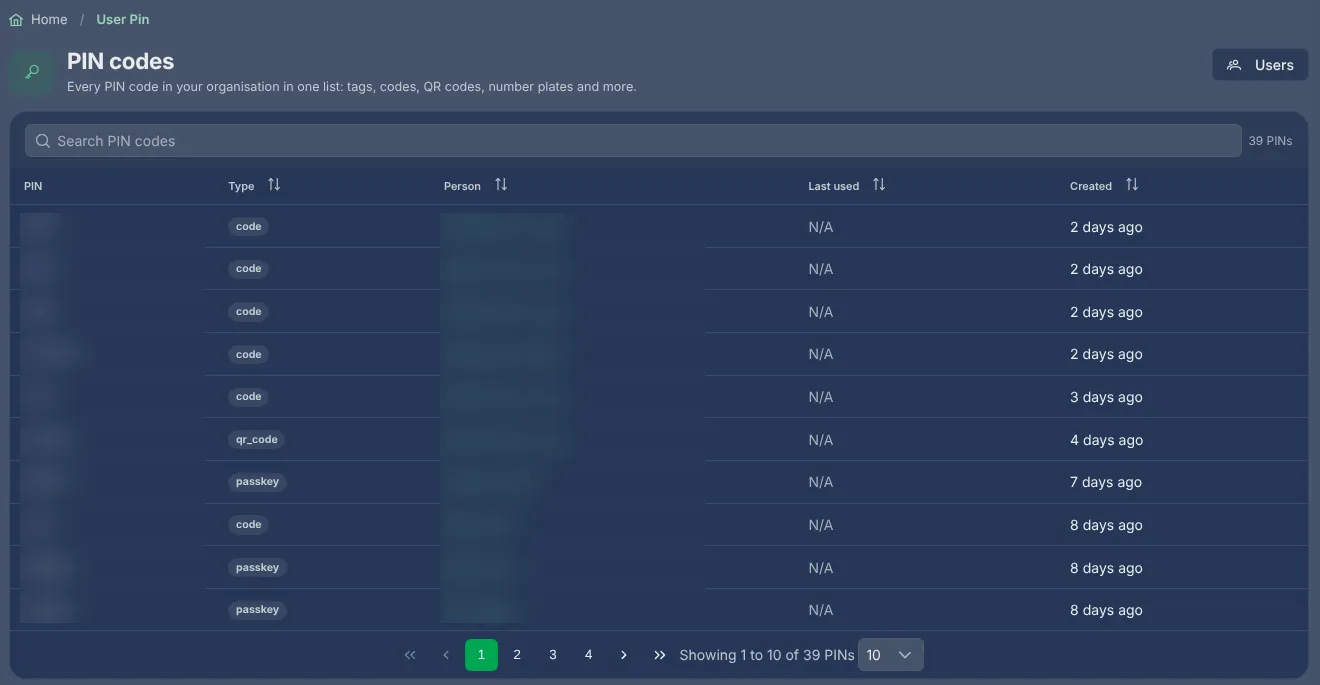
Codes and cards with time limits for locums, cleaners and contractors.
See PIN Codes, Cards & QRDoor Schedules
Public doors follow your opening hours, including late evenings and weekend clinics.
See Door SchedulesLockdown Mode
Lock the FireBird doors you choose in seconds, alert staff and see who is safe.
See Lockdown ModeVisitor Management
Passes for reps and contractors that end with their visit.
See Visitor ManagementMulti-site Management
Several practices or a primary care network in one account, each with its own team.
See Multi-site ManagementLockdown and Martyn's Law
Lockdown for surgeries and clinics
Healthcare premises are among the uses Martyn's Law (Terrorism (Protection of Premises) Act 2025) lists, depending on how many people can be there at once. Lockdown mode is one practical way to put your lockdown and communication procedures into practice.
Start it in seconds
Press and hold on the dashboard or the Lockdown page, or start it from a panic button, a lockdown code at a FireBird keypad, another alarm system or an automation.
Every way in refused
Codes, cards, phones, plates, visitor passes and remote opens are refused on the FireBird doors you chose. It doesn't touch exit buttons or fire release, which are wired on the door.
Everyone told at once
Push and email alerts through the Notice Board (never SMS), a red banner for everyone signed in, and TV screens that switch to a lockdown message.
Know who is safe
Roll call with Safe, Need help, No answer and Expected, drills that follow the same steps, and a PDF report for your records.
Lockdown works on FireBird doors connected to the cloud; the board shows any door it can't reach. It helps you put your lockdown and communication procedures into practice; you stay responsible for your own procedures. This is general information, not legal advice.
In the product
What the practice manager sees
Real screens from the dashboard and app, taken from our demo organisation. Personal details are blurred or made up.
Who it's for
Built for practices and clinics
GP surgeries, health centres, dental and private clinics.
Practice managers
Every door and every code in one dashboard.
Primary care networks
Several sites in one account, each with its own team.
Clinicians and locums
The doors they need, for the days they work.
Cleaners and contractors
Codes that work on their hours only.
The problem
- Locums are given the staff code and it never changes.
- The back door code is written on a sticky note.
- Public doors are opened and locked by whoever is in first.
- Contractors need someone to let them into the plant room.
- Nobody knows who opened the dispensary door.
- Each site has its own system.
Works with
Works with
TheBuilding.Cloud works with the doors your practice already has.
FireBird controllers
Our own controllers for doors, gates and barriers, with online status, signal and remote firmware updates.
Keypads, cards and fobs
PIN codes, cards, tags and fobs on FireBird doors and supported controllers, managed from the same profile.
Any modern phone
Phone door keys use passkeys: the phone's own fingerprint, face or screen lock. Nothing to install for a door key.
Your old system's export
Import people, PIN codes and card numbers from a CSV or Excel export, with presets for 29 systems.
TV screens
Visualiser screens show a live plan of the building, and switch to a full-screen message during a lockdown.
Visitor passes, door key invitations and notices go by email, never SMS.
A typical week
A locum week
A card for the staff doors, Monday to Friday, 08:00 to 18:30, that ends on Friday evening.
Late evening clinic
The public door stays open until 20:00 on Wednesdays by cloud timer.
A plant room contractor
A pass for the plant room for Thursday morning only.
A leaver
Their card and codes come off every door at once.
Why TheBuilding.Cloud
Why practices choose TheBuilding.Cloud
Codes that end
Locum and contractor access ends by itself.
Opening hours by timer
Public doors open and lock on time.
Staff areas staff-only
Entrance groups decide who goes where.
A clear record
Every open logged with the person and the time.
Lockdown ready
Press and hold, then a roll call.
Several sites
One account for a whole network.
Questions from surgeries and clinics
Does it do patient check-in?
Can a locum's access end by itself?
Can the public door follow our opening hours?
Does lockdown stop people getting out?
Do lockdown alerts go by text?
Can several practices share one account?
Guides and next steps
Create a PIN code
A keypad code with a time limit.
Doors on a timetable
Open and close doors by cloud timer.
Entrance groups
Group doors and the people who use them.
Lockdown
Set up and run a lockdown.
Add an operator
Give a team the buildings they look after.
Plans and pricing
See what each plan includes.
Other public, education and care sectors
Surgeries and clinics share a lot with care homes and councils.
Same platform
Staff, visitors and doors together
Same rules
Codes only work when they should
Same record
Every open logged
GP surgeries and clinics
Staff-only doors that stay staff-only
Book a demo and see a locum's week, doors on opening hours and a lockdown drill.