Schools and academy trusts
Visitors signed in, doors on the school day and lockdown ready
Contractors at the front gate, a parent at reception, a supply teacher on their first day and a lockdown drill this term. TheBuilding.Cloud signs visitors in with a pass that ends with their visit, opens and closes doors on the school day and locks the FireBird doors you choose in seconds.
Academy trusts run every school from one account, with each school's team on just their site. Lockdown mode helps you put your lockdown and communication procedures into practice; you stay responsible for your own procedures.
Visitors
A pass that ends with the visit
Lockdown
Press and hold, then roll call
Every visitor known, every door on time
- press and hold on the dashboard card to start a lockdown
- 3 s
- longest Open once for a responder
- 60 s
- roll call states: Safe, Need help, No answer, Expected
- 4
- keep a door open from one button
- 2 hours
How it works
A school day in four steps
Visitors, staff and doors, from the morning gate to the end of after-school clubs.
-
1
Doors on the timetable
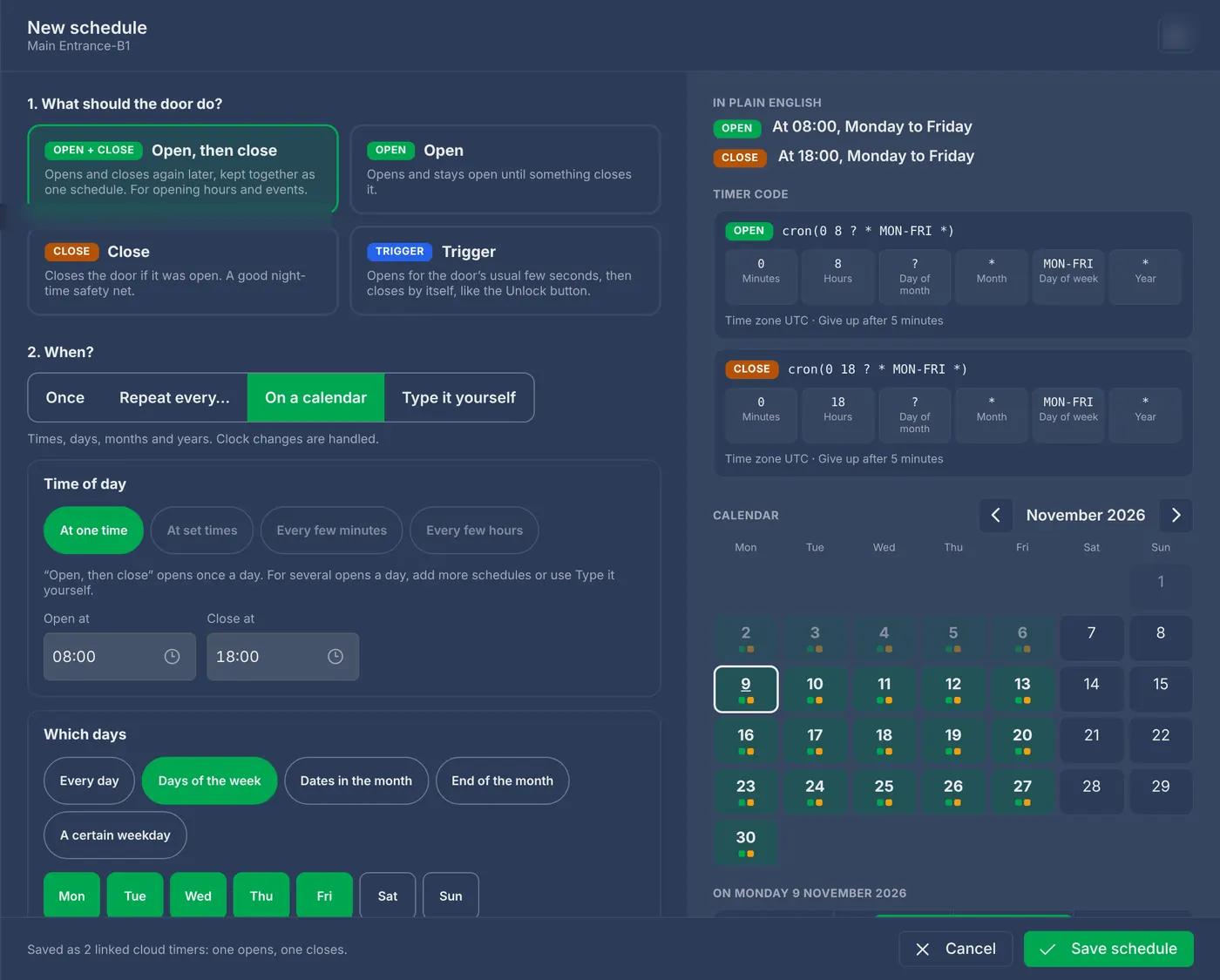
Gates and doors open and close on the school day by cloud timer. Give each term its own schedule with a start and end date, and pause one for a holiday.
-
2
Staff walk in
Staff open doors with a card, a code or a door key on their phone.
-
3
Visitors signed in
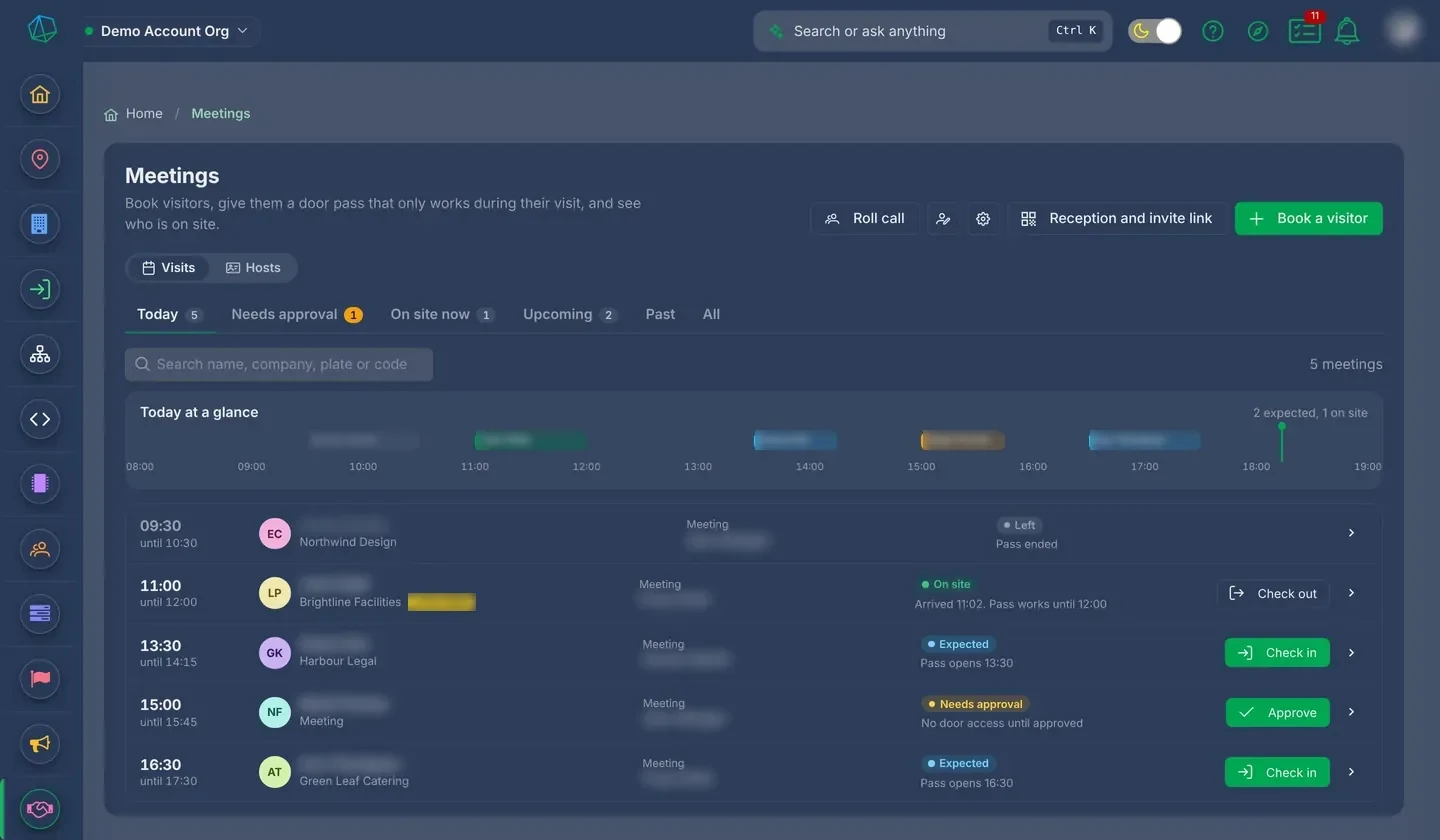
Booked visitors get a pass; walk-ins sign in on the reception tablet.
-
4
Ready for a lockdown
Practise with drills; in a real lockdown, staff are told at once and the roll call shows who is safe.
How TheBuilding.Cloud helps schools and trusts
The features that matter on a school site, and across a trust.
Visitor Management
Visit passes by email, a reception tablet for sign-in, printable visitor cards and passes that end with the visit.
See Visitor ManagementLockdown Mode
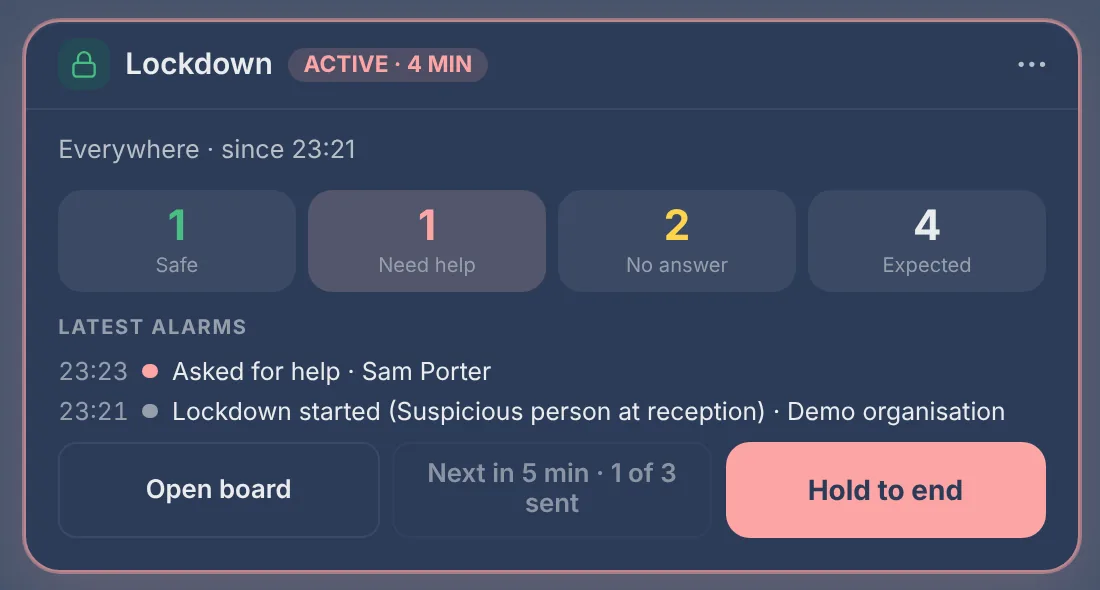
Lock the FireBird doors you choose in seconds, alert staff by push and email, and see who is safe.
See Lockdown ModeDoor Schedules
Gates and doors open and close on the school day, with a separate schedule for a club or an event.
See Door SchedulesMulti-site Management
Every school in the trust in one account, with each school's team on just their site.
See Multi-site ManagementNotice Board
Tell staff about a drill, or one site about works, by email or app notification.
See Notice BoardPIN Codes, Cards & QR
Staff cards and codes, with time limits for cleaners and lettings.
See PIN Codes, Cards & QRLockdown and Martyn's Law
Lockdown for schools and colleges
Schools, colleges and further education are among the uses Martyn's Law (Terrorism (Protection of Premises) Act 2025) lists, and they stay in the standard tier however large, if 200 or more people can be there at once. Many schools already practise invacuation and lockdown; lockdown mode makes the practice and the real thing follow the same steps.
Start it in seconds
Press and hold on the dashboard or the Lockdown page, or start it from a panic button, a lockdown code at a FireBird keypad, another alarm system or an automation.
Every way in refused
Codes, cards, phones, plates, visitor passes and remote opens are refused on the FireBird doors you chose. It doesn't touch exit buttons or fire release, which are wired on the door.
Everyone told at once
Push and email alerts through the Notice Board (never SMS), a red banner for everyone signed in, and TV screens that switch to a lockdown message.
Know who is safe
Roll call with Safe, Need help, No answer and Expected, drills that follow the same steps, and a PDF report for your records.
Lockdown works on FireBird doors connected to the cloud; the board shows any door it can't reach. It helps you put your lockdown and communication procedures into practice; you stay responsible for your own procedures. This is general information, not legal advice.
In the product
What your school office sees
Real screens from the dashboard and app, taken from our demo organisation. Personal details are blurred or made up.
Who it's for
Built for schools, colleges and academy trusts
Primary and secondary schools, colleges and the trusts that run them.
School business managers
Visitors, doors and drills from one dashboard.
Trust estates and operations leads
Every school in one account, each with its own team.
Reception teams
Visitors arrive with a pass, walk-ins sign in on a tablet.
Staff
Doors that open for them and alerts when it matters.
The problem
- Contractors and visitors sign a paper book nobody can search.
- Gates are left open after the school day.
- Lockdown drills rely on a bell and a radio check.
- Supply staff need access on their first morning.
- Each school in the trust uses a different system.
- Lettings after hours need someone to open up.
Works with
Works with
TheBuilding.Cloud works with the doors and gates your schools already have.
FireBird controllers
Our own controllers for doors, gates and barriers, with online status, signal and remote firmware updates.
Keypads, cards and fobs
PIN codes, cards, tags and fobs on FireBird doors and supported controllers, managed from the same profile.
TV screens
Visualiser screens show a live plan of the building, and switch to a full-screen message during a lockdown.
Visitor passes, door key invitations and notices go by email, never SMS.
Your old system's export
Import people, PIN codes and card numbers from a CSV or Excel export, with presets for 29 systems.
Your own software
A documented API, webhooks and an MCP server for AI assistants, with the same permissions as the dashboard.
A typical week
A boiler contractor
Booked for Tuesday: their pass opens the plant room door and stops working when the visit is completed.
A supply teacher
A card for this week only, on the staff doors.
The termly drill
The head starts a drill; staff see the alert and the roll call fills in.
Evening lettings
The sports hall door opens by cloud timer from 18:00 to 21:00 on Thursdays.
Why TheBuilding.Cloud
Why schools and trusts choose TheBuilding.Cloud
Visitors known
Every visit on record, with passes that end by themselves.
Doors on time
Cloud timers open and close the site.
Lockdown in seconds
Press and hold, then a roll call.
Drills that count
Drills follow the same steps and get the same report.
Trust-wide
Every school in one account.
Exits left alone
Exit buttons and fire release stay on the door.
Questions from schools and trusts
Does it connect to our school information system?
Does it do DBS or safeguarding checks?
Can visitors sign in without booking?
Does lockdown link to the police?
Can we run drills?
Does lockdown stop people getting out?
Guides and next steps
Lockdown
Set up and run a lockdown.
Martyn's Law guide
The law in plain English.
Doors on a timetable
Open and close doors by cloud timer.
Add people and choose doors
Give someone the right doors.
Add an operator
Give a team the buildings they look after.
Plans and pricing
See what each plan includes.
Other public, education and care sectors
Schools share their safety duties with councils, care homes and student accommodation.
Same platform
Visitors, doors and lockdown together
Same alerts
Push and email, never SMS
Same record
Every visit and drill logged
Schools and academy trusts
Know every visitor, practise every lockdown
Book a demo and see a visitor signed in, doors on the school day and a lockdown drill from start to report.