Co-living providers
Co-living that keeps up with every move-in
Members arrive every week, bring friends at the weekend and use the gym, the kitchen and the roof terrace at all hours. TheBuilding.Cloud gives each of them a door key on their phone, lets them invite their own guests and keeps shared spaces to the people who should use them.
When someone moves out, one change takes them off every door. Your community team stops cutting fobs and chasing keys, and spends the time on the people who live there.
Move-in
A door key on their phone
Move-out
Off every door at once
One profile, every door they need
- longest guest access, then it ends by itself
- 30 days
- ways to open: door key, passcode or both
- 3
- default distance for location-checked opens
- 100 m
- checked steps to import from your old system
- 4
How it works
A member's stay, from move-in to move-out, in four steps
Every step happens in the same profile, so nobody has to remember which system holds which key.
-
1
Add the member
Add them with their room's entrance group: front door, their floor and the shared spaces they pay for.
-
2
Door key by email
They set up a door key on their phone from one email and open doors with a fingerprint, face or screen lock.
-
3
Guests and visitors
They invite friends for up to 30 days, and visitors call them from the QR code at the entrance.
-
4
Move-out
Switch them off or delete them and their door key, codes and guests stop working on every door.
How TheBuilding.Cloud helps co-living teams
The features that matter most when your residents change every few months.
Passkey Door Unlock
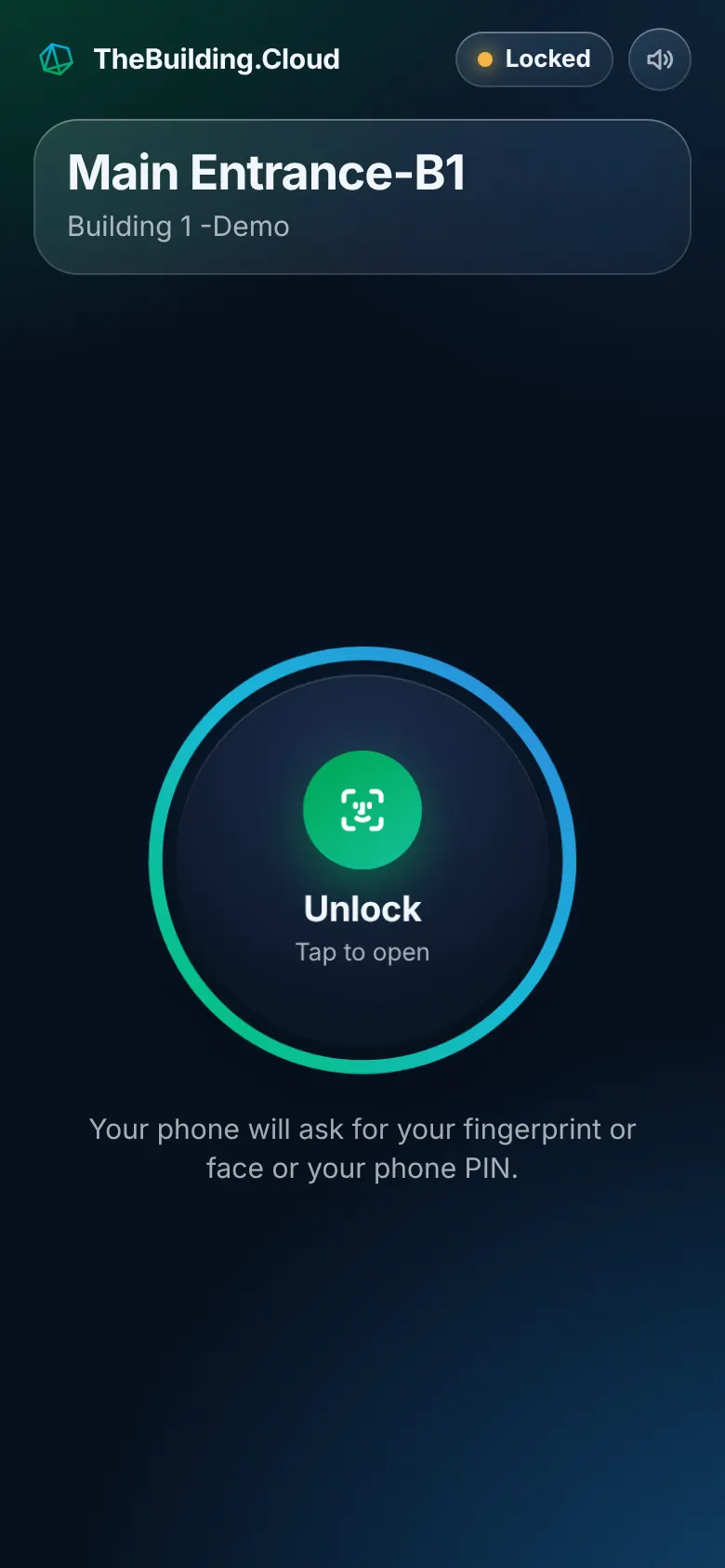
A QR code on each door and a passkey on the member's phone. No fobs to buy, programme or collect at move-out.
See Passkey Door UnlockGuest Access
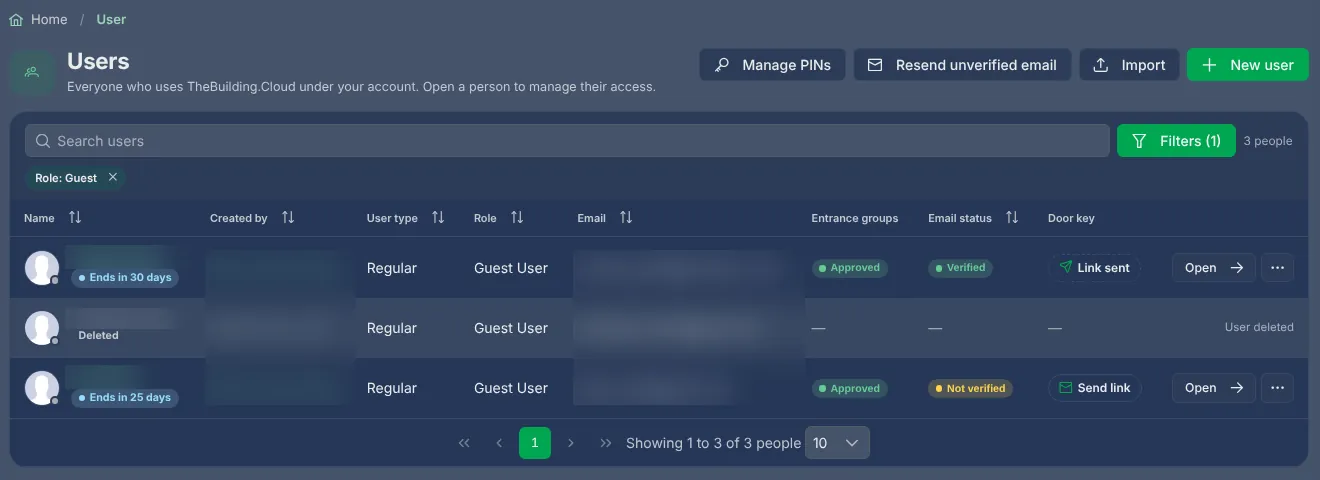
Members add their own guests to their own doors for up to 30 days. Access ends by itself, with no one chasing it.
See Guest AccessVideo Intercom
Visitors and couriers scan the QR code at the entrance and call the member, who sees them and opens the door from the app.
See Video IntercomNotice Board
Tell the whole building about a community dinner, or one floor about a fire alarm test, by email or app notification.
See Notice BoardIssue Reporting
Members report a broken washing machine with a photo, and your team replies in one conversation until it is fixed.
See Issue ReportingDoor Schedules
Open the co-working room for daytime hours and close the roof terrace at night by cloud timer.
See Door SchedulesIn the product
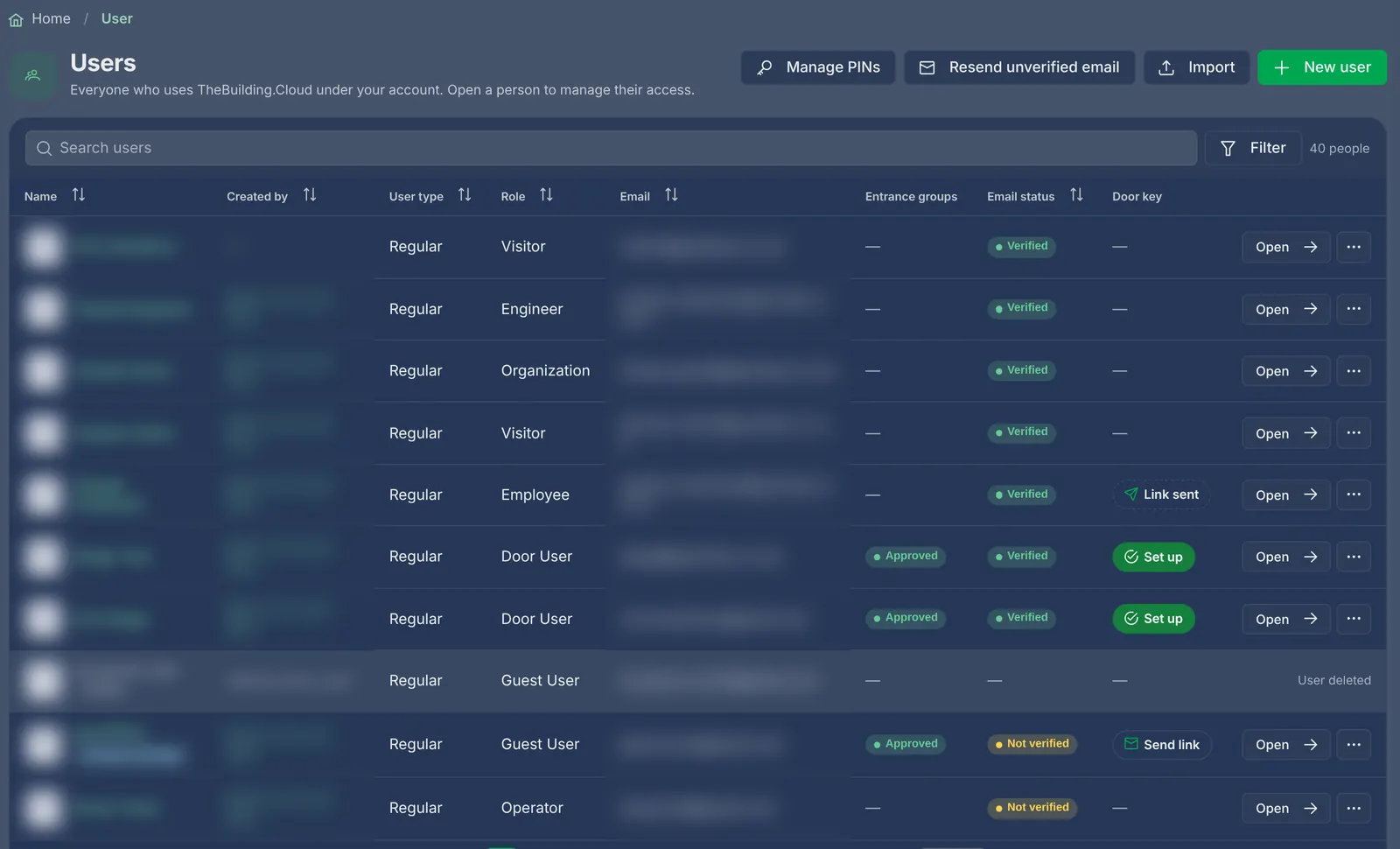
What your community team sees
Real screens from the dashboard and app, taken from our demo organisation. Personal details are blurred or made up.
Who it's for
Built for co-living operators and their community teams
If your residents change faster than your fob supplier can keep up, this page is for you.
Co-living operators
Run every building and every member from one dashboard.
Community managers
Move people in and out, and answer issues without a pile of keys.
Building and maintenance teams
See repairs with photos and the access details they need.
Members
Open doors with their phone, invite friends and report problems in the app or on the web.
The problem
- Fobs go missing at move-out and have to be replaced.
- Members wait at the door while someone finds a spare key.
- Guests are let in by tailgating because there is no simple way to invite them.
- Shared spaces are used by people who don't live there any more.
- Repairs arrive by WhatsApp, email and notes under the door.
- House news on a whiteboard never reaches the people who need it.
Works with
Works with
TheBuilding.Cloud works with the doors and phones you already have.
Any modern phone
Phone door keys use passkeys: the phone's own fingerprint, face or screen lock. Nothing to install for a door key.
FireBird controllers
Our own controllers for doors, gates and barriers, with online status, signal and remote firmware updates.
Keypads, cards and fobs
PIN codes, cards, tags and fobs on FireBird doors and supported controllers, managed from the same profile.
The TheBuilding.Cloud app
iPhone and Android: answer door calls with video, open doors and get building news. Older app versions keep working.
Your old system's export
Import people, PIN codes and card numbers from a CSV or Excel export, with presets for 29 systems.
Your own software
A documented API, webhooks and an MCP server for AI assistants, with the same permissions as the dashboard.
A typical week
Monday move-in
Six members arrive. Each gets a door key email before they land, and opens the front door without visiting the office.
A birthday weekend
A member invites three friends until Sunday. On Monday their access has ended without anyone doing a thing.
The gym after hours
The gym opens by cloud timer from 06:00 to 23:00, and only for members whose plan includes it.
A leak on Floor 2
A member reports it with a photo. The maintenance team replies in the issue and marks it resolved.
Why TheBuilding.Cloud
Why co-living teams choose TheBuilding.Cloud
No fobs to chase
Phone door keys replace fobs, so move-out never means a lost key bill.
Guests without the front desk
Members invite their own guests, and access ends by itself.
One change, every door
Switch a member off and every door, code and guest follows.
Shared spaces stay shared
Entrance groups decide who opens the gym or the co-working room.
Less admin for the team
Repairs, notices and door access live in one place.
Grows with you
Add a second building or a second city to the same account.
Questions from co-living providers
Do members need to download an app?
How long can a member's guest stay?
What happens at move-out?
Can we keep the fobs we already have?
Can we connect our booking or CRM system?
Do you collect rent or handle tenancy agreements?
Guides and next steps
Set up your door key
How residents get a door key on their phone.
Guest access
Add a guest and choose when it ends.
Print door QR codes
Put a QR code on every door.
Send a message to residents
From channel to Reach.
Report a problem
How residents raise repairs.
Plans and pricing
See what each plan includes.
Other homes and living sectors
Co-living shares a lot with the other rental sectors we work with.
Same platform
Every sector uses the same doors, people and app
Same rules
Members only open the doors you gave them
Same app
Calls, doors and notices in one place
Co-living
Move members in with a door key, not a fob
Book a demo and see a member's stay from move-in to move-out, with guests, shared spaces and repairs.