Boutique hotels
Phone door keys for boutique hotels and small stays
Late arrivals, early departures and a front desk that can't be staffed all night. TheBuilding.Cloud lets each guest open the doors you give them with their own phone, from the moment their stay starts until it ends.
You add the guest with an end date, they set up a door key from one email, and visitors who arrive after hours call your team from the QR code at the entrance. There is no ready-made link to a property management system (PMS) yet: guests are added in the dashboard or the app, and we can help connect your PMS if you need it.
Check-in
A door key by email
Check-out
Access ends by itself
Their phone is the key
- longest guest access in one go
- 30 days
- warning emails before an ended guest is deleted
- 3
- default distance for location-checked opens
- 100 m
- keep a door open from one button
- 2 hours
How it works
A guest's stay in four steps
No key cards to encode and nobody waiting up for a late arrival.
-
1
Add the guest
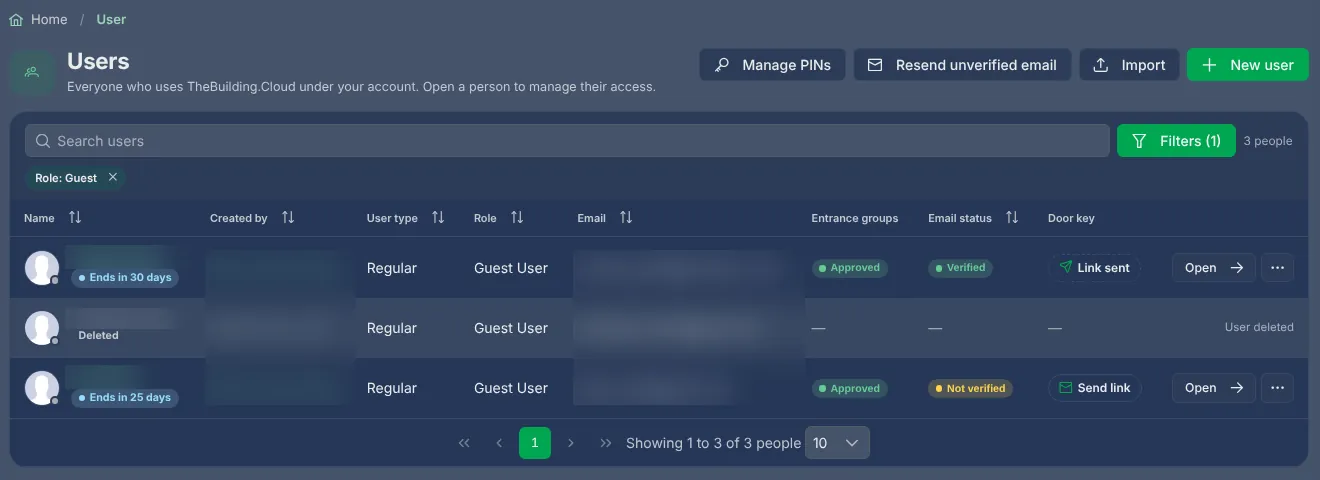
Add them as a guest with the doors for their stay and the date access ends.
-
2
Door key email
They set up a door key on their phone before they arrive, from one email.
-
3
Walk in
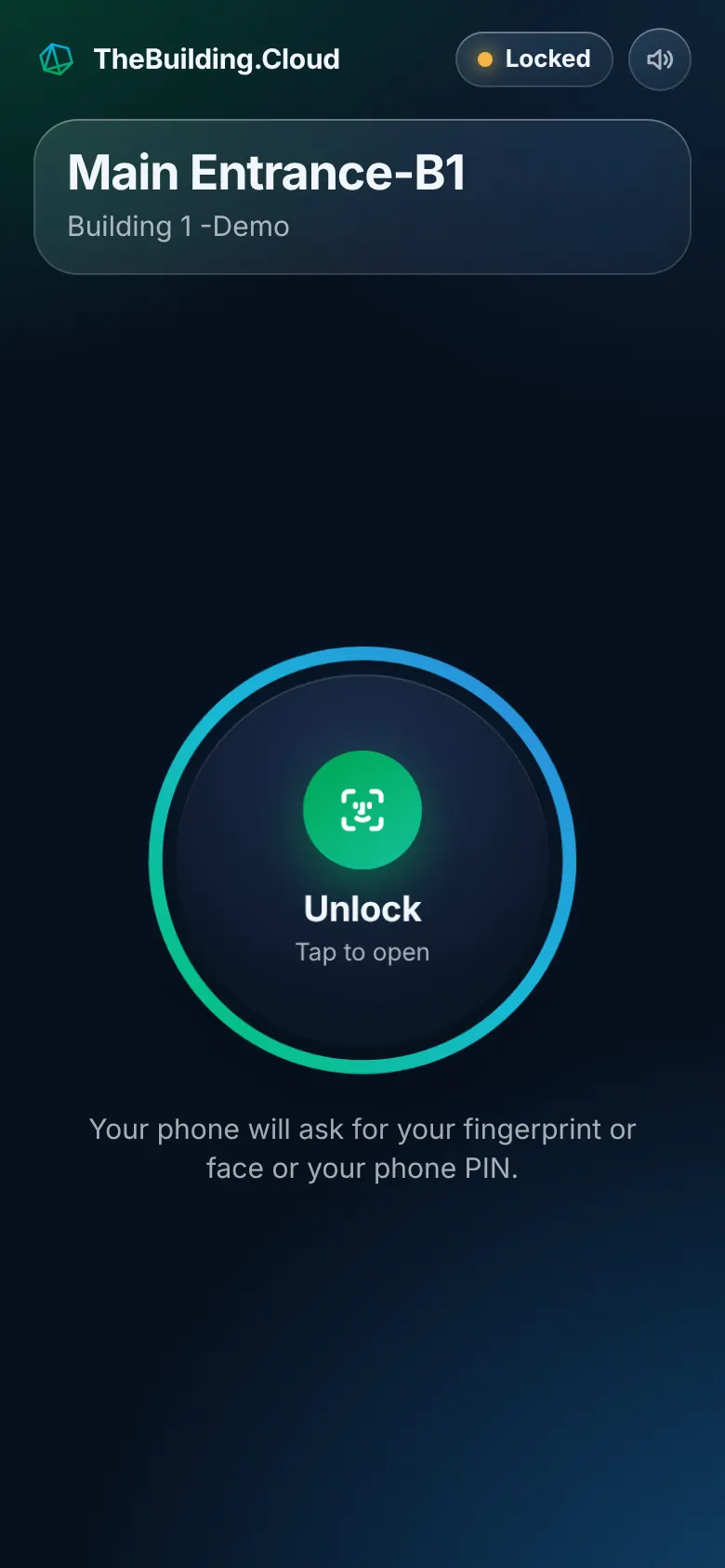
They scan the QR code on the door and confirm with their fingerprint, face or screen lock.
-
4
Stay ends
On the end date their access stops on every door. Extend it in one step if they stay longer.
How TheBuilding.Cloud helps small hotels
Less front-desk time, and doors that only open for the people staying with you.
Passkey Door Unlock
Guests open doors with their own phone. Choose door key only, a typed passcode only, or both, door by door.
See Passkey Door UnlockGuest Access
Every guest has an end date, up to 30 days away. When it comes, access stops without anyone remembering to take it back.
See Guest AccessVideo Intercom
A visitor at the entrance scans the QR code and calls your team, who see them and open the door from the app or the dashboard.
See Video IntercomPIN Codes, Cards & QR
Prefer a code? Give a keypad PIN with a time limit, or a QR code, instead of a door key.
See PIN Codes, Cards & QRDoor Schedules
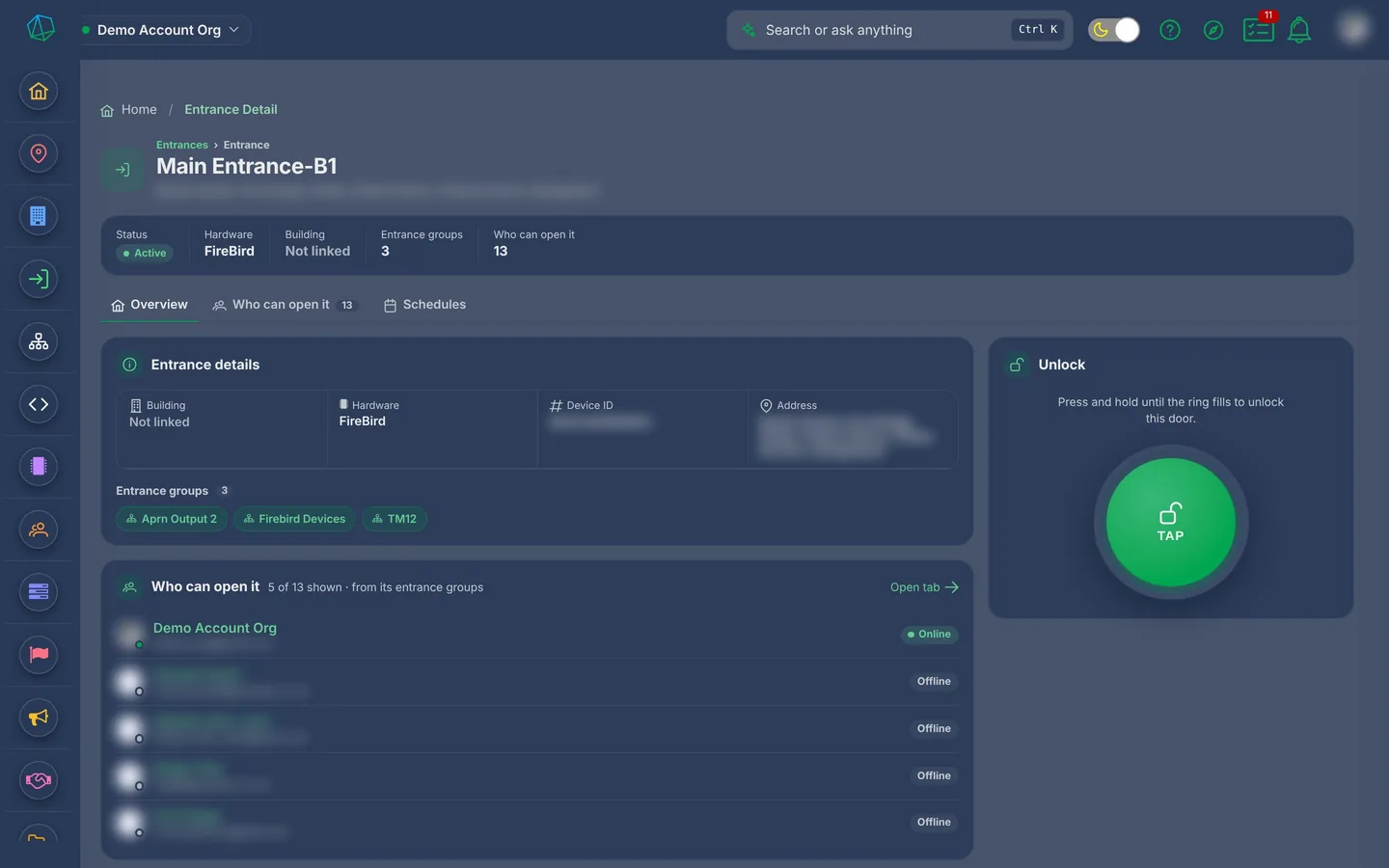
Open the front door during the day and lock it at night by cloud timer, or keep it open for an event.
See Door SchedulesStaff access
Housekeeping and maintenance get their own codes with time limits, so they only open doors on shift.
See Staff accessLockdown and Martyn's Law
When you need to lock the building
Hotels are one of the uses Martyn's Law (Terrorism (Protection of Premises) Act 2025) lists, depending on how many people can be there at once. Lockdown mode gives you a fast way to secure FireBird doors and tell staff and guests what to do.
Start it in seconds
Press and hold on the dashboard or the Lockdown page, or start it from a panic button, a lockdown code at a FireBird keypad, another alarm system or an automation.
Every way in refused
Codes, cards, phones, plates, visitor passes and remote opens are refused on the FireBird doors you chose. It doesn't touch exit buttons or fire release, which are wired on the door.
Everyone told at once
Push and email alerts through the Notice Board (never SMS), a red banner for everyone signed in, and TV screens that switch to a lockdown message.
Know who is safe
Roll call with Safe, Need help, No answer and Expected, drills that follow the same steps, and a PDF report for your records.
Lockdown works on FireBird doors connected to the cloud; the board shows any door it can't reach. It helps you put your lockdown and communication procedures into practice; you stay responsible for your own procedures. This is general information, not legal advice.
In the product
What your team sees
Real screens from the dashboard and app, taken from our demo organisation. Personal details are blurred or made up.
Who it's for
Built for hotels where every member of staff does three jobs
If you run a small hotel, a guest house or serviced rooms without a 24-hour desk, this is for you.
Boutique hotel owners
Fewer key cards, fewer late-night calls and a clear record of who opened which door.
Front-desk teams
Add a guest in a few steps and spend check-in time on the welcome, not the key.
Housekeeping and maintenance
Codes that only work on shift, for the doors they need.
Guests
A door key on their phone, ready before they arrive.
The problem
- Key cards get lost, demagnetised or taken home.
- Late arrivals mean someone has to wait up or leave a key in a box.
- Front-desk time goes on keys instead of guests.
- Staff codes are shared and never changed.
- Nobody knows who opened the back door last night.
- Visitors after hours ring a bell nobody hears.
Works with
Works with
Built on the doors and phones you already have. There is no ready-made property management system (PMS) link yet, and we can help connect yours.
Any modern phone
Phone door keys use passkeys: the phone's own fingerprint, face or screen lock. Nothing to install for a door key.
FireBird controllers
Our own controllers for doors, gates and barriers, with online status, signal and remote firmware updates.
Keypads, cards and fobs
PIN codes, cards, tags and fobs on FireBird doors and supported controllers, managed from the same profile.
The TheBuilding.Cloud app
iPhone and Android: answer door calls with video, open doors and get building news. Older app versions keep working.
Your booking process
Guests are added in the dashboard or the app. The API can add them for you, and we can help build that link.
Visitor passes, door key invitations and notices go by email, never SMS.
A typical week
A midnight arrival
The guest's flight is late. They open the front door and their room with their phone, and nobody has to wait up.
One more night
The guest asks to stay until Tuesday. Change the end date in one step and their door key keeps working.
Housekeeping rota
Cleaners' codes work Monday to Saturday, 09:00 to 15:00, on the floors they clean.
A private event
The garden door stays open for two hours by cloud timer, then locks again.
Why TheBuilding.Cloud
Why small hotels choose TheBuilding.Cloud
No key cards
A phone door key can't be demagnetised or taken home.
Ends by itself
Every guest has an end date, so access never outlives the stay.
Clear records
See who opened which door and when.
Staff on shift only
Time limits keep staff codes to working hours.
Visitors handled
After-hours visitors call your team on the app.
Honest scope
We run the doors; your booking system keeps the bookings.
Questions from hotels
Does it connect to our property management system (PMS)?
Do guests need to download an app?
What if a guest's phone dies?
Can the room doors use it?
How long can a guest have access?
Do you send texts to guests?
Guides and next steps
Guest access
Add a guest and choose when it ends.
Set up your door key
How residents get a door key on their phone.
Print door QR codes
Put a QR code on every door.
Create a PIN code
A keypad code with a time limit.
Doors on a timetable
Open and close doors by cloud timer.
Plans and pricing
See what each plan includes.
Other hospitality and venue sectors
Hotels share their busiest problems with venues and short-stay rentals.
Same platform
The same doors, people and app
Same rules
Guests only open the doors you gave them
Same record
Every open is logged
Boutique hotels
Let guests in without a key card
Book a demo and see a stay from the door key email to the moment access ends.