Venues and events
Event days with the right gates open and a lockdown ready
Load-in at 07:00, doors at 18:30, a hundred crew and contractors who need the right gates and one plan for when something goes wrong. TheBuilding.Cloud opens gates on the event timetable, gives crews access that ends with the show and can lock the FireBird doors you choose in seconds.
Lockdown mode tells staff by push and email, takes over TV screens and shows who is safe. It helps you put your Martyn's Law lockdown and communication procedures into practice; you stay responsible for your own procedures.
Crews
Access that ends with the show
Safety
Lockdown with a roll call
Gates on the timetable, lockdown in seconds
- longest Open once for a responder
- 60 s
- longest crew access, then it ends by itself
- 30 days
- keep a door open from one button
- 2 hours
- roll call states: Safe, Need help, No answer, Expected
- 4
How it works
An event day in four steps
From load-in to the last crew out, with a lockdown ready if you need it.
-
1
Load-in
Crew and contractors open the service gates with codes that work for the event days only.
-
2
Doors on the timetable
Public doors open and close by cloud timer for the event.
-
3
If something happens
Press and hold to lock the FireBird doors you choose; staff are told at once.
-
4
Afterwards
The timeline and a PDF report for your records, and crew access ends by itself.
How TheBuilding.Cloud helps venues
The features that matter when thousands of people and hundreds of staff share one site.
Lockdown Mode
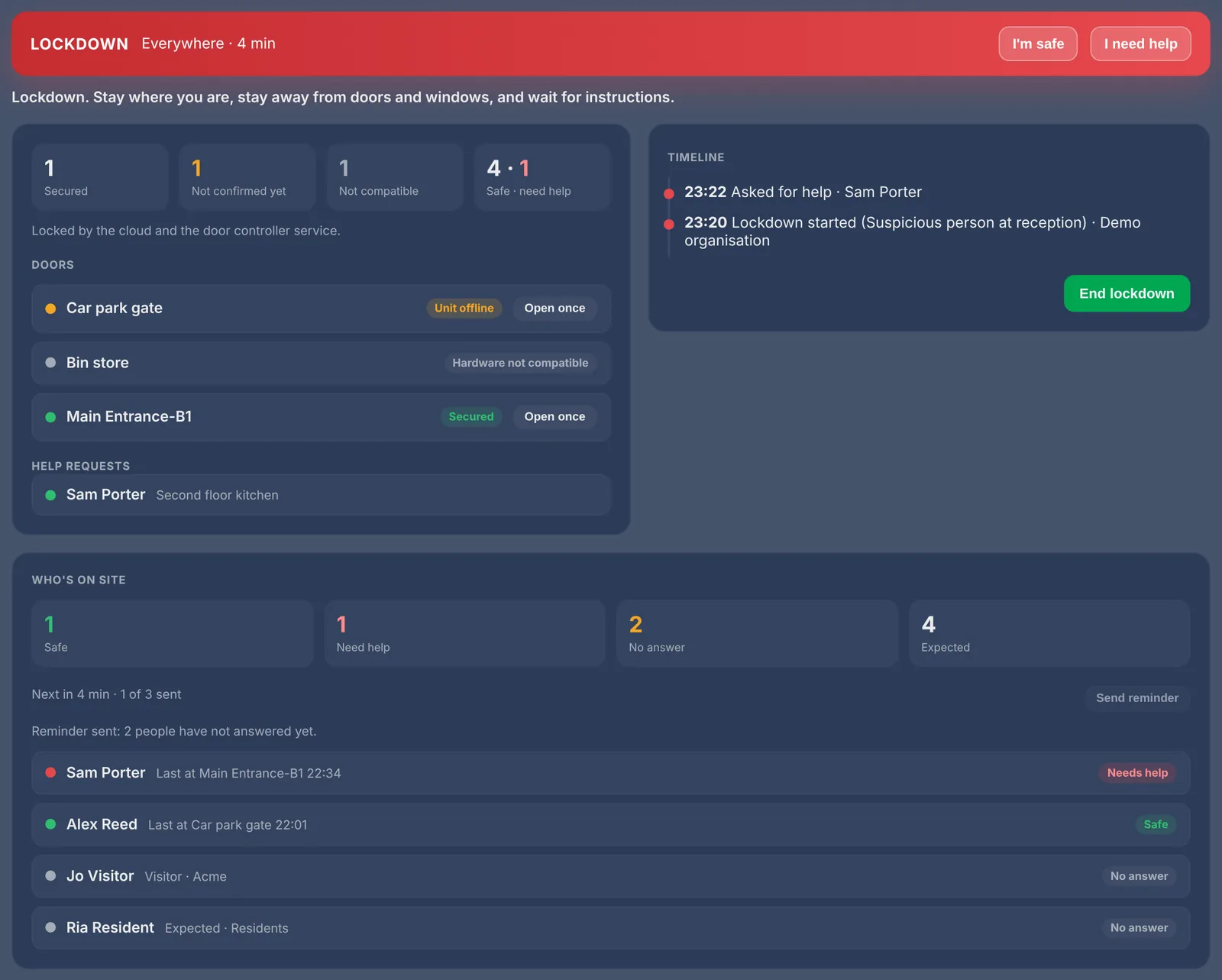
Lock the FireBird doors you choose, from one zone to everywhere, with alerts, TV takeover and a roll call.
See Lockdown ModeDoor Schedules
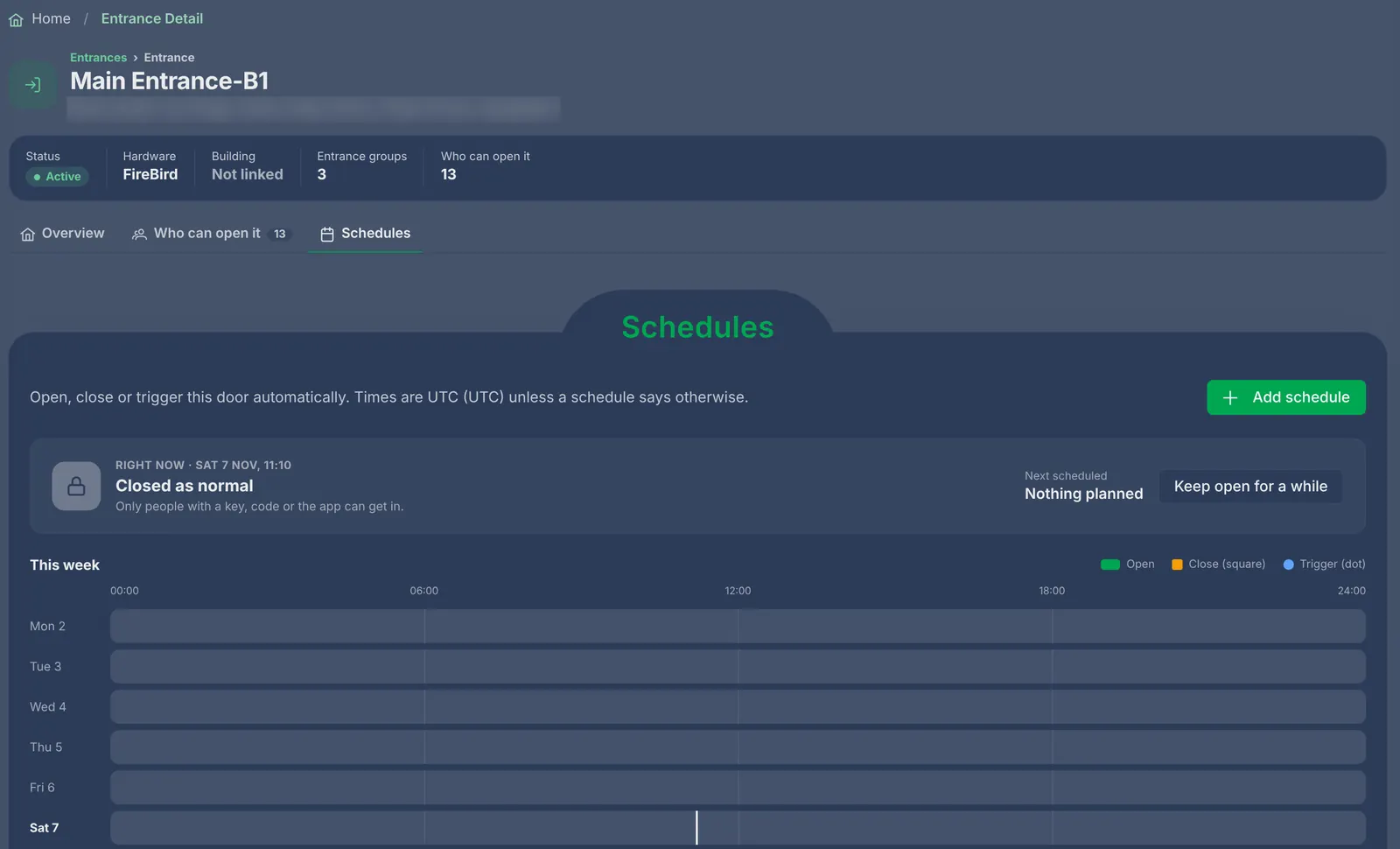
Gates and doors open and close on the event timetable by cloud timer, including past midnight.
See Door SchedulesGuest Access
Crews, artists' teams and contractors get access for up to 30 days that ends by itself.
See Guest AccessANPR & Parking
Listed plates open the service yard barrier; visitor plates come with their meeting.
See ANPR & ParkingVideo Intercom
A driver at the service gate calls your team, who see them and open the gate from the app.
See Video IntercomMulti-site Management
Several venues in one account, with each venue's team on just their site.
See Multi-site ManagementLockdown and Martyn's Law
Lockdown for venues and event spaces
Entertainment venues and sports grounds are among the uses Martyn's Law (Terrorism (Protection of Premises) Act 2025) lists, with the enhanced tier for premises and events of 800 people or more. Lockdown mode is one practical way to put your lockdown and communication procedures into practice.
Start it in seconds
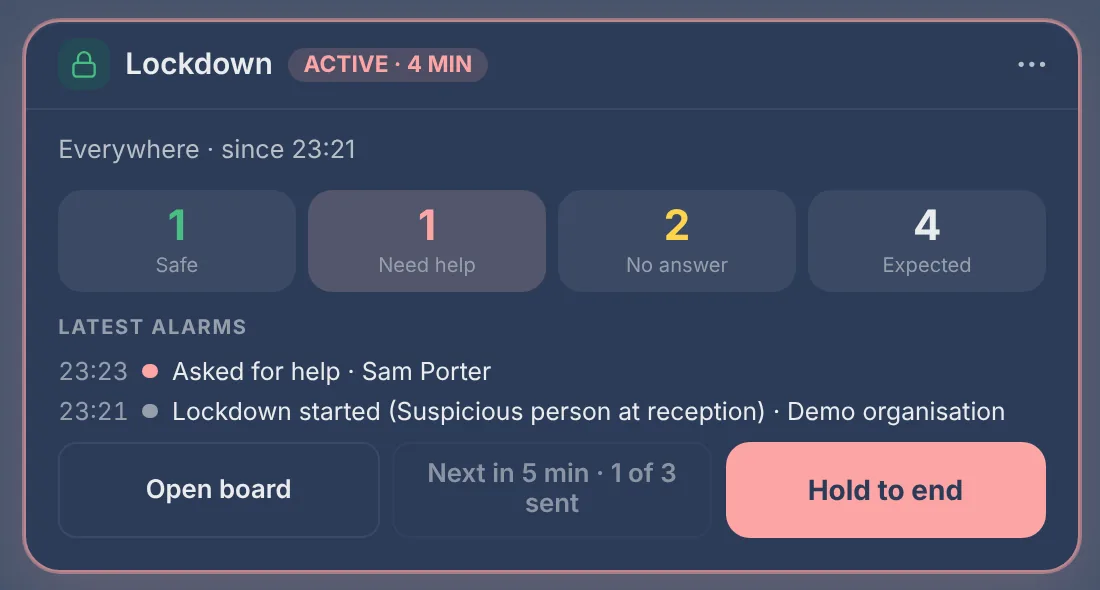
Press and hold on the dashboard or the Lockdown page, or start it from a panic button, a lockdown code at a FireBird keypad, another alarm system or an automation.
Every way in refused
Codes, cards, phones, plates, visitor passes and remote opens are refused on the FireBird doors you chose. It doesn't touch exit buttons or fire release, which are wired on the door.
Everyone told at once
Push and email alerts through the Notice Board (never SMS), a red banner for everyone signed in, and TV screens that switch to a lockdown message.
Know who is safe
Roll call with Safe, Need help, No answer and Expected, drills that follow the same steps, and a PDF report for your records.
Lockdown works on FireBird doors connected to the cloud; the board shows any door it can't reach. It helps you put your lockdown and communication procedures into practice; you stay responsible for your own procedures. This is general information, not legal advice.
In the product
What your operations team sees
Real screens from the dashboard and app, taken from our demo organisation. Personal details are blurred or made up.
Who it's for
Built for venue operations and security teams
Concert halls, stadiums, conference centres and event spaces.
Venue operators
Every gate, door and crew pass in one dashboard.
Security managers
A lockdown you can start in seconds and practise with drills.
Production and crew managers
Passes for crews and contractors that end with the show.
Front-of-house staff
Alerts and a roll call on their phones.
The problem
- Crew fobs are handed out on load-in and never come back.
- Gates open on the wrong timetable because someone forgot the timer.
- A lockdown plan exists on paper but has never been practised.
- Staff can't all be told at once when something happens.
- Nobody knows who is safe until the roll is called by radio.
- Contractors still have codes from last season.
Works with
Works with
TheBuilding.Cloud works with the gates and doors your venue already has.
FireBird controllers
Our own controllers for doors, gates and barriers, with online status, signal and remote firmware updates.
ANPR cameras
Plate reads are logged with the time and building, and listed plates can open the barrier.
TV screens
Visualiser screens show a live plan of the building, and switch to a full-screen message during a lockdown.
Cameras (RTSP)
Watch cameras live in the dashboard, next to the building they belong to.
Fire and intruder alarms
Fire panels through FireBird, and intruder alarm panels that report using SIA DC-09.
Visitor passes, door key invitations and notices go by email, never SMS.
A typical week
Load-in day
Your crew get codes for the service gates from Thursday to Sunday; on Monday they stop working.
Doors at 18:30
Public doors open by cloud timer at 18:30 and close at 23:30.
A suspicious item
The duty manager holds the lockdown button, staff are told and the board shows each door.
The termly drill
A drill follows the same steps, and the report goes in the safety file.
Why TheBuilding.Cloud
Why venues choose TheBuilding.Cloud
Seconds, not minutes
Press and hold to lock the FireBird doors you choose.
Everyone told
Push and email alerts, a red banner and TV takeover.
Know who is safe
A live roll call instead of a radio check.
Practised
Drills follow the same steps as a real lockdown.
Crews handled
Access that ends with the event.
A record
Timeline and PDF report for your safety file.
Questions from venues
Does lockdown mean we meet Martyn's Law?
Does lockdown stop people getting out?
Can police or paramedics be let in during a lockdown?
Do alerts go by SMS?
Which doors can be locked?
Do you handle ticketing or turnstiles?
Guides and next steps
Other sectors where lockdown matters
Venues share their safety duties with schools, councils and hotels.
Same platform
Doors, crews and lockdown in one place
Same alerts
Push and email, never SMS
Same record
Timeline and report every time
Venues and events
Event days under control
Book a demo and see a load-in, doors on the timetable and a lockdown drill from start to report.