
On this page
Key takeaways
- Ask whether the passkey authorises a door-opening request or merely signs someone into an account.
- Check authentication, door permissions and physical lock operation as three separate parts of the system.
- Test lost-phone recovery, permission removal, internet failure and power loss before accepting an installation.
- Provide an alternative for people who cannot use a compatible phone, and distinguish phone verification from building-operated biometric recognition.
- Set access-log permissions and retention rules before enrolling residents or staff.
A passkey door lock can reduce reliance on shared codes, but the label does not explain what happens between a person's phone and the lock. It is a door-access system that uses a cryptographic credential to verify the person requesting entry, then checks their permission before sending an unlock instruction. A passkey used only to sign into a management account is not the same thing.
For your building, assess the complete chain: identity verification, permission to open a particular entrance, and the hardware that releases it. A good phone experience cannot compensate for an unsuitable lock or an unclear fallback procedure.
What a passkey door lock actually does
Think of the system as three separate checks. Authentication establishes who is making the request. Authorisation decides whether that person may open this door. The controller and locking hardware carry out the permitted action.
Authentication
Authorisation
Door operation
A supplier should explain all three, including the connection between its application and the door controller. Ask for a demonstration of an authorised request and a denied request, not just a successful account login.
Passkeys use cryptographic authentication rather than a password that someone types into a website. Properly configured WebAuthn authentication binds the exchange to the verifier's domain, providing phishing resistance. NIST's authentication guidance explains this distinction and why manually entered one-time codes are not classed as phishing-resistant.
That benefit concerns authentication. It does not establish the strength of a door leaf, the suitability of an electric strike, or whether an installer has configured permissions correctly. Nor do all passkey implementations offer identical assurance: synchronised credentials and non-exportable credentials have different security properties.
The resident's journey from invitation to entry
A useful demonstration starts with a person who has never used the system. Watch how they receive an invitation, set up their credential, find the entrance and request access. Check the instructions on both a phone and a larger screen.
In TheBuilding.Cloud, passkey door unlock uses a door QR code and verification with a fingerprint, face or phone passcode. Door users, employees and guests receive a “Set up your door key” email and set up the key on their own phone; invitations are not sent by SMS. A door can also be set to open only when the person's phone is at the building.
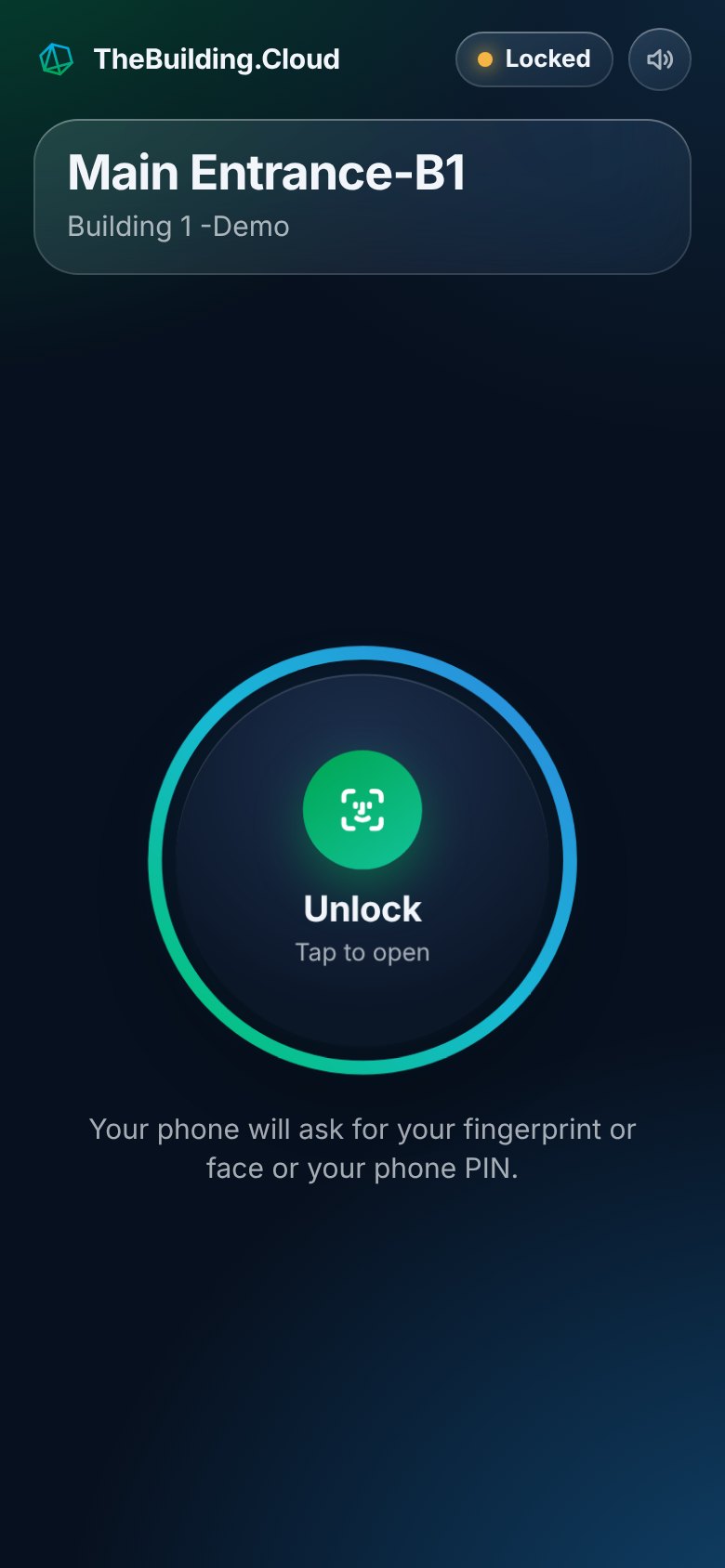
The distinction is worth explaining to residents: using a fingerprint to confirm an action on a phone is not the same deployment as enrolling fingerprints into a reader beside the door. Ask the supplier what information the phone, platform and door equipment each process.
ExamplePicture an apartment building in Singapore with residents, cleaners and visiting carers. A resident may prefer a phone credential, while a cleaner needs access only to agreed entrances. Specify both the person's identity and their permitted doors; do not give everyone the same access because their phones use the same authentication method.

Match the credential to the entrance and its users
Start with the entrance, not the credential. A communal lobby, individual apartment door and vehicle barrier have different hardware and operating needs. Ask your installer to confirm the proposed reader, controller, lock, power supply and release arrangement together.
Use the following comparison to plan provision rather than declare a universal winner.
| Approach | Useful role | Check before choosing |
|---|---|---|
| Passkey on a phone | Personal verification for a door request | Compatible devices, setup, recovery and connectivity |
| Card or fob | Alternative for someone without a suitable phone | Individual issue records and lost-credential removal |
| PIN | Access where a keypad is appropriate | Sharing risk, individual codes and removal procedures |
| Video intercom | A visitor asks someone inside to admit them | Who answers, how they verify the visitor and who may unlock |
For deliveries and unexpected visitors, an intercom may still be the better workflow. A video intercom with mobile or web answering lets a resident assess a caller and unlock remotely; that is a different decision from granting the caller their own credential.
Budget for the whole entrance: controller compatibility, lock work, power, connectivity, installation, resident enrolment and ongoing support. Do not compare systems on the subscription alone.
Manage permissions throughout the person's stay
A credential should follow a person's actual relationship with the building. Someone may be a resident, employee, contractor or guest, with different doors and different end dates.
Write the process before importing users:
- Confirm who approves access and how identity is checked.
- Assign only the entrances the person needs.
- Help them enrol and demonstrate a successful entry.
- Record the process for a lost or replaced phone.
- Remove permission when the tenancy, employment or visit ends.
- Test that the removed person can no longer open the relevant doors.
- ApproveConfirm identity and access owner.
- AssignChoose only the required entrances.
- EnrolSet up and test the credential.
- RecoverDocument lost-phone and replacement procedures.
- RemoveEnd permissions when access is no longer needed.
- VerifyConfirm removed access is refused.
TheBuilding.Cloud uses entrance groups and access permissions to manage who can open which doors. When someone is switched off, removed from a door group or deleted, their PINs, cards and QR codes are removed from door readers automatically. Ask separately for a demonstration of passkey permission removal rather than assuming every credential follows the same technical route.
Lost-phone recovery deserves equal attention. Ask who can approve replacement access, how they establish identity and what happens to the old credential. An administrator should not bypass that process simply because someone is waiting outside.
ExampleIn a hypothetical office in Toronto, a departing contractor may have permission for the lobby and a plant-room entrance. Acceptance testing should confirm that both permissions end, while employees' access remains unchanged.
Test outages and the physical door separately
A working passkey does not guarantee a working entrance during an outage. Establish what depends on the phone's connection, the building network, the cloud service and the controller. Then interrupt each dependency under the installer's controlled test procedure.
ETSI TS 103 815 addresses residential smart-door-lock devices, including their applications. Its requirements include continued local functionality during network loss, a means to lock and unlock following power loss, and software updates that do not themselves change the locking state.
These are requirements within that specification, not proof that a product complies or that its passkey route works offline. Ask for evidence relevant to the proposed installation.
Your witnessed tests should cover:
- An authorised user and a person with no permission.
- A phone without power or a usable connection.
- Loss of the building's internet connection.
- Loss and restoration of mains power.
- A lost credential, replacement enrolment and revoked access.
- A software update and the door's state afterwards.
Record the alternative entry method and who supports it outside staffed hours. Confirm emergency exit and fire-release arrangements against the rules for the building's location and use. ETSI's residential cybersecurity specification is not a substitute for local fire, accessibility or installation requirements.
Keep access records and biometrics in perspective
Before deployment, map the information collected: identity details, credential references, door events and any biometric information. Establish who controls it, who processes it, who can inspect it and when it is deleted.
For EU deployments, identifiable entry records fall within the GDPR personal-data framework. Lawful processing, purpose limitation, data minimisation, retention and security all matter. Biometrics processed to uniquely identify someone require an applicable Article 9 condition alongside an Article 6 lawful basis. A data protection impact assessment is required where processing is likely to create high risk.
Rules differ elsewhere. UK ICO guidance says consent-based biometric recognition needs genuine choice and a suitable alternative. Illinois BIPA, where applicable, requires notice, a written release and a retention/destruction policy. Australia's OAIC guidance requires covered organisations to consider reasonable necessity as well as consent for sensitive-information collection.
Do not assume that every phone-based passkey means the building collects biometric data. Equally, do not accept a blanket privacy assurance without a data-flow explanation. Determine what this particular implementation processes.
Keep entry-history access narrow. A caretaker investigating a faulty entrance and an administrator managing credentials do not automatically need identical access to residents' movements.
Where to start
Choose one entrance and write an acceptance checklist covering enrolment, authorised access, refusal, revocation, recovery and outages. Include users with different phones and someone who needs an alternative credential.
If you are assessing TheBuilding.Cloud, compare the required entrance count and features against its published plans, then request a demonstration of your actual workflow. Keep hardware suitability, privacy review and local compliance as separate checks.
Approve the system only when you can explain, in plain language, who may enter, how the door verifies that permission and what happens when the normal route fails.
Frequently asked questions
What is a passkey door lock?
Does a passkey door lock need a fingerprint?
Will a passkey door lock work without internet?
What happens if someone loses their phone?
Are passkey door locks more secure than PIN codes?
Sources
How we write
Our articles answer the questions people ask about running buildings. Each one is checked against our product documentation and reviewed by our team before it is published. Spotted something out of date? Tell us and we will fix it.


