
On this page
Key takeaways
- Choose a replacement against your building’s documented requirements, rather than assuming that a longer feature list means a better fit.
- Have an installer verify readers, credential formats, controllers, wiring and locks separately before agreeing what can be retained.
- Make outage behaviour, emergency access and a tested rollback plan part of the acceptance criteria.
- Compare privacy responsibilities, log retention, administrator ownership and exit arrangements alongside installation and subscription costs.
- Pilot one representative entrance before moving the rest of the building.
Replacing access control can disrupt more than the front door: residents, contractors and building staff all depend on it. A suitable CAME KMS alternative must meet your entrance requirements, have verified hardware compatibility and keep access arrangements clear during migration. Start with a component survey and an acceptance checklist, then compare platforms against that specification.
This guide does not rank suppliers or assume anything about your existing installation. It explains what to retain, what to test and what to put in writing before you switch.
Define what your CAME KMS alternative must do
Write down the operational problem first. You might need simpler permission changes across several buildings, different credentials, remote intercom answering or clearer responsibility for maintenance. Those are separate requirements; replacing everything may not be necessary.
Build your specification around tasks, not product labels:
- Give a new resident access to the main entrance and cycle store, but not the plant room.
- Remove a departing contractor’s permission without visiting each entrance.
- Admit a visitor without sharing a permanent communal code.
- Identify who handles a failed reader outside normal working hours.
- Retrieve the relevant access records within your agreed retention period.
Use IEC 60839-11-1’s access-control requirements as a reference when asking for performance and test evidence. Its scope includes functionality, logging, identification and information control. It is not evidence that a particular product or installation complies.
Ask each bidder which requirements apply to your project and what evidence you will receive at handover. Separately commission local advice on escape doors, fire interfaces and accessible entry; these cannot be settled by a platform demonstration.
Survey hardware before promising reuse
Treat compatibility as a chain of separate checks. A working electric lock does not establish that the reader, credential or controller can be retained. Ask the installer to record model numbers, wiring, power requirements and configuration before proposing a migration.
| Component | Evidence to request | Decision it supports |
|---|---|---|
| Cards and fobs | Credential technology, format and sample test | Retain credentials or issue replacements |
| Readers and keypads | Interface, wiring and supported formats | Retain readers or change them |
| Controllers | Model, configuration and proposed replacement connection | Retain, reconfigure or replace |
| Locks and power supplies | Electrical requirements and condition | Reuse safely or repair first |
| Door and fire interfaces | Local design review and witnessed tests | Confirm the proposed installation is suitable |
| User records | Export fields, ownership and sample import | Establish how permissions will migrate |
For a proposal using TheBuilding.Cloud, FireBird controllers support Wiegand readers and keypads, including 26-bit cards. That is a useful compatibility starting point, not a promise that an existing CAME KMS installation can connect unchanged. Ask for evidence against your actual components.
Record each component as verified for reuse, requiring further investigation or needing replacement. Keep unresolved items out of any fixed compatibility promise.
| Component | Evidence needed | Before approval |
|---|---|---|
| Credentials | Format identified | Sample tested |
| Readers | Interface confirmed | Wiring checked |
| Controllers | Model recorded | Replacement design agreed |
| Locks and power | Requirements recorded | Condition assessed |
| User records | Export reviewed | Import tested |
ExamplePicture a 40-flat block in Manchester with a main entrance and a cycle store. Its survey might support retaining the locks while replacing controllers. The existing fobs still need a sample test; their appearance tells you nothing useful about compatibility.

Make service continuity an acceptance test
Specify what must happen when power, internet connectivity, a controller or the management platform is unavailable. Do not accept “works offline” without an explanation of which functions remain available and for how long.
NIST’s operational-technology security guidance includes physical access control and building automation. It considers security alongside reliability, performance and safety. Use that approach to assess the whole entrance, rather than treating the dashboard as the entire system.
Require witnessed tests for:
- Existing residents entering during a connectivity interruption.
- Adding or removing permission while a device is disconnected, including what happens after reconnection.
- Intercom calls and remote unlock when a network path fails.
- Recovery after power returns.
- The agreed arrangements for carers, contractors and emergency responders.
Keep emergency escape and authorised entry distinct. Have a locally competent specialist confirm the required door behaviour and fire interfaces. A cloud command is not a substitute for an approved safety design.
Your migration plan also needs a rollback point: who can restore the previous arrangement, what equipment must remain available and who decides to stop the cutover.
Check how everyday management will work
A replacement should make your actual permission structure easier to maintain. Ask the demonstrator to create a person, assign the correct doors, change that access and remove it. Repeat the exercise using the staff role that will do the work, not an unrestricted administrator account.
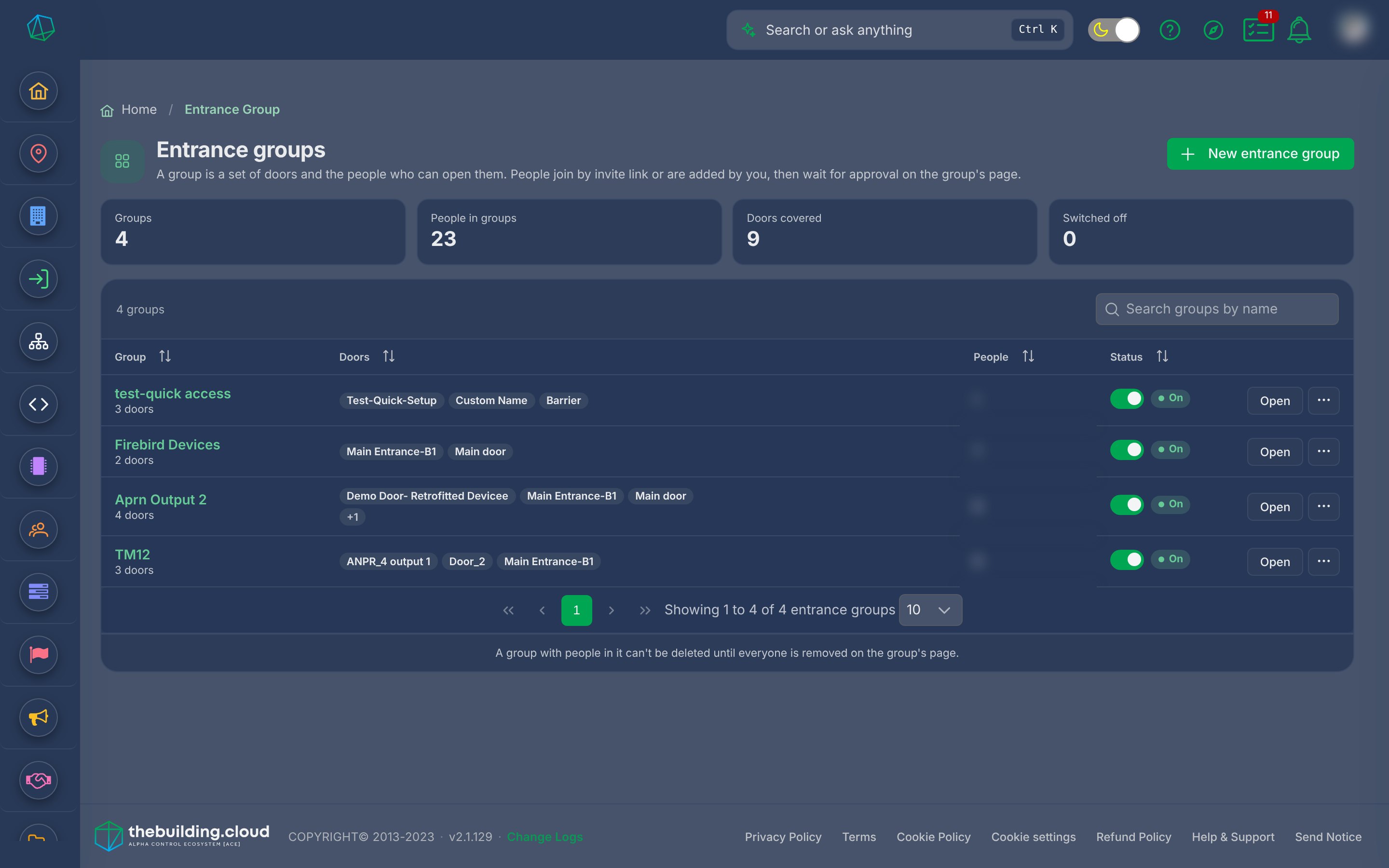
In TheBuilding.Cloud, entrance groups and access permissions organise who can open which doors. Switching someone off, removing them from a door group or deleting them automatically removes their PINs, cards and QR codes from door readers. Include removal behaviour and connectivity conditions in your site acceptance tests.
Assess visitor calls separately from resident credentials. With TheBuilding.Cloud’s video intercom, visitors call from the door and residents answer on the mobile app or web, with remote unlock. Its passkey door access lets users set up a door key on their own phone using face, fingerprint or the phone passcode; invitations arrive by email, not SMS.
ExampleFor a hypothetical apartment building in Melbourne, test a resident with a phone, another using a card and a contractor needing limited access. The aim is to prove each person’s route through the building, not simply demonstrate remote unlock.
Ask who owns the organisation’s administrator account. Document installer access, staff responsibilities and the process for removing a former managing agent.
Separate access records from biometric processing
An access event linked to a person needs a defined purpose, controlled access and a retention decision. Do not copy a retention period from another building without checking whether it suits yours.
In the EU, GDPR requirements for personal-data processing include lawful basis, purpose limitation, data minimisation and storage limitation. There is no universal GDPR retention period for ordinary door logs. Processor contracts, security and international transfers also need attention; hosting location alone does not settle the assessment.
TheBuilding.Cloud hosts data on AWS in Ireland. Its stated retention is 60 days for Ontico door access logs, and 30 days for FireBird unit event logs and parking camera logs. Check whether those periods meet your operational needs and lawful policy before purchasing.
Biometric processing needs a separate review. Ask whether a proposal enrols or stores biometric information, rather than assuming phone verification and a building-mounted biometric reader have the same data flow.
Requirements vary by jurisdiction:
- UK: ICO guidance requires a lawful basis and a separate special-category condition for biometric recognition. Its guidance is under review following the Data (Use and Access) Act.
- US: state requirements differ. Illinois BIPA includes written information, a written release and retention/destruction obligations for covered private entities.
- Australia: OAIC identifies biometric information as sensitive information. Establish Privacy Act coverage before deciding which consent and protection requirements apply.
Keep a workable non-biometric access option in your specification and obtain local advice where needed.
Compare whole-life costs and exit terms
Ask every bidder to price the same scope. Separate installation from recurring charges so a low subscription does not hide extensive replacement work.
Your comparison should include hardware, installation, connectivity, credentials, subscriptions, support, training and eventual migration. Identify who pays for replacement credentials and who attends a door fault. Get exclusions in writing.
The published platform pricing is Free at £0 a month, Pro at £95 a month and Enterprise at £150 a month, in GBP. Free and Pro have defined building and entrance limits, with add-ons available; Enterprise usage is metered and billed monthly. These are plan prices, not installed-system quotations.
Before signing, establish who can export user records and configuration, which formats are available, and what happens to data when the contract ends. Do not assume cancelling a subscription leaves every entrance function unchanged. Require a written explanation of the proposed system’s end-of-contract behaviour.
Where to start: pilot one representative entrance
Choose an entrance that reflects the building’s real complexity, rather than the easiest door to demonstrate. Agree the pass criteria before installation.
- Survey the entrance. Record components, credentials, wiring and safety interfaces.
- Confirm the design. Resolve compatibility questions and local safety requirements.
- Prepare people and permissions. Check imported records and explain any credential changes.
- Run witnessed tests. Test normal entry, permission removal, outages and recovery.
- Approve or roll back. Keep the previous arrangement available until acceptance is signed.
- SurveyRecord hardware, credentials and safety interfaces.
- DesignResolve compatibility and local safety requirements.
- PrepareCheck people, permissions and credential changes.
- TestWitness entry, outages, removal and recovery.
- DecideApprove the pilot or roll back.
Start by requesting the survey and a written acceptance schedule. A sensible replacement decision should leave you knowing what stays, what changes, how people enter during disruption and who remains responsible afterwards.
Frequently asked questions
What should I look for in a CAME KMS alternative?
Can I keep existing fobs and readers when replacing CAME KMS?
Will a cloud access-control replacement work without internet?
How much does a CAME KMS alternative cost?
How long should a replacement system retain door access logs?
Sources
How we write
Our articles answer the questions people ask about running buildings. Each one is checked against our product documentation and reviewed by our team before it is published. Spotted something out of date? Tell us and we will fix it.


