
On this page
Key takeaways
- Choose a check-in process around your reception staffing, visitor types and restricted areas, rather than starting with a touchscreen.
- Keep visitor registration separate from permission to enter: a completed form should not automatically authorise access.
- Assign responsibility for unexpected arrivals, missed check-outs and emergency arrangements across landlords, tenants and hosts.
- Set a justified retention policy and collect only the visitor information you need.
- Test the process without a smartphone, an available host or a working internet connection before rolling it out.
Visitors arrive, hosts miss calls and yesterday’s contractor still appears on your reception list. A building check-in system records visitor arrivals and departures, identifies their host and supports your access and emergency procedures. Choose it around those tasks, not just whether it replaces a paper visitor book.
For a UK property manager, the real test is practical: can someone arrive, get approval, reach the right place and leave without creating an unresolved security or administration problem?
What a building check-in system should cover
Check-in sits between an invitation and entry. It confirms that someone has arrived, but it does not necessarily prove their identity or authorise them to use a door.
Your specification should distinguish four things:
- Registration: who is visiting, whom they are meeting and why.
- Approval: who accepts responsibility for the visit.
- Access: which doors the visitor may use, and under what conditions.
- Departure: how the visit ends and any access is withdrawn.
Emergency information and record deletion run alongside that process. They are not optional extras to consider after installation.
A residential block may need a resident to answer an entrance call rather than register every guest. A managed office may need reception approval and escorted access. Specify the journey for your building instead of copying an office kiosk workflow.
Compare the check-in approaches
Start with who is available at the entrance. An unattended lobby needs a different process from a reception desk with a concierge.
| Approach | Useful where | Main limitation to resolve |
|---|---|---|
| Staffed visitor book | A receptionist handles occasional arrivals | Other visitors may see entries; records need secure handling |
| Reception-managed digital register | Staff approve visitors and maintain records | Staff need clear permissions and a fallback during outages |
| Self-service touchscreen | Visitors arrive through a supervised reception | Provide assistance and an alternative to touchscreen use |
| QR or web check-in | Visitors can use their own devices | Do not assume everyone has a suitable phone or connection |
| Intercom-led arrival | Residents or hosts approve entry remotely | Decide what happens when nobody answers |
A touchscreen does not remove the need for a reception policy. Equally, an intercom call does not automatically create a reliable visitor register.
Separate the essentials from optional equipment in your quotation. Ask about tablets, mounts, badge printers, replacement supplies, door integration, software subscriptions and ongoing support. Compare the whole operating arrangement, not just the software price.

Define the arrival and departure process
Write the process before requesting a demonstration. Use the same sequence to test each proposed system.
- Prepare the visit. Name the host, destination and any access restrictions. Tell the visitor where to arrive and how to request assistance.
- Record arrival. Collect the minimum useful details. Show privacy information before submission, without exposing earlier visitors’ entries.
- Obtain approval. Notify the host or reception team. Give unexpected arrivals a separate approval route.
- Permit entry. Issue the appropriate credential or arrange an escort. Keep plant rooms and other restricted areas outside ordinary visitor access.
- Close the visit. Record departure, recover physical passes where used and withdraw access according to the agreed process.
These stages need named owners. A notification sent to an absent employee is not a completed approval. For a staffed building, use the responsibility map below as a starting point, then replace each role with a named contact.
| Stage | Suggested owner | Fallback action |
|---|---|---|
| Prepare | Host | Missing host: hold booking |
| Arrive | Reception | Device unusable: staff assistance |
| Approve | Host or nominated deputy | Nobody authorised: refuse entry |
| Enter | Authorised access administrator | Credential fails: verify permission |
| Depart | Reception or host | Departure uncertain: contact host |
TheBuilding.Cloud includes visitor management on Pro and Enterprise plans. Use your written arrival process to assess where that capability fits and which tasks remain with reception or the host.
ExamplePicture a shared office building in Manchester. Reception records a contractor’s arrival, but the tenant’s facilities contact approves the work and meets them. If that contact is absent, reception uses an agreed deputy rather than admitting the contractor on the strength of a booking alone.
Connect visitor approval to door permissions
A visitor can be correctly registered and still have excessive access. Ask your installer to show exactly how an approved visit relates to the entrance, lift lobby and destination doors.
With TheBuilding.Cloud, access control and entrance groups determine which doors a person can open. Removing someone from a door group automatically removes their PINs, cards and QR codes from the door readers. That connects permission changes to credentials, rather than leaving a separate reader update for staff.
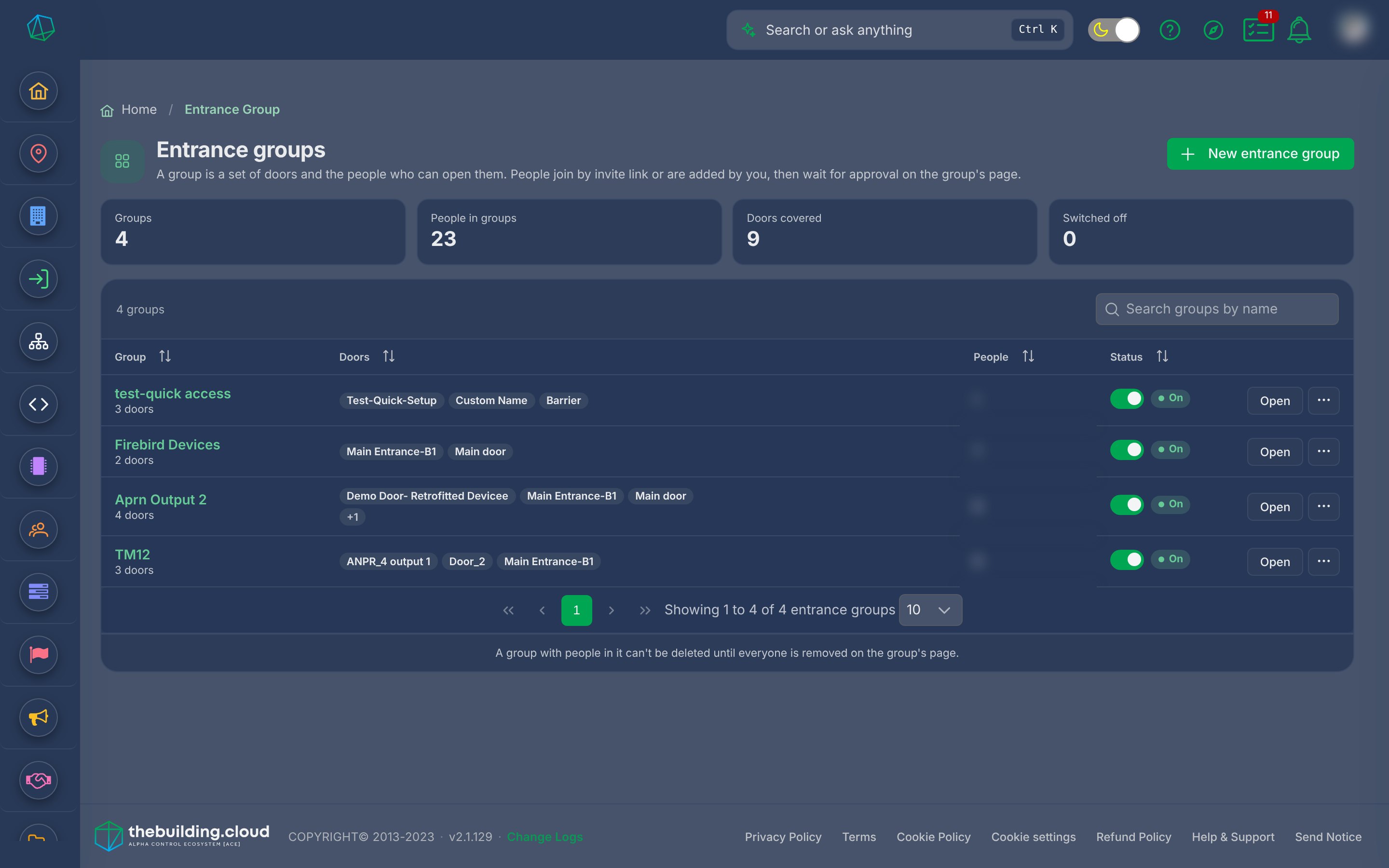
TheBuilding.Cloud also supports passkey door access, set up through an email invitation and confirmed using the person’s face, fingerprint or phone passcode. Offer an appropriate alternative for visitors who cannot use a phone.
For residential arrivals, video intercom lets residents answer on mobile or web and unlock remotely. Treat that as a host approval route, not proof that every person entering has checked in.
Ask any supplier to demonstrate a cancelled visit, a lost credential and an unresponsive host. Watch what happens at the physical door, not just on the dashboard.
Make emergency and outage arrangements explicit
An arrivals list is not a complete emergency plan. People can forget to check out, leave through another exit or enter behind someone else. Treat the list as supporting information, not guaranteed occupancy data.
The Home Office guide to fire safety duties in England says fire risk assessments must consider visitors and contractors. Procedures must address people who need evacuation assistance. Responsible persons in shared buildings must also co-operate and co-ordinate precautions.
Agree who provides visitor instructions, who accounts for visitors under your emergency procedure and who covers an absent host. In multi-let buildings, document the boundary between the landlord’s reception team and each tenant.
Test loss of power, internet and reception equipment. Authorised staff need an agreed way to obtain necessary information, while door behaviour must follow the building’s fire strategy and access design. Record what actually worked during each test, using clear pass conditions rather than a supplier’s verbal assurance.
| Test condition | Evidence to capture | Pass condition |
|---|---|---|
| Network disconnected | Fallback information retrieval | Authorised staff retrieve essentials |
| Reception device unavailable | Assisted arrival demonstration | No public data exposure |
| Visitor credential cancelled | Physical reader test | Cancelled credential cannot unlock |
| Emergency list unavailable | Staff scenario walkthrough | Agreed fallback duties understood |
NoteThe Home Office guidance cited here applies to England. Check the relevant fire safety arrangements for buildings in Scotland, Wales or Northern Ireland. Installing check-in software does not establish compliance.
Collect less data and set deletion rules
For each field, ask what decision it supports. A host’s name and visit purpose may help reception. A passport scan may add risk without improving the arrival process.
Checking identity does not automatically require keeping a copy. The ICO’s own visitor privacy notice provides a useful example: it checks visitors’ ID without recording the ID information. That is an example of practice, not a requirement for every building.
Choose an appropriate lawful basis before processing visitor information, and explain your purposes and basis in the privacy information. Do not use a compulsory “GDPR consent” checkbox as a substitute for that assessment.
The ICO’s storage-limitation guidance does not prescribe a universal visitor-log retention period. Justify your chosen period, review it and delete or anonymise information no longer needed.
Separate credential expiry from record retention. Ending door access does not necessarily delete the visitor record, and deleting a record should not leave an active pass behind.
Include exports, emailed reports and offline copies in your policy. Assign authority for incident-related retention exceptions so that “keep it just in case” does not become the default.
Provide an accessible route and handle exceptions
A visitor should not reach the entrance before discovering that the only check-in route is unusable. Consider touchscreen reach, text readability, clear instructions and assistance before choosing equipment.
The Government Equalities Office guidance for service providers explains reasonable adjustments and says not to wait until a disabled person encounters difficulties. Plan a supported route without requiring a smartphone or touchscreen.
Security guidance from ProtectUK recommends accompanying visitors and contractors. Apply that guidance to your risk assessment and visit types; it is not a universal legal requirement to escort every visitor.
Write short instructions for exceptions:
- A delivery driver needs a drop-off point, not an employee’s access rights.
- A contractor needs an approving contact and any required induction before entry.
- An unanswered host call needs a deputy or a clear refusal route.
- A missed check-out needs follow-up, not an invented departure time.
Keep a correction history where your chosen process supports it, rather than silently changing uncertain records.
Where to start
Map one ordinary visit and one difficult visit before buying anything. Identify the person responsible at every handover, including departure and deletion.
Then run a supervised pilot at one entrance. Test an unexpected arrival, a visitor without a phone, an absent host, a forgotten check-out and a network failure.
Approve the system only when staff can explain the fallback process and demonstrate the intended door permissions. A useful check-in system makes responsibility clearer. It should not simply move an unresolved reception process onto a screen.
Frequently asked questions
What is a building check-in system?
What is the difference between visitor check-in and access control?
Do visitors need to give consent when checking in?
How long should a building keep visitor records?
Can a visitor check-in system replace an emergency register?
Can visitors check in without a smartphone?
Sources
How we write
Our articles answer the questions people ask about running buildings. Each one is checked against our product documentation and reviewed by our team before it is published. Spotted something out of date? Tell us and we will fix it.


