About this brochure
This brochure explains how FireBird Enterprise connects doors, gates, barriers and alarm inputs across a site. It covers the bridge, input and output boards, LoRa radio units and tag readers, and shows how a cable inside each building can link to other buildings by radio. The brochure also describes cloud management, automation rules and ways to connect other systems.
Written for installers and project owners, the guide includes examples of a wired office block, a remote workshop and a gatehouse. It discusses replacing an older server-based system while keeping existing door and gate hardware, and lists suitable settings such as industrial parks, campuses and depots. Installers can find planning specifications and six steps from site survey to handover. The brochure notes that radio range depends on the site and that each link should be surveyed.
What’s inside
The text of each page, written out so it can be read and searched.
Page 1
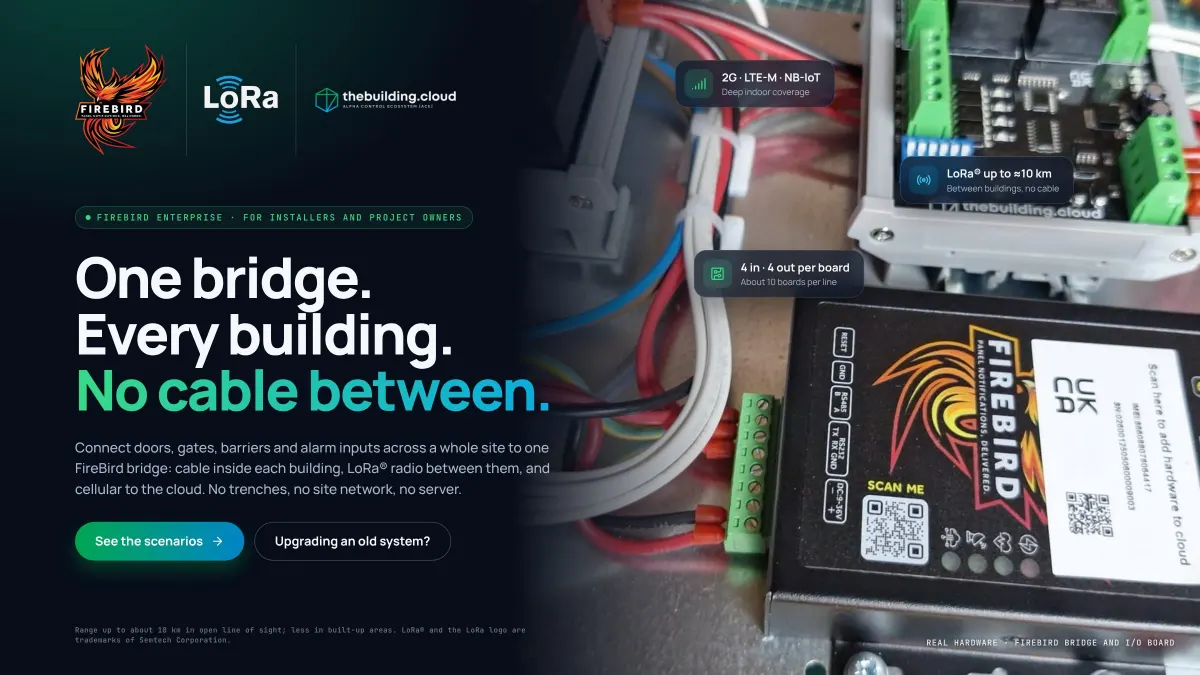
One bridge. Every building. No cable between.
FireBird connects doors, gates, barriers and alarm inputs to one bridge, using cable inside buildings and LoRa radio between them. The stated radio range is up to about 10 km in open line of sight and less in built-up areas.
Page 2
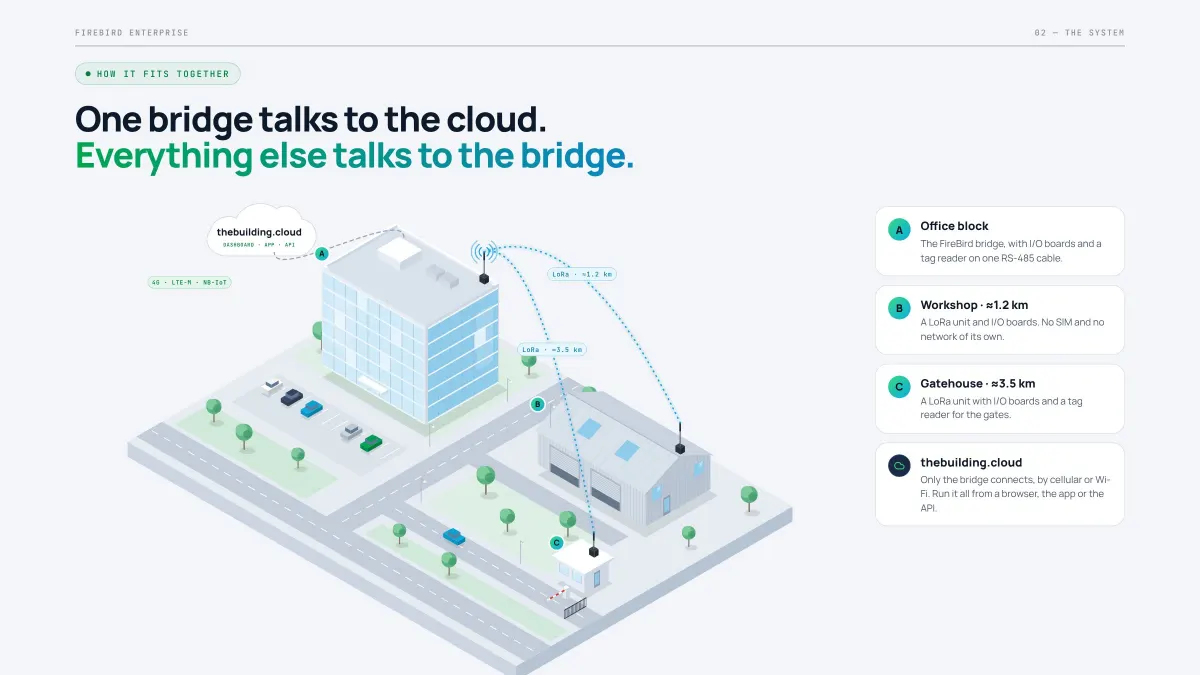
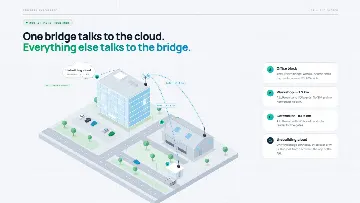
One bridge talks to the cloud. Everything else talks to the bridge.
A site diagram shows an office block, workshop and gatehouse connected through one bridge. The bridge connects by cellular or Wi-Fi, and the site can be run from a browser, app or API.
Page 3
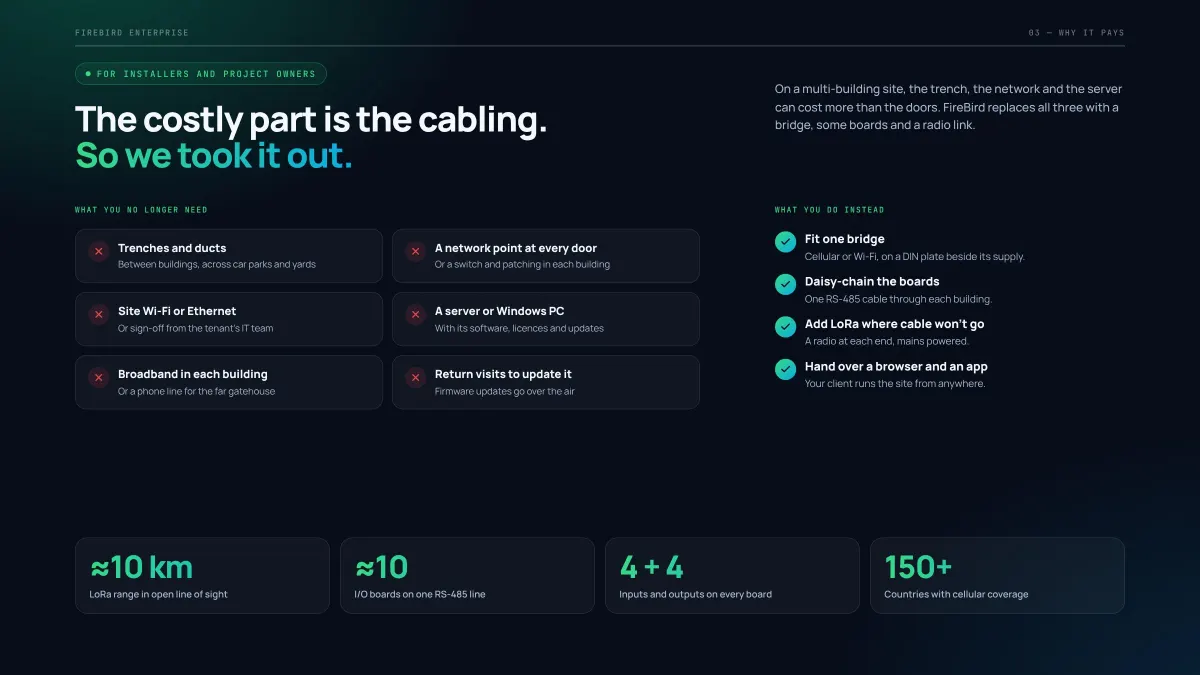
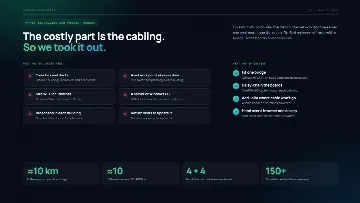
The costly part is the cabling. So we took it out.
The brochure describes replacing trenches, site networks and a server with a bridge, boards and radio links. It outlines fitting the bridge, connecting boards on a cable, adding LoRa and handing over the browser and app.
Page 4
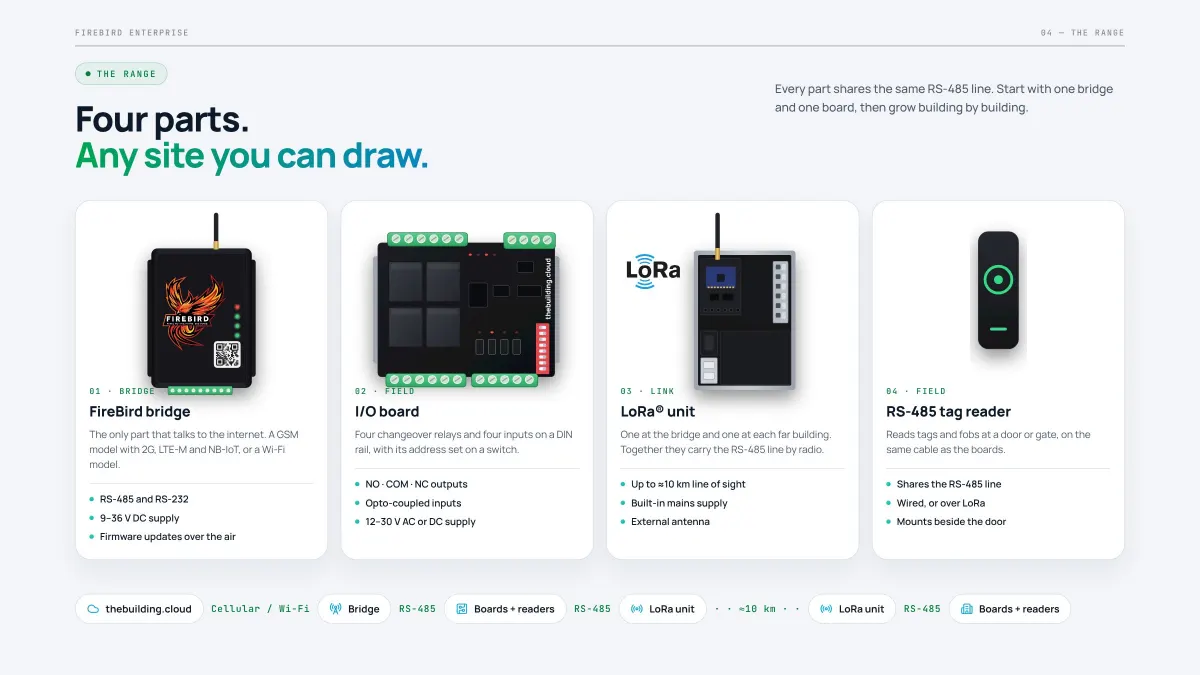
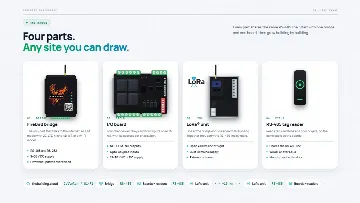
Four parts. Any site you can draw.
The range consists of a FireBird bridge, an input and output board, a LoRa unit and a tag reader. The brochure describes how they connect and lists key specifications for each part.
Page 5
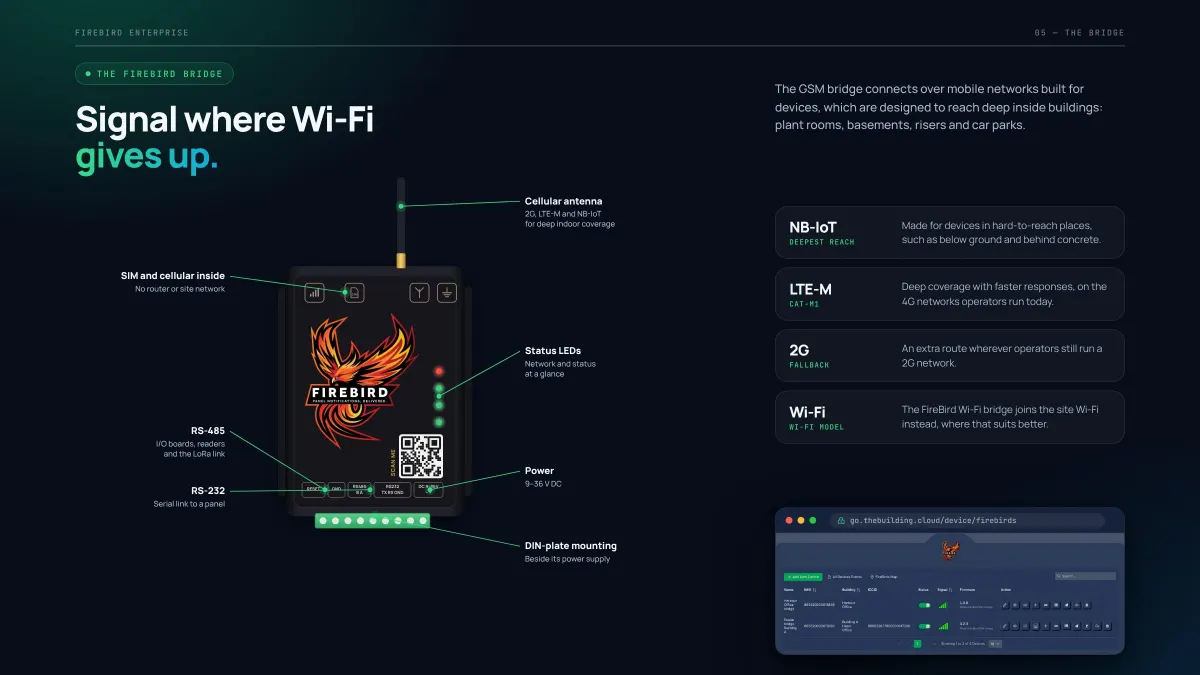
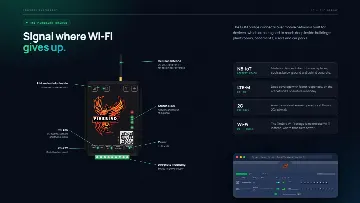
Signal where Wi-Fi gives up.
The GSM bridge uses 2G, LTE-M and NB-IoT mobile networks, including networks designed for devices in hard-to-reach places. A separate Wi-Fi model joins the site Wi-Fi.
Page 6
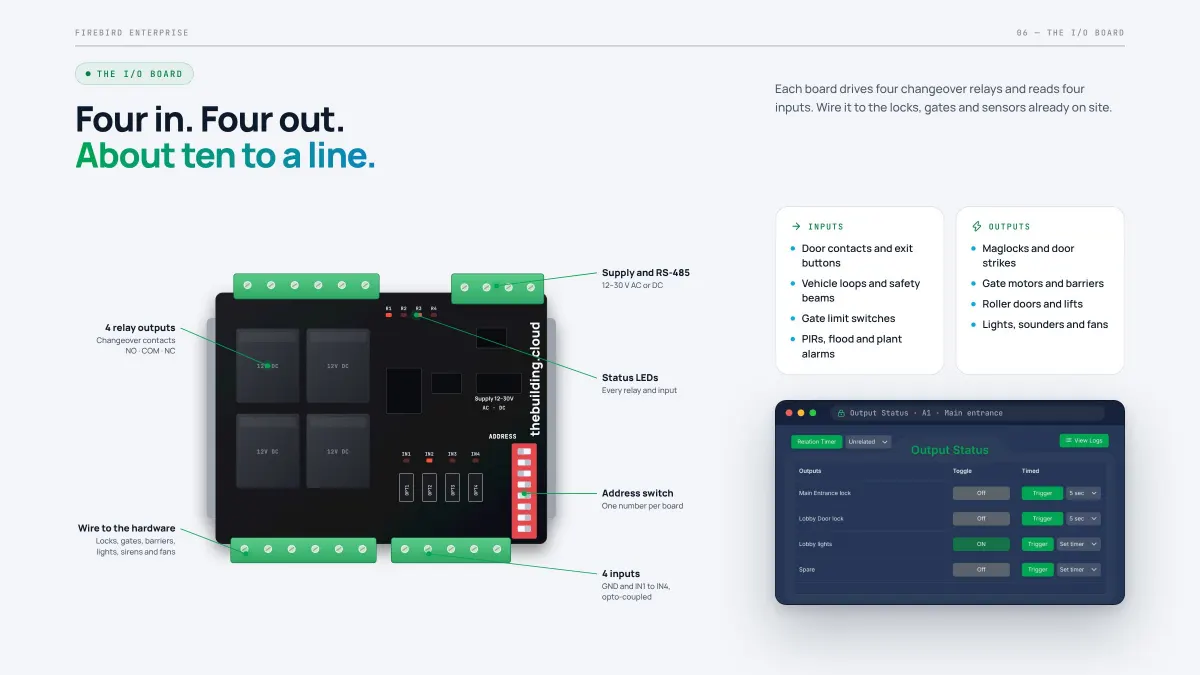
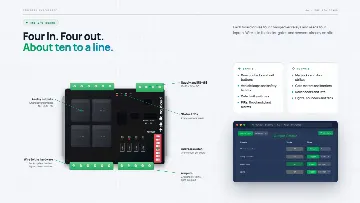
Four in. Four out. About ten to a line.
Each input and output board has four relay outputs and four inputs for connection to equipment such as locks, gates and sensors. The page lists examples of devices that can be connected.
Page 7
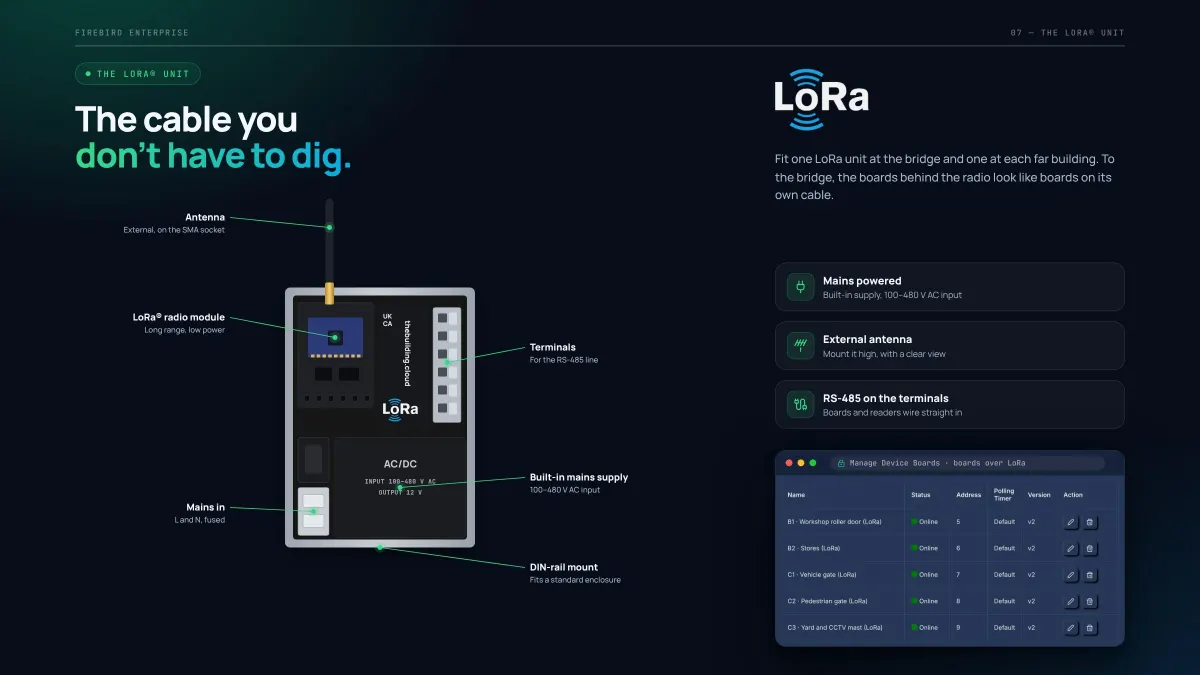
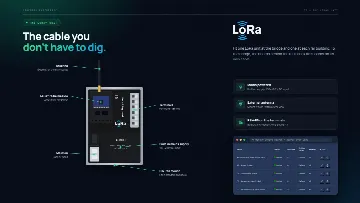
The cable you don’t have to dig.
A LoRa unit at the bridge and another at each remote building carry the connection by radio. The unit has a built-in mains supply, an external antenna and terminals for boards and readers.
Page 8
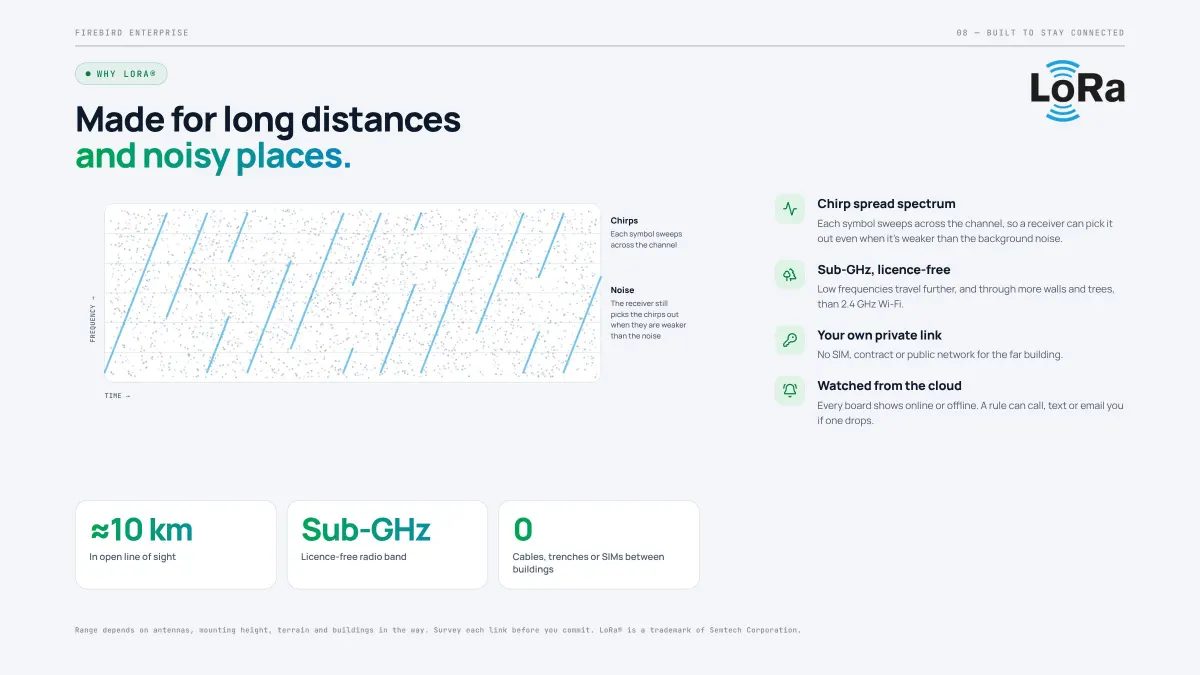
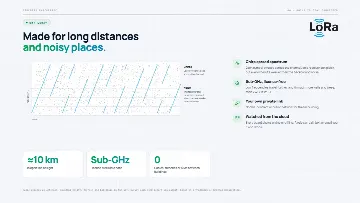
Made for long distances and noisy places.
The brochure explains LoRa radio and describes a private link that needs no SIM or public network at the remote building. It says range depends on antennas, mounting height, terrain and buildings, and advises surveying each link.
Page 9
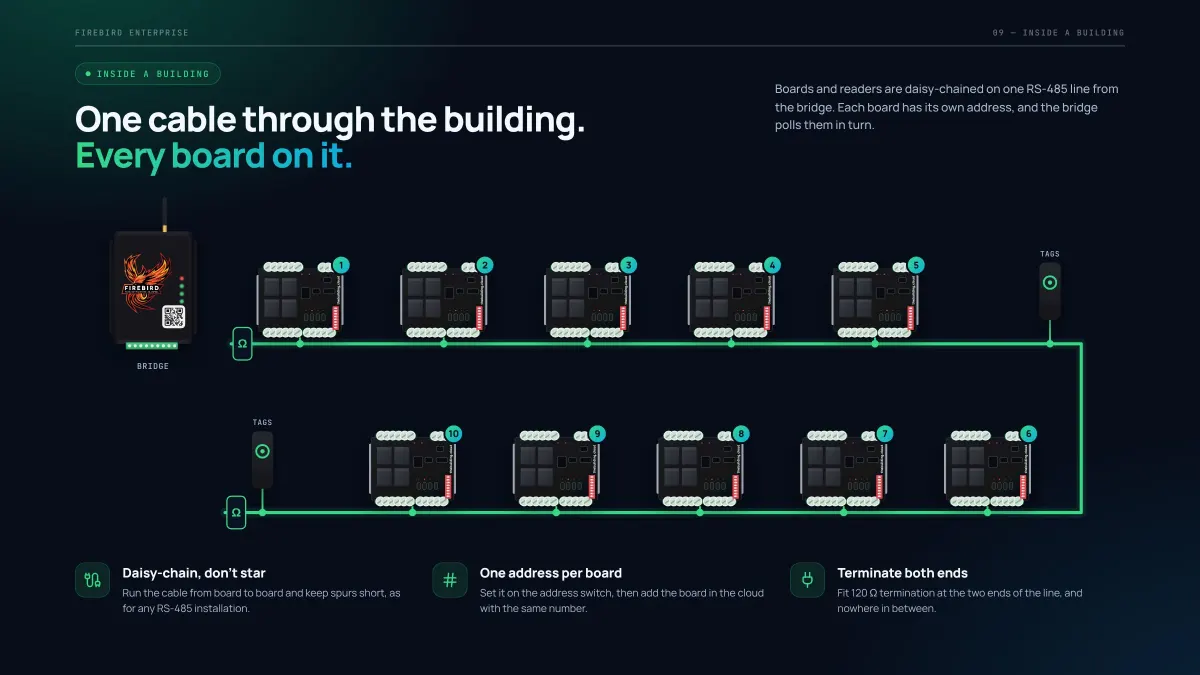
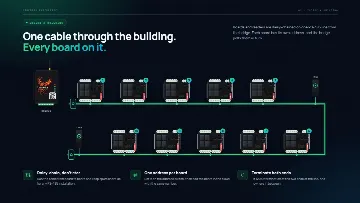
One cable through the building. Every board on it.
Boards and readers are connected in a chain on one cable, with an address for each board. The page advises keeping spurs short and fitting termination at both ends of the line.
Page 10
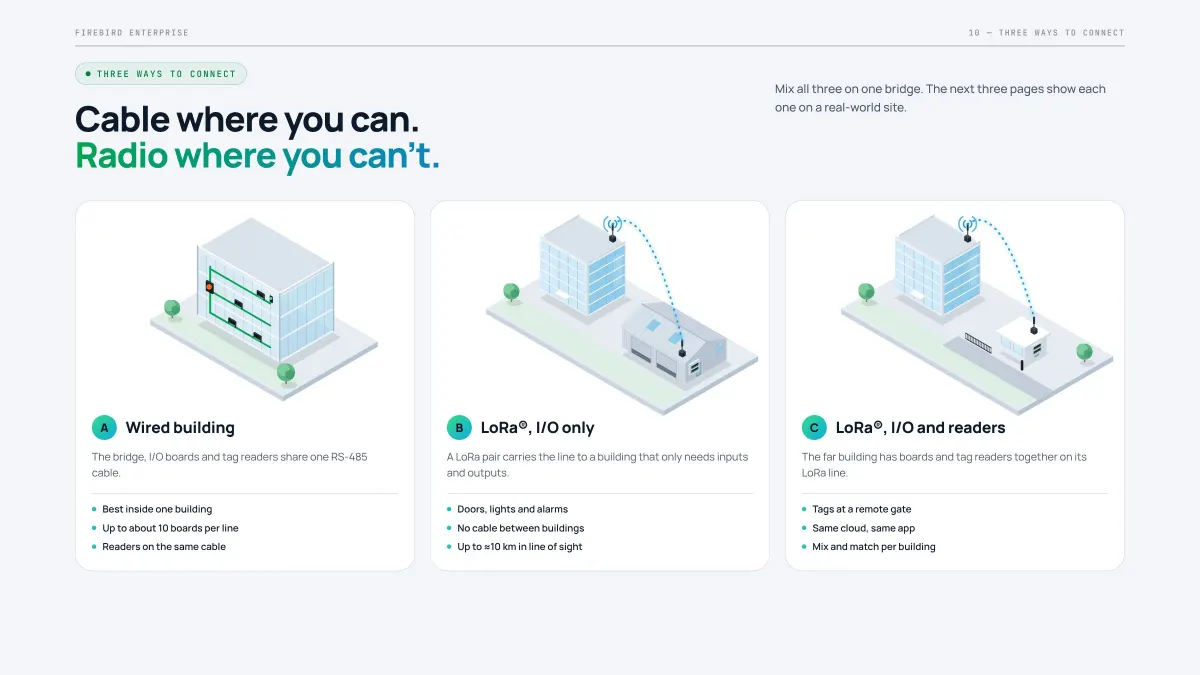
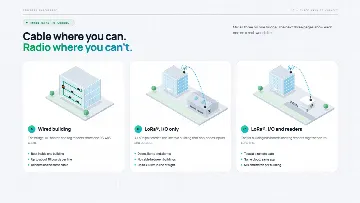
Cable where you can. Radio where you can’t.
Three layouts can be mixed on one bridge: a wired building, a radio link to boards, and a radio link to boards and tag readers. The following pages show an example of each.
Page 11
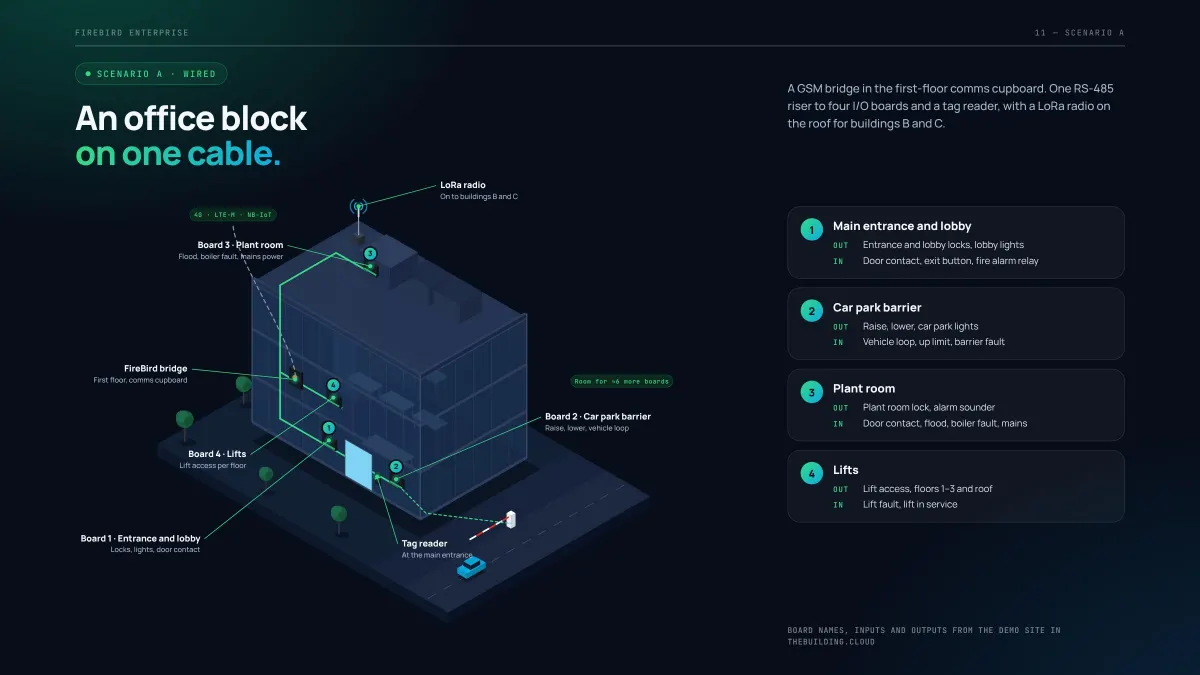
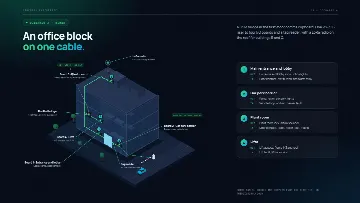
An office block on one cable.
This example connects an entrance, car park barrier, plant room and lifts to a bridge using four boards and a tag reader. A roof-mounted LoRa radio links to other buildings.
Page 12
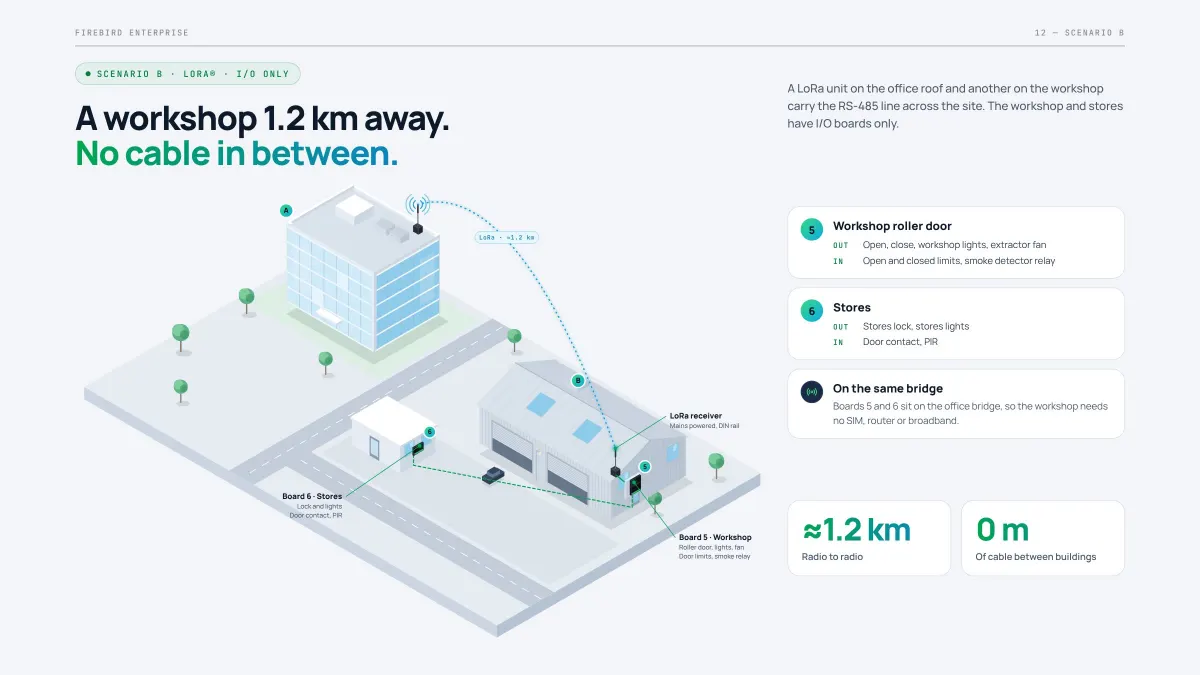
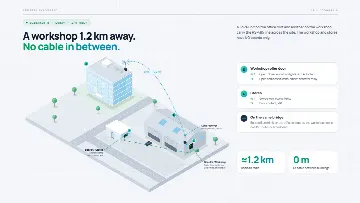
A workshop 1.2 km away. No cable in between.
A pair of LoRa units links the office to workshop and stores boards. The remote building uses the office bridge and needs no SIM, router or broadband of its own.
Page 13
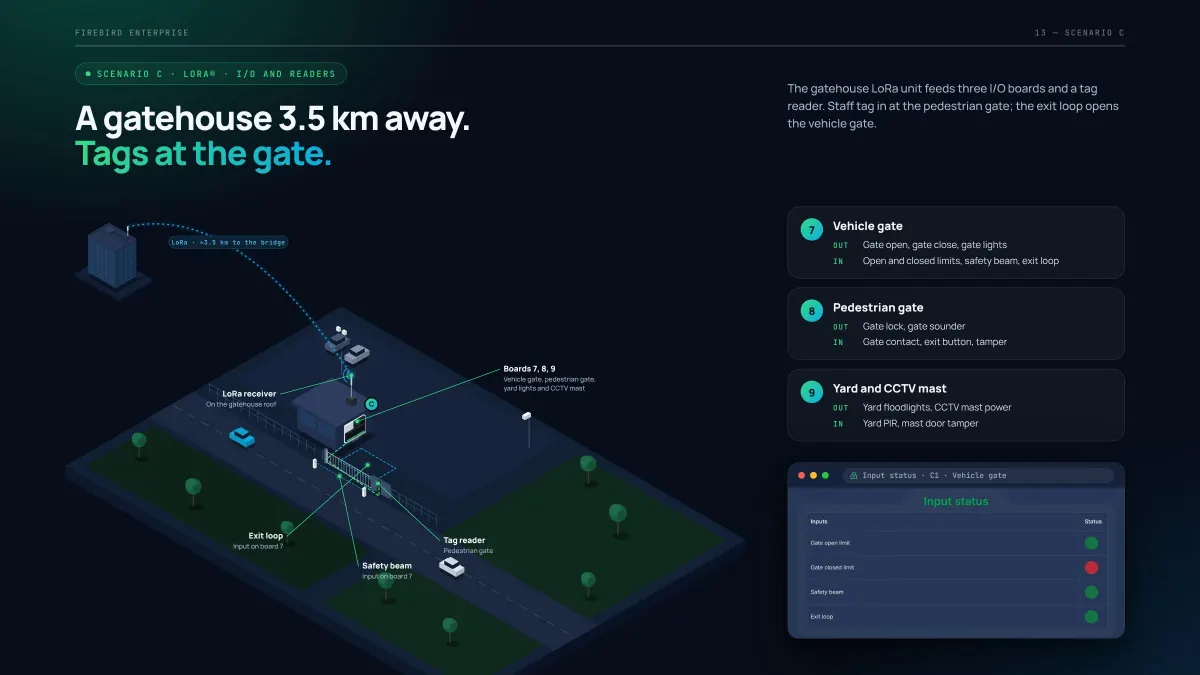
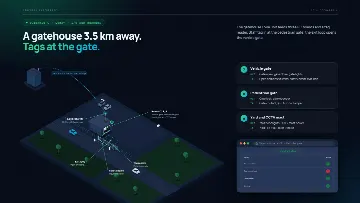
A gatehouse 3.5 km away. Tags at the gate.
A gatehouse radio connects three boards and a tag reader to the bridge. The example covers a vehicle gate, pedestrian gate, yard lights and a CCTV mast.
Page 14
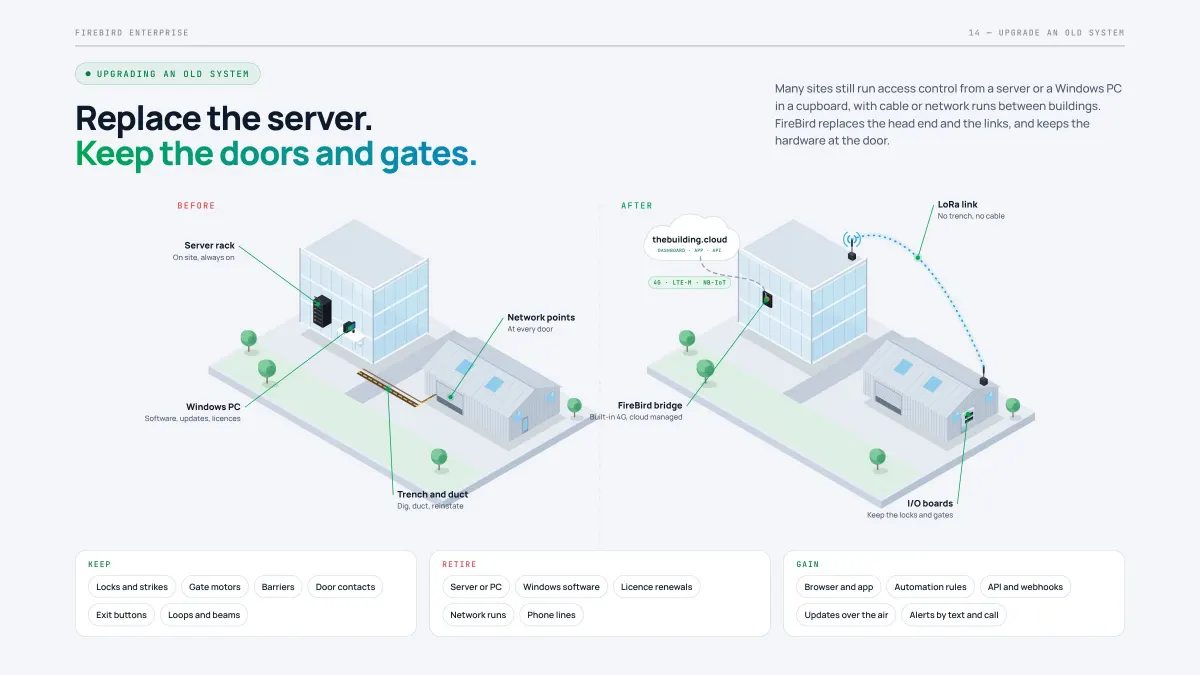
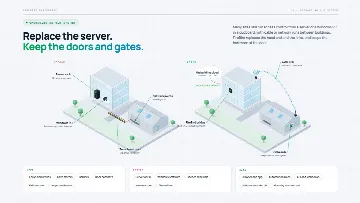
Replace the server. Keep the doors and gates.
The upgrade example replaces an old server or PC and its links while retaining equipment such as locks, gate motors, barriers and sensors. It describes browser and app management, automation, alerts and over-the-air updates.
Page 15
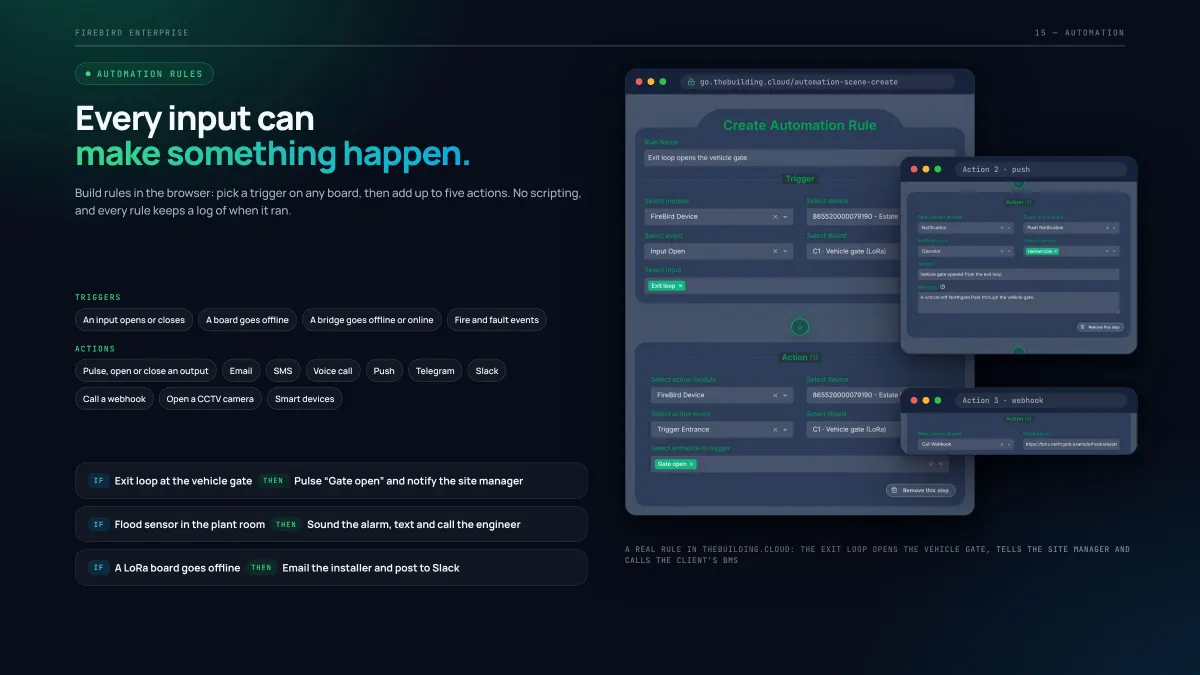
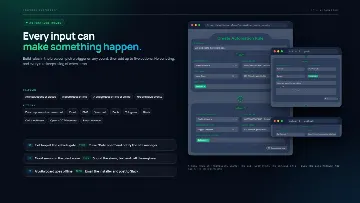
Every input can make something happen.
Automation rules are built in the browser by choosing a trigger and up to five actions. Examples include opening a gate from an exit loop and sending alerts when a flood sensor activates or a board goes offline.
Page 16
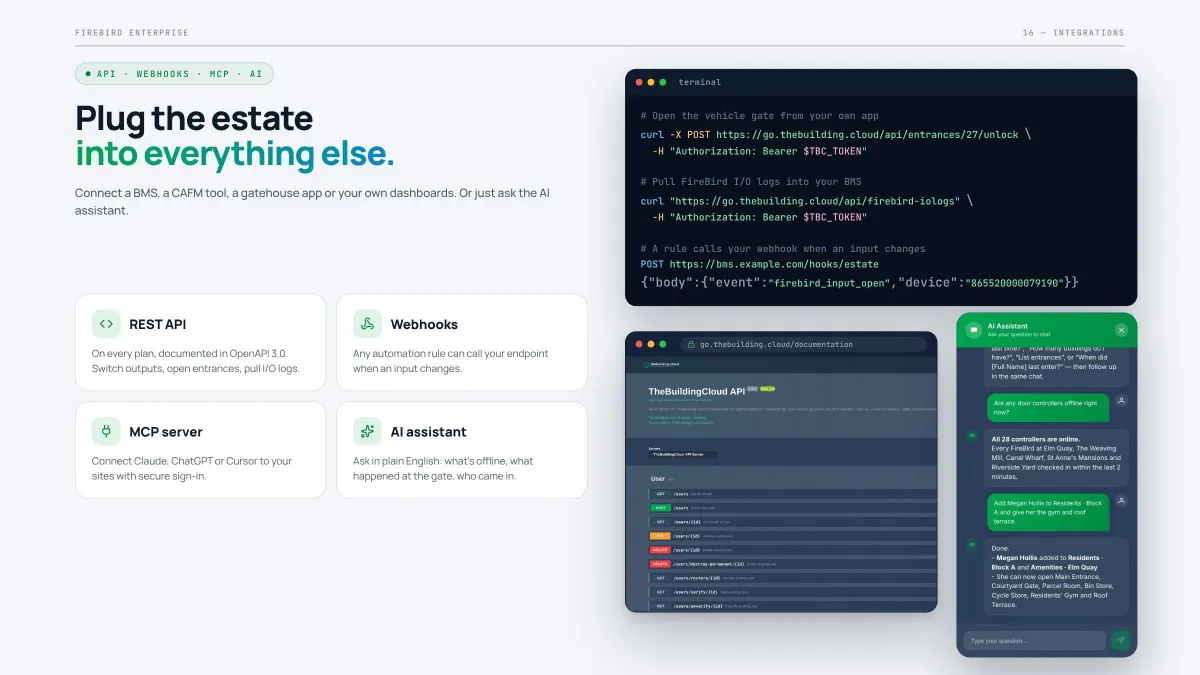
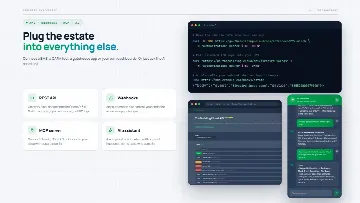
Plug the estate into everything else.
The brochure describes an API, webhooks, an MCP server and an AI assistant. These can connect other tools or let users ask questions about their sites in plain English.
Page 17
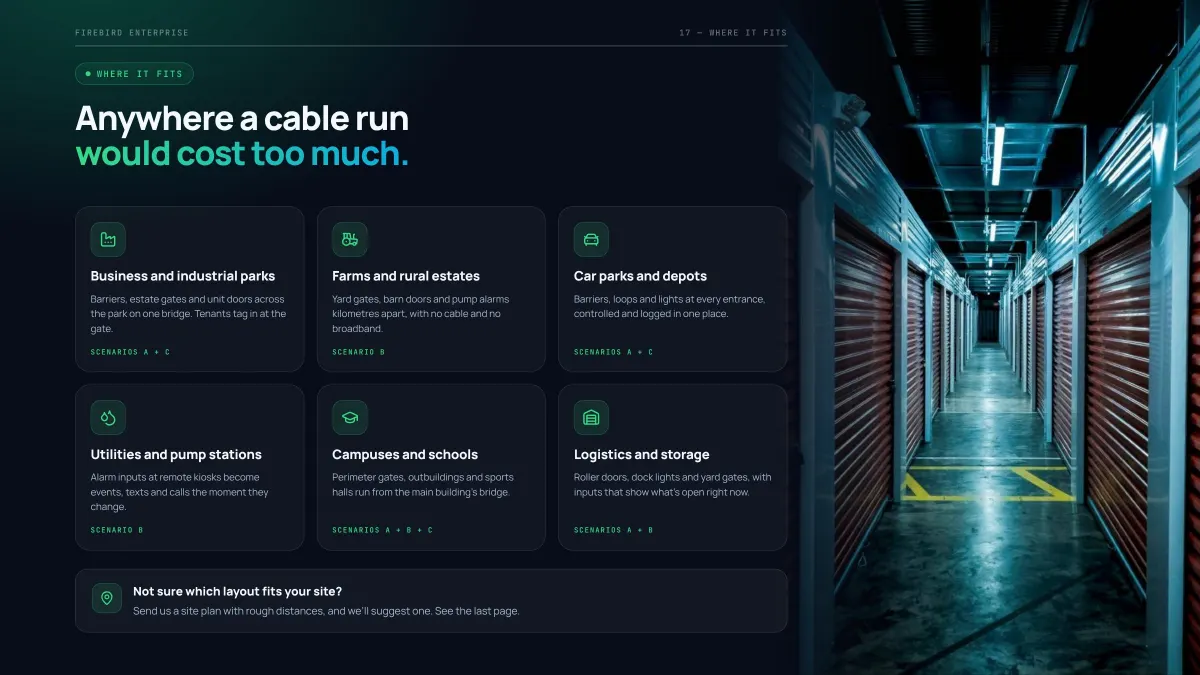
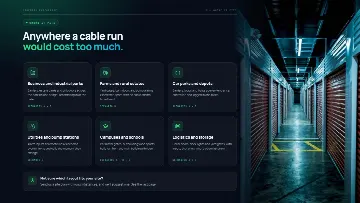
Anywhere a cable run would cost too much.
Suggested settings include business parks, farms, car parks, utilities, campuses and logistics sites. Each example describes equipment or alarms that could be connected.
Page 18
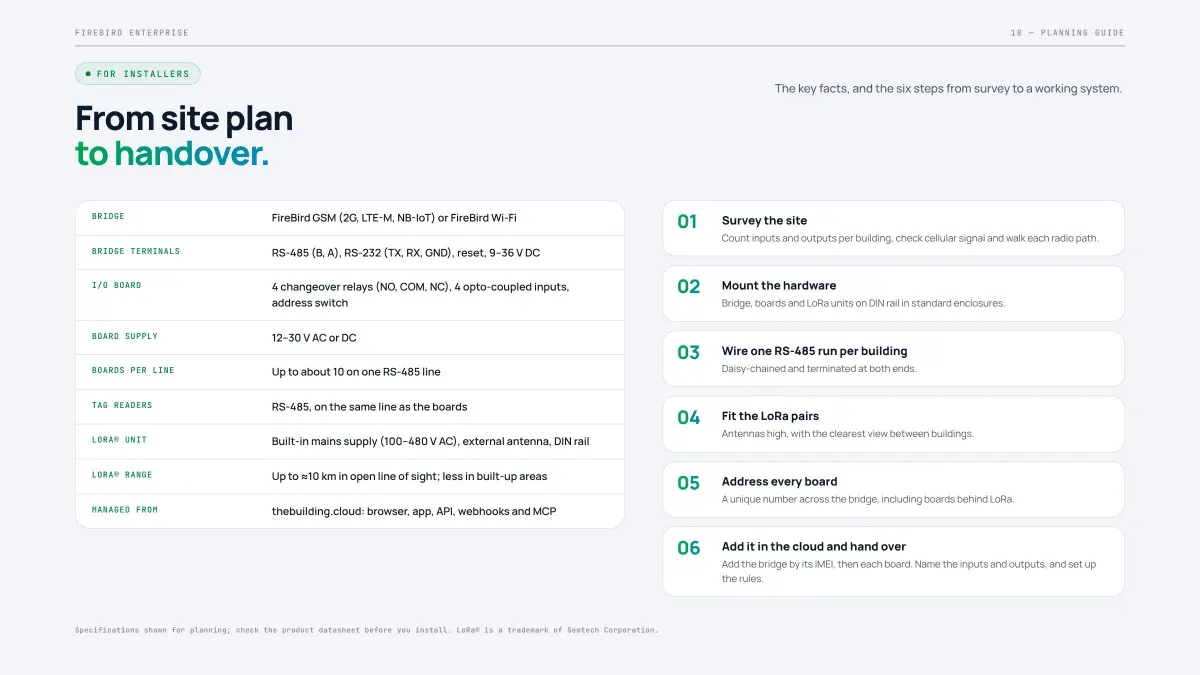
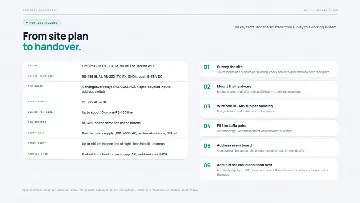
From site plan to handover.
This page brings together hardware specifications and six installation steps, from surveying the site to adding equipment in the cloud. It advises checking the product datasheet before installation.
Page 19
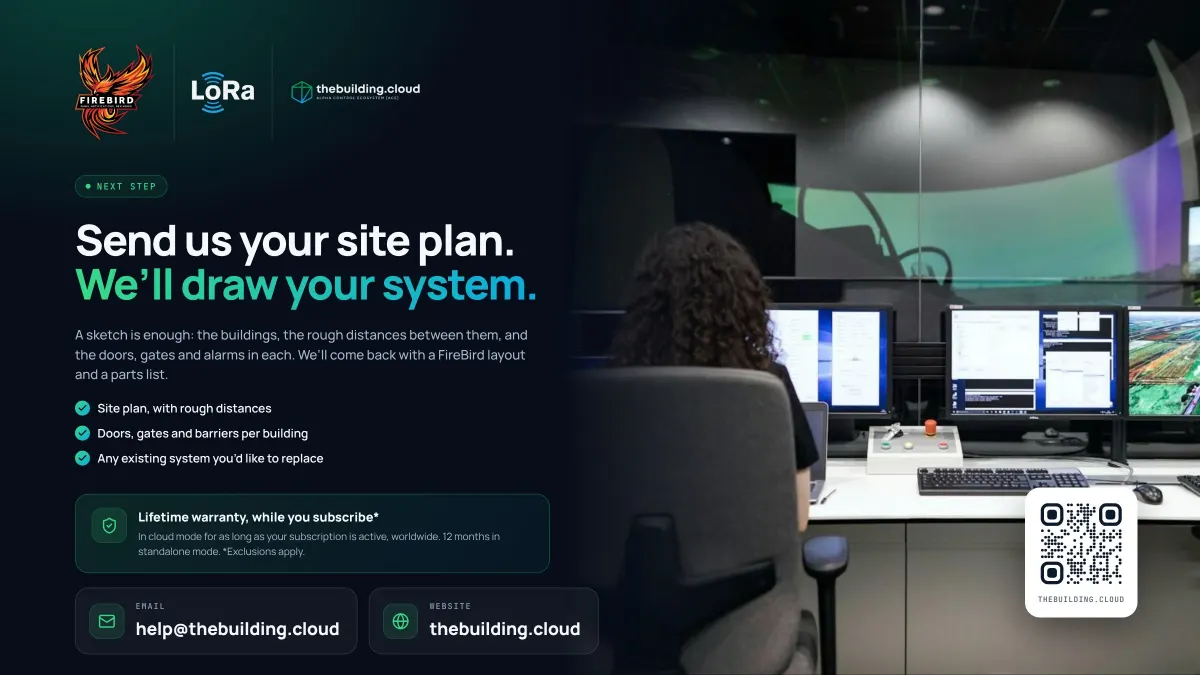
Send us your site plan. We’ll draw your system.
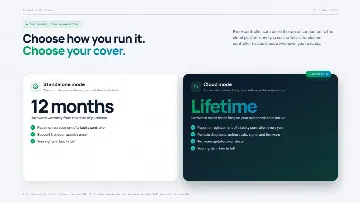
Readers can send a sketch with buildings, rough distances and equipment to receive a proposed layout and parts list. The page also gives contact details and warranty terms, with exclusions.
Key points
- Each input and output board has four relay outputs and four inputs.
- Up to about 10 boards can share one line.
- LoRa range is up to about 10 km in open line of sight.
- The bridge is available in GSM and Wi-Fi models.
- An automation rule can have up to five actions.
Who it’s for
- Installers planning multi-building sites
- Project owners considering access control hardware
- Readers upgrading an older server-based system
Questions people ask
Do buildings need a cable between them?
No. LoRa units can carry the connection by radio between the bridge and remote buildings.
How far can the LoRa link reach?
The brochure gives a range of up to about 10 km in open line of sight, with less range in built-up areas. It advises surveying each link.
Can existing door and gate hardware be kept?
The upgrade example keeps hardware such as locks, gate motors, barriers, door contacts and exit buttons while replacing the old server and links.
How is the site managed?
The bridge connects by cellular or Wi-Fi, and the site can be managed from a browser, app or API.