Access control, door entry and more, in one cloud.
Doors, video intercom, parking, cameras, alarms and smart devices on one cloud platform, working together. Keep your existing hardware. Upgrade the intelligence.



One event. Your entire building responds.
Every device event lands on one platform. Automation Scenes turn it into coordinated action across doors, cameras, lights and people, and log every step. Pick an event and watch.
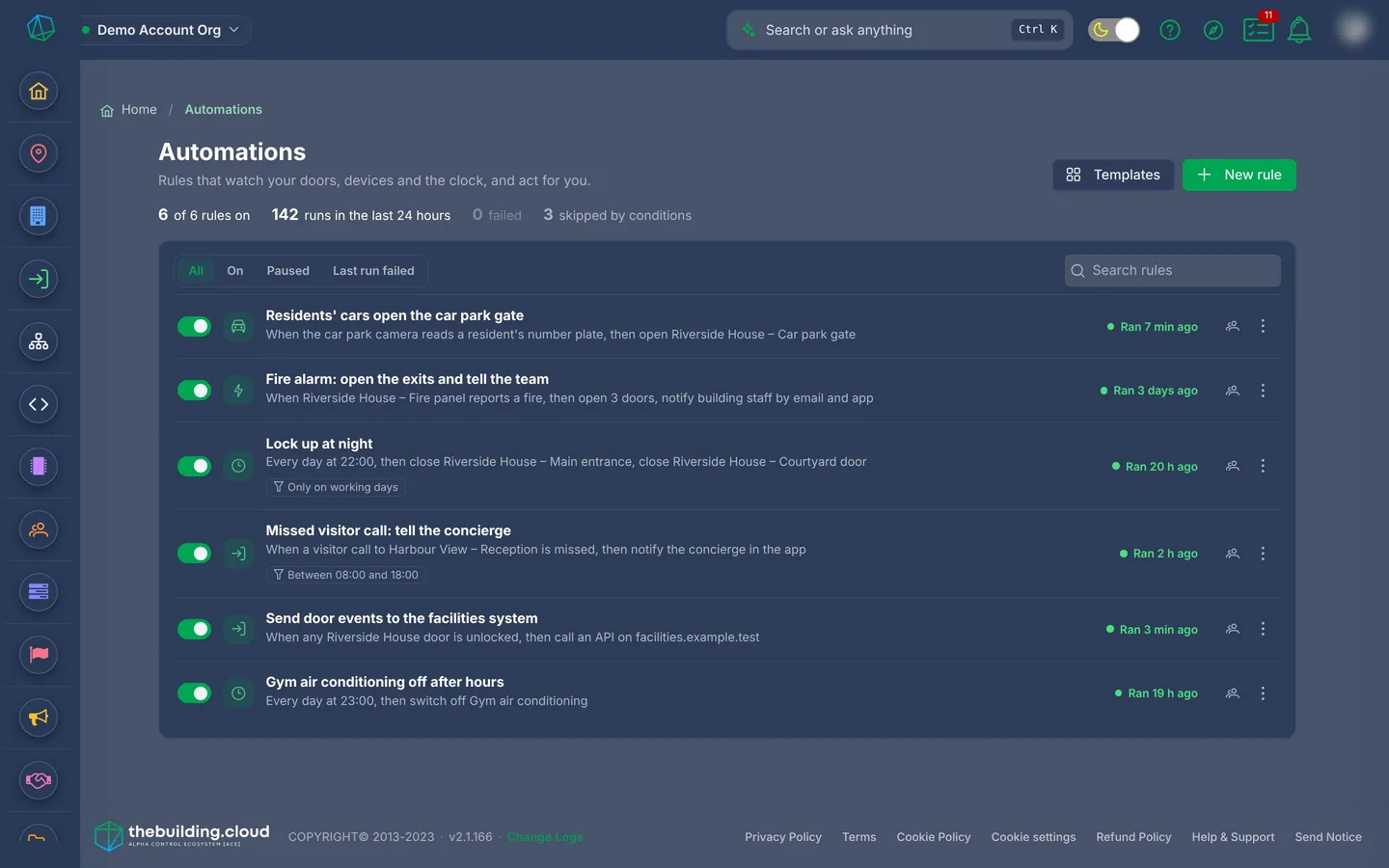
A real screen from our demo organisation. Hover to straighten it.
Rules you can read. Written by you, not a programmer.
Upgrade the intelligence. Not the hardware.
TheBuilding.Cloud sits on top of the controllers, cameras and panels already on site, so you add cloud control and automation without a rip-and-replace.
Every module on one control plane
Access, intercom, parking, fire, CCTV and smart devices share one list of people, one record of events and one automation engine. Start with one door. Add the rest when you are ready.
Scan. Call. Walk in.
A video intercom that rings your residents' phones. Visitors scan the plaque at the door with their own phone, so there is no app for them, and no handsets or cabling in the flats for you.
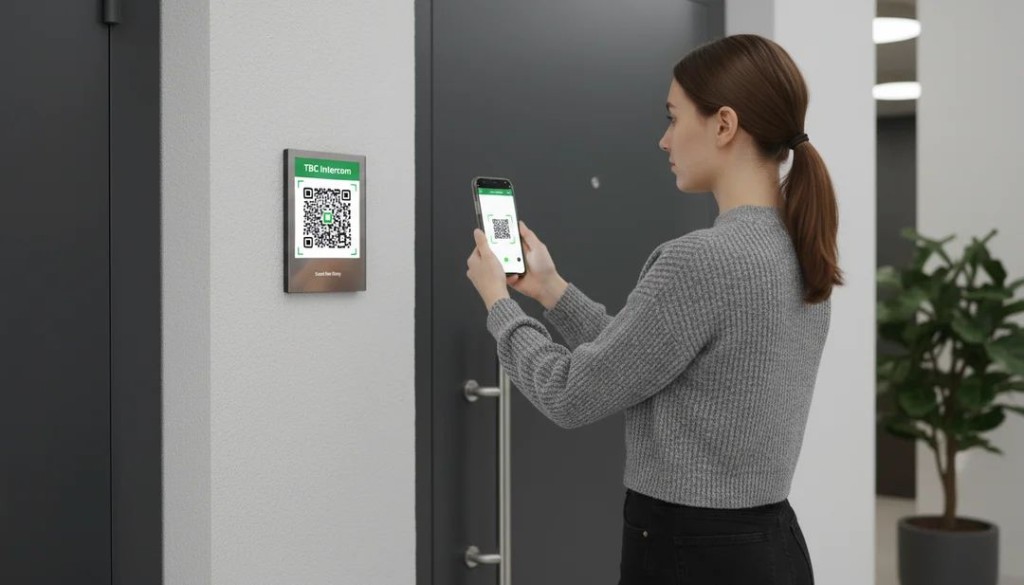 One plaque at the door. That is the intercom.
The visitor scans the plaque
With their own phone camera. No app to download and no account to make.
They pick the flat and tap Call
The call page opens in their browser. Every phone in that home rings at once.
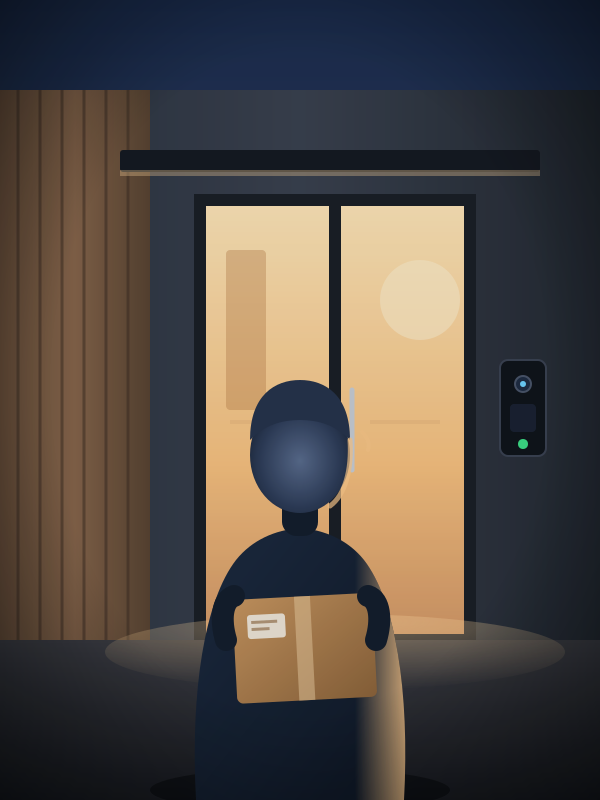
The resident sees who it is
A live preview before they answer, when the visitor's camera is on, so they decide. The visitor cannot see them.
One tap opens the door
They talk, the resident taps Unlock, and the visitor hears "door open" and walks in.
Swipe sideways for the next step.
Every line you don't build is a cost you never carry.
A wired intercom means a panel at the door, a handset in every flat and a cable to each one. Here there is one plaque and one controller at the entrance. Nothing goes inside the homes.
Upgrade the block without entering a flat.
A controller at the entrance, residents invited by email. It can run alongside your old intercom while people switch over.
Every block. One browser tab.
Add and remove residents across all your blocks, see every door and controller, and open a door for a delivery from your desk.
Less to draw. Less to build. Less to run.
No handset positions, no cable drops in flats, nothing in the riser. Design the entrance, not the wiring.
Every way in. One list of people.
PIN codes, cards, QR codes, number plates and phone door keys all live on the person. Change one thing and every door follows, without a site visit.
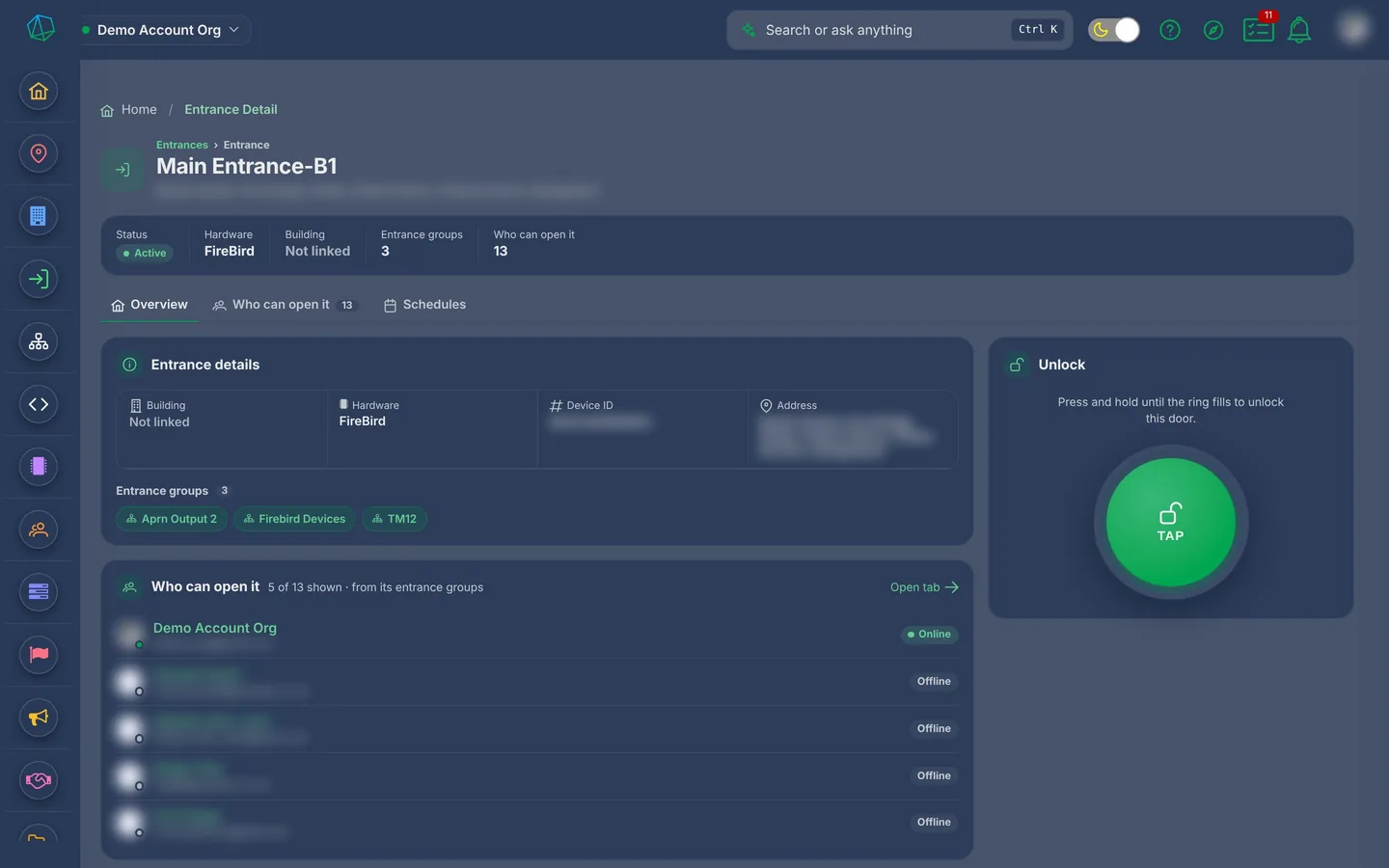
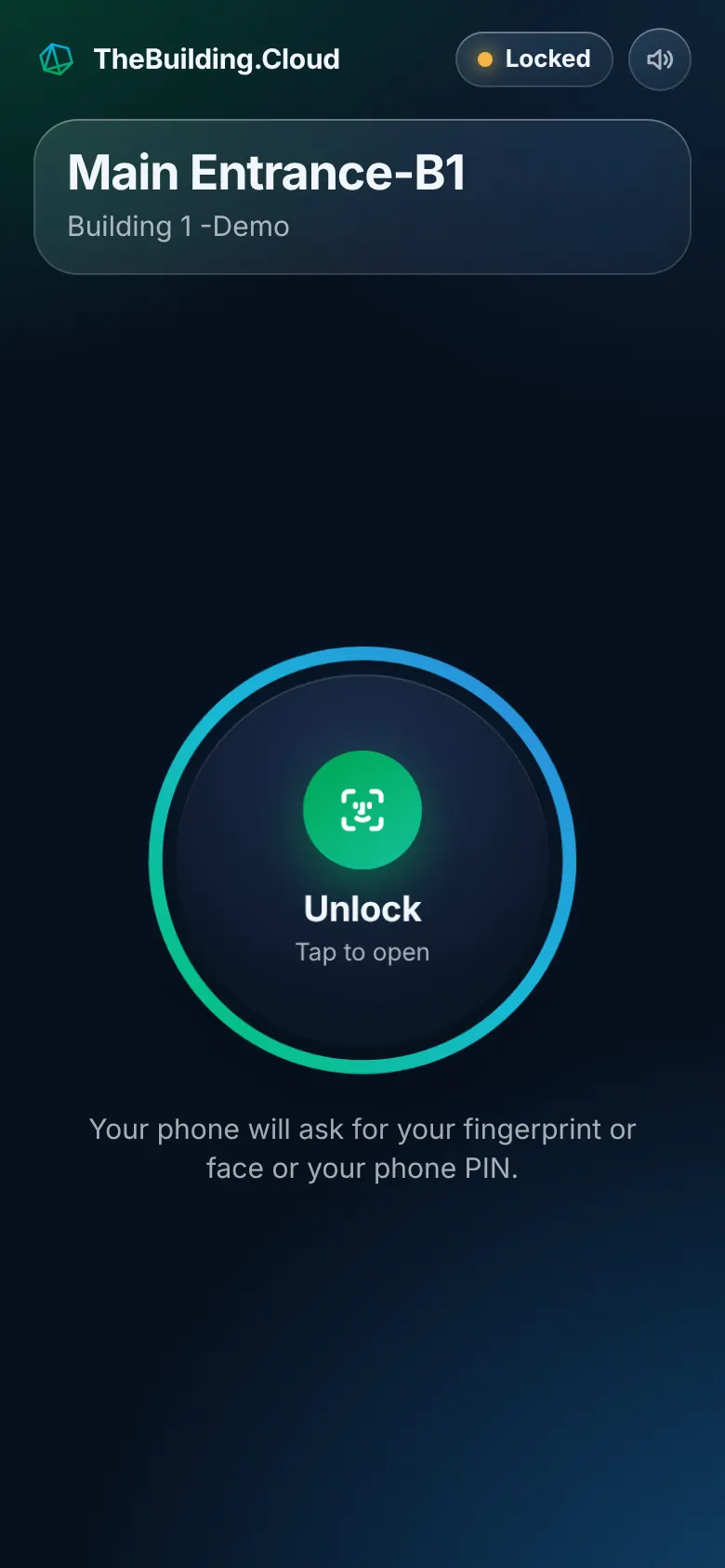
Real screens: a door in the dashboard, and the unlock page on a phone.
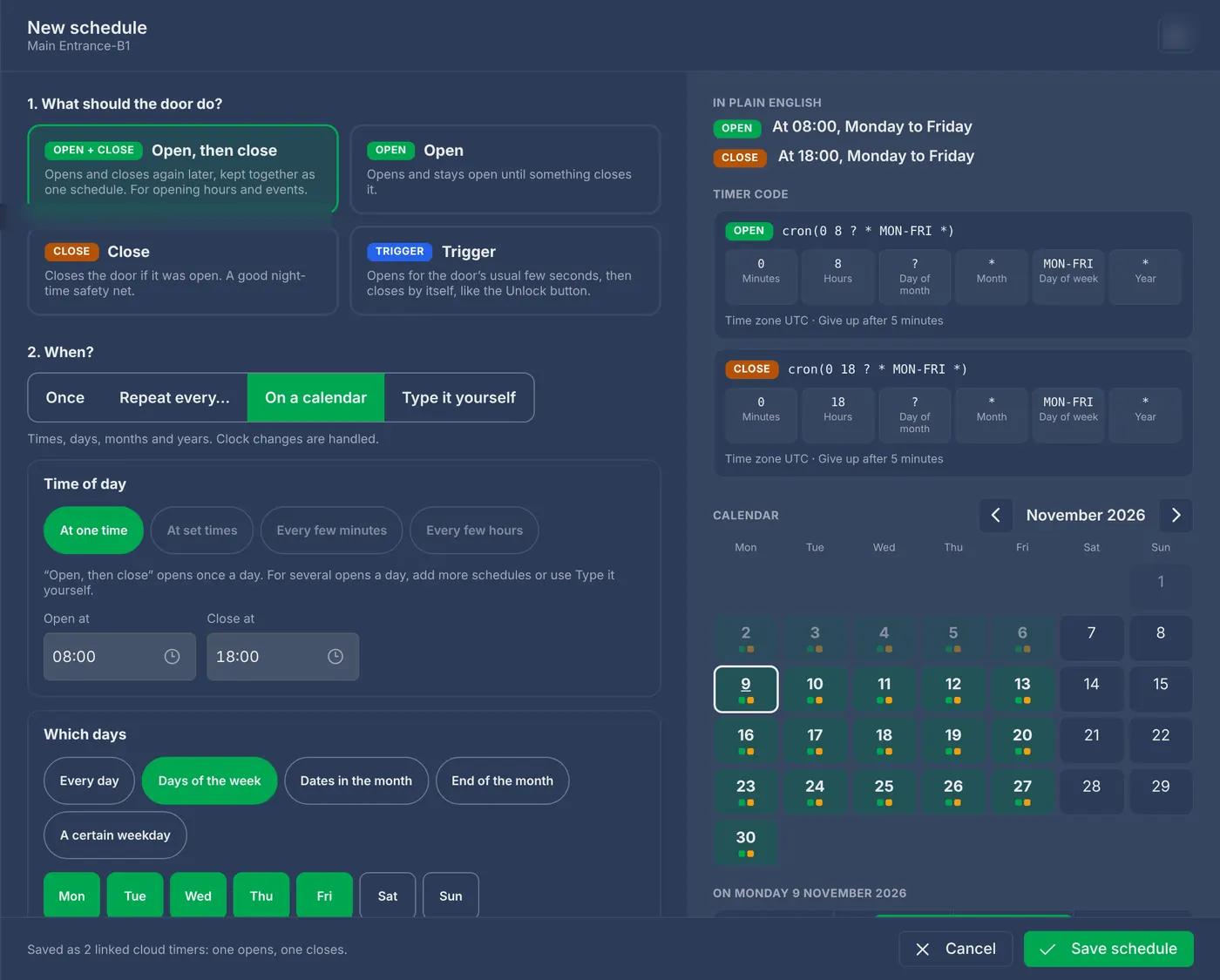
One change, and every door follows.
Someone moves in, starts work or leaves: change it once from any browser. No fob spreadsheets and no driving to site.
Your face is the key.
Residents open the door from their phone's browser with Face ID, a fingerprint or their phone PIN. No app to install and no fobs to buy.
A way in that suits each person.
Keypad code, card or fob, QR code, gate remote, number plate or caller ID. Switch someone off and their codes come off the readers.
Guests who never outstay their welcome.
Give a carer, a friend or a short-stay guest up to 30 days. On the end date their access stops by itself.
Doors that keep their own hours.
Open for office hours, close the car park gate every night, keep the hall open on Saturday. No timer box on the wall.
Know first. Act in seconds.
Fire panels, intruder alarms, cameras, number plates and smart devices report to the same place as your doors, so the right people know at once.
Lock down every door in seconds.
Press and hold one button and every FireBird door you choose closes and stops opening. Everyone is told at once by push and email, TV screens take over, and you see who is safe.
It helps you put your Martyn's Law lockdown and communication procedures into practice. You stay responsible for your own procedures.
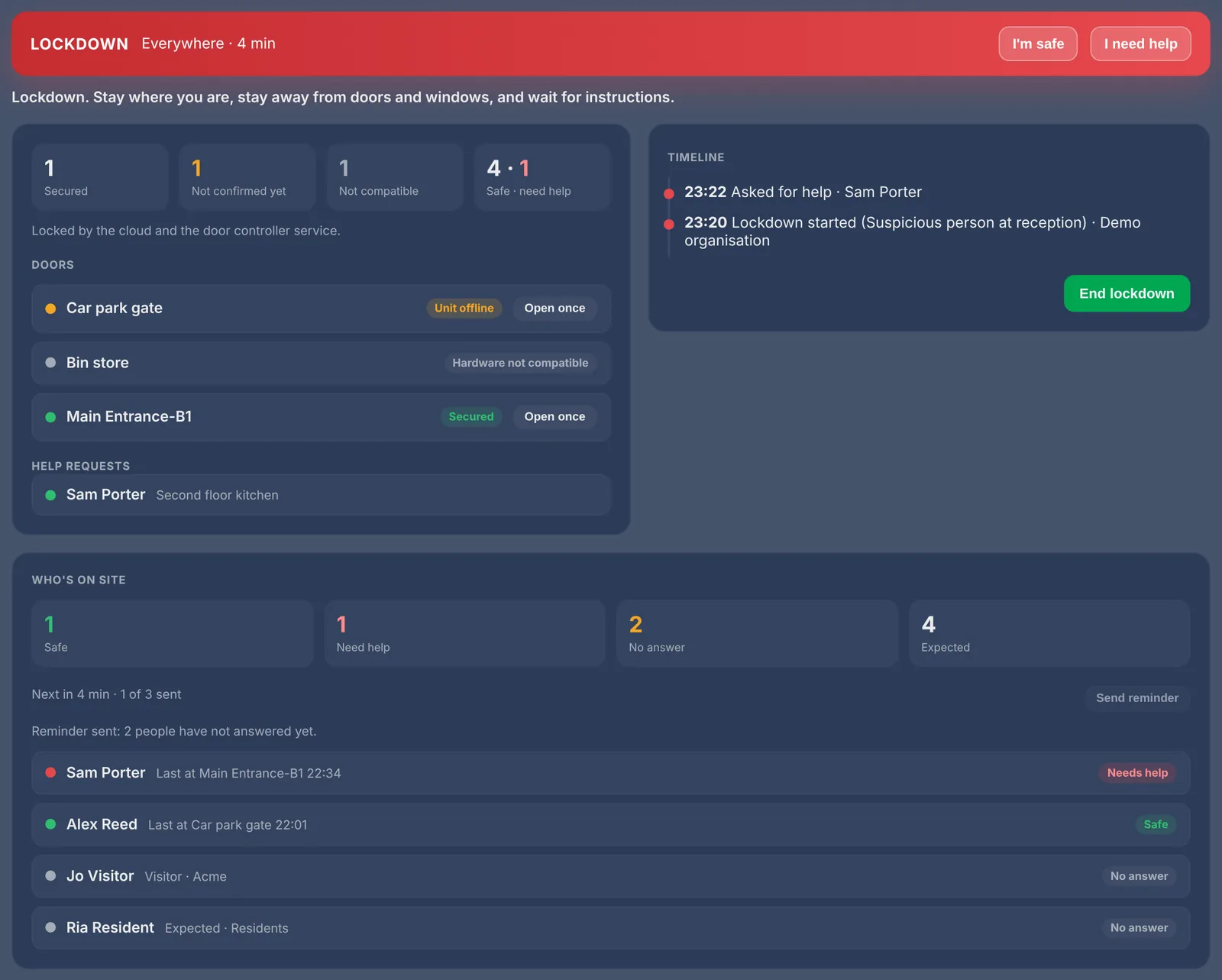
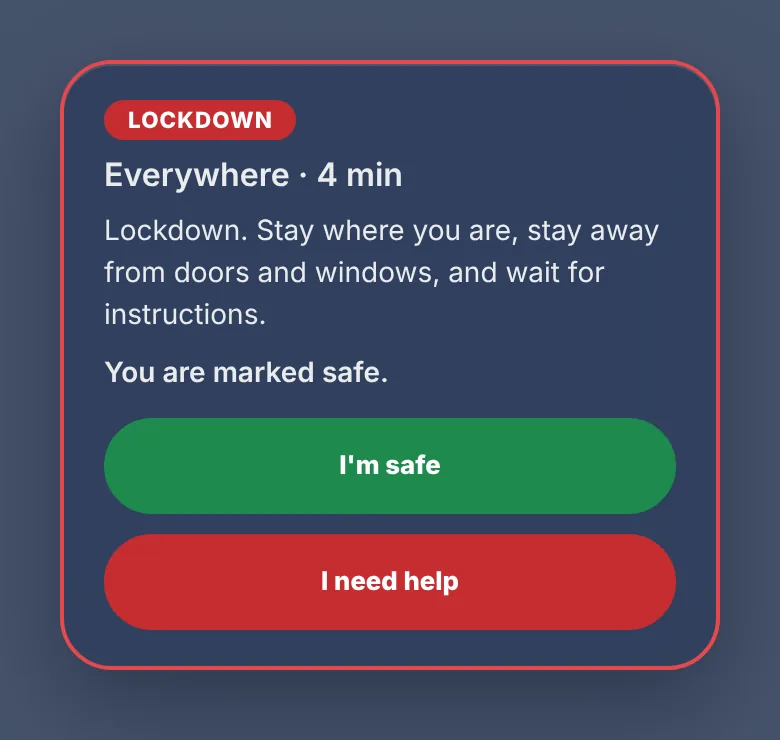
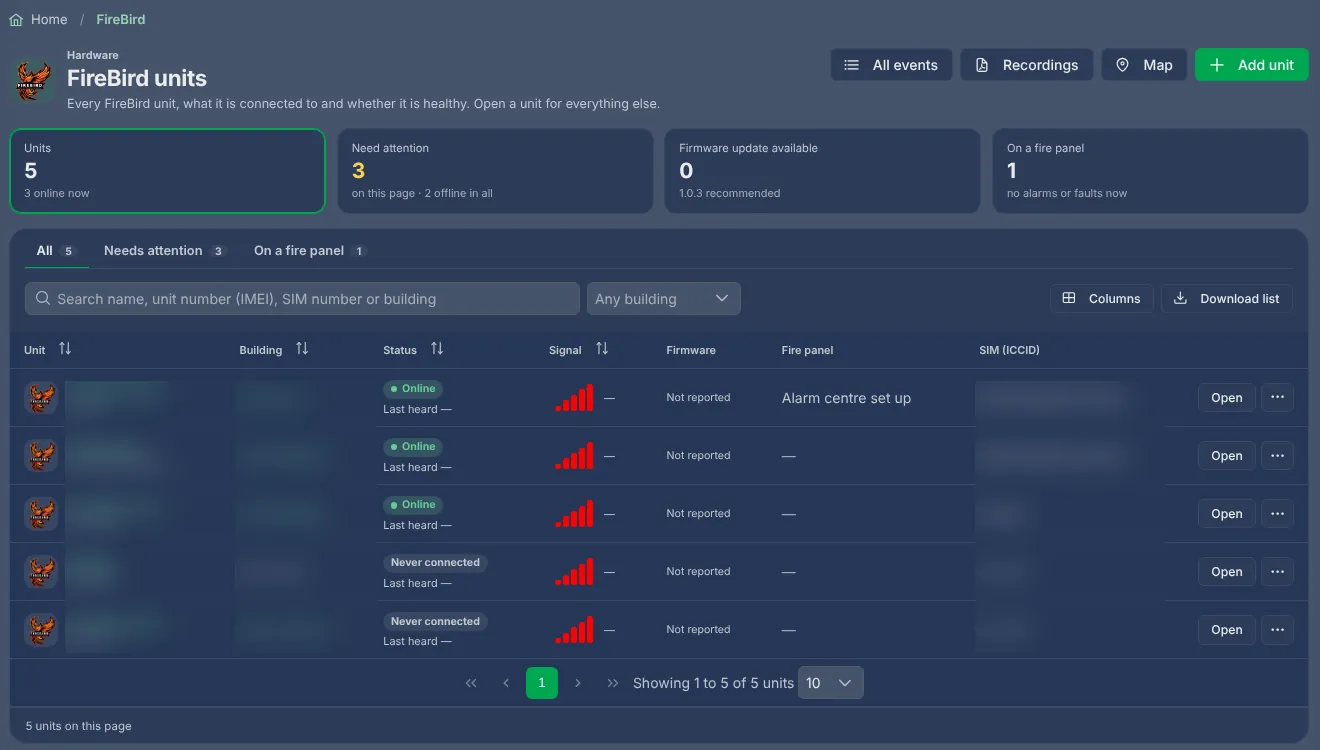
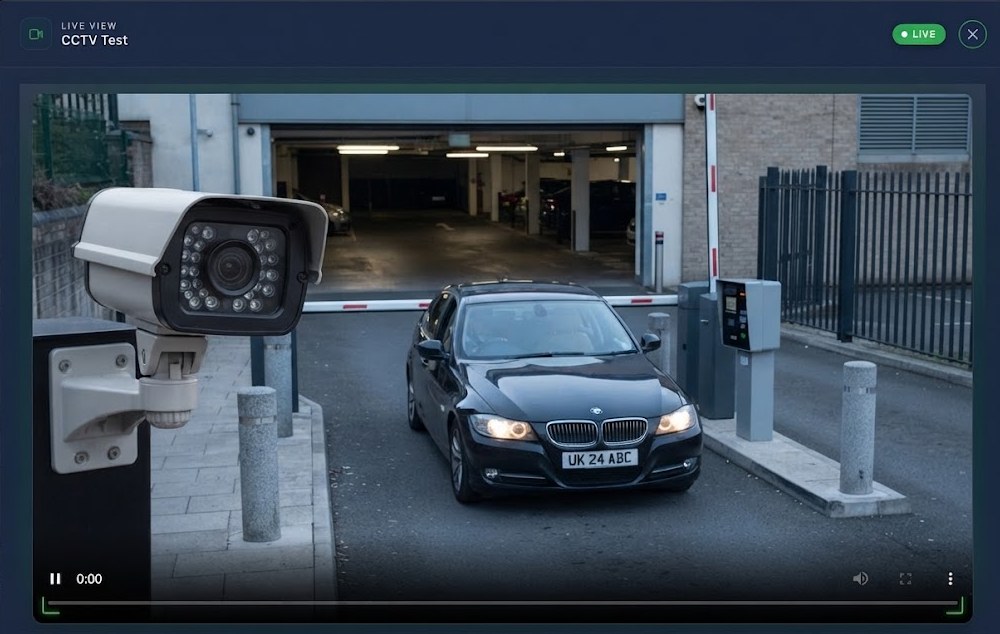
Real screens from our demo organisation. Names are blurred.
A fault at 3am, known at 3am.
Connect a FireBird unit to your fire panel and see fire, fault and reset from anywhere. Rules tell the right people by email, SMS, voice call, push, Telegram or Slack.
Parking that knows the cars.
The camera reads each number plate and the barrier opens for cars on your list. No fobs to lose and no calls to the office.
See the entrance without walking to it.
Add your cameras by their stream address and watch them live in the browser, next to the doors they show. For live viewing, not recording.
Lights, sockets and sensors, next to your doors.
Connect Tuya devices from their cloud, and Shelly or anything that works with Home Assistant through Device Hub, where new devices wait for your approval.
Our own hardware. On Wi-Fi or the mobile network.
Controllers for doors, gates and barriers, added by scanning their label. Choose the Wi-Fi model where the building has Wi-Fi, or the mobile model with its own SIM on 2G, LTE-M and NB-IoT where it does not. New firmware arrives over the air.
Everyone in the building. Every building you run.
Residents hear from you and you hear from them, visitors arrive with their pass ready, and your whole portfolio sits in one dashboard.
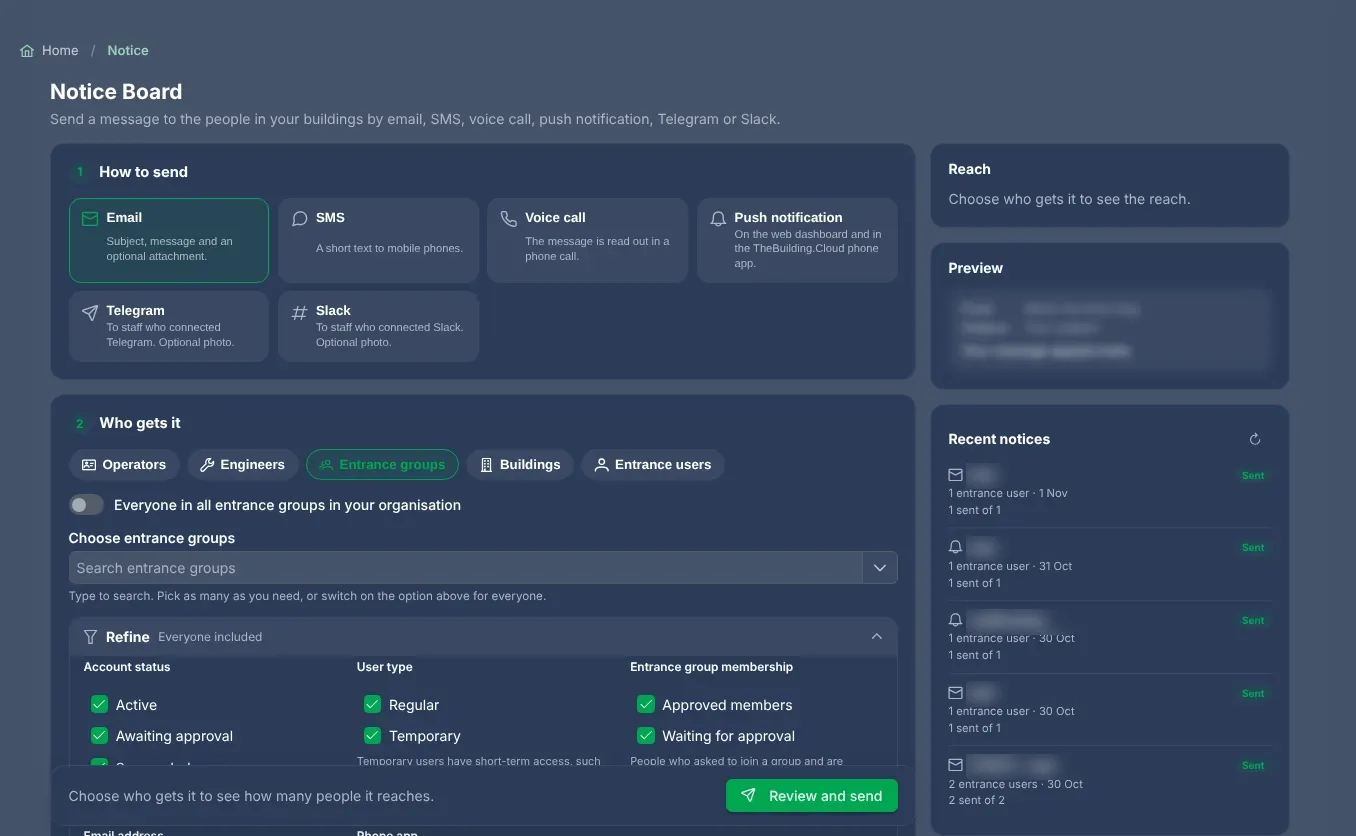
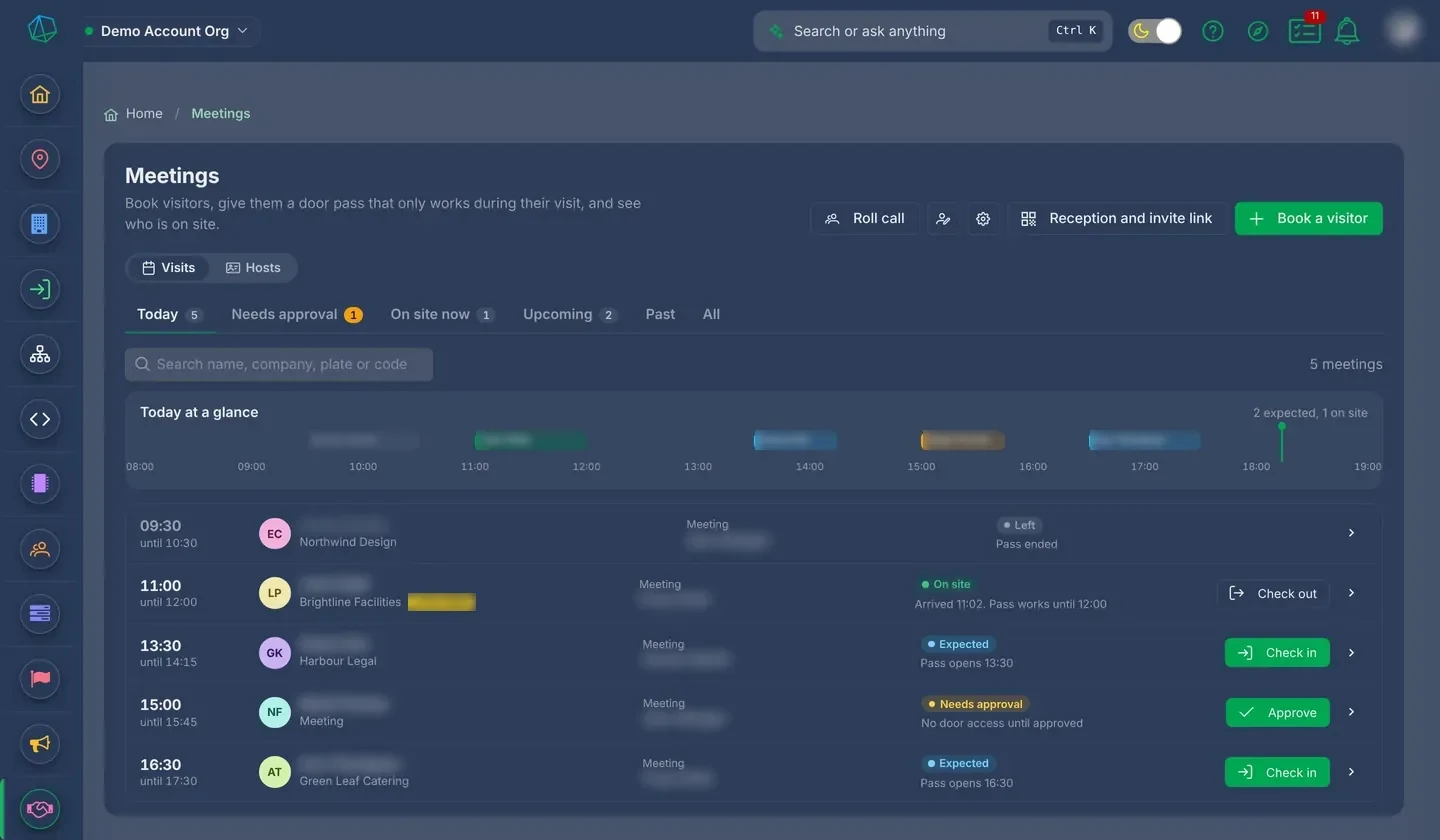
Real screens from our demo organisation. Names are blurred.
The visitor pass makes itself.
Book the meeting and the visitor gets a QR code for the door and a visitor card by email. When the meeting is completed, the pass stops working.
Messages residents actually see.
Tell one block about the lift repair or everyone about the fire drill, by email or app notification. Check who it reaches before you send.
Repairs reported properly, and seen through.
Residents report with a category, a photo and access details. Everyone talks in one conversation until it is resolved.
Every building. One dashboard.
Organise your portfolio as sites, buildings and doors. Each team sees and opens only what is theirs.
Bring your people with you.
Import residents, staff, PIN codes and card numbers from your old system's export in four checked steps. Nobody is created twice.
Ask your building a question.
A documented API, webhooks and an MCP server for AI assistants. Ask "who opened the car park gate this morning?" and get the answer from the log.
Plug the building into everything else.
TheBuilding.Cloud is open. Your developers get the same API our own web app and mobile app use. Your AI assistant can work with your buildings in plain English. And automation scenes can call your other systems the moment something happens.
The quickstart from our developers portal, and an illustration of an assistant connected through MCP.
One API for everything.
Sites, buildings, entrances, people, PINs, intercom calls and automations. Read access logs into your reports, add people from your HR or booking system, or open a door from your own app.
Read the API docsYour AI assistant, in your buildings.
Connect Claude, ChatGPT, Cursor or VS Code through our MCP server. It answers from your own data, works with the account you sign in with, and asks before changing anything.
See AI assistants and MCPScenes that call your systems.
An automation scene can call an external API as one of its steps. When a door opens or an alarm trips, your facilities desk, ticketing tool or building management system hears about it at once.
See Automation ScenesNeed a hand? We help you integrate.
Tell us what you run today, from a housing system to a facilities desk. Our team will help you join it up, from the first test key to a working integration.
Talk to us about your systemsStart with one door. Add the rest when you are ready.
The Free plan covers one entrance and four intercom flats. Every module above runs on the same account.The front door, in your pocket. And your car. And on your wrist.
See who is at the door before you answer, talk to them and let them in from wherever you are. Managers get their doors, people and devices on the go too.
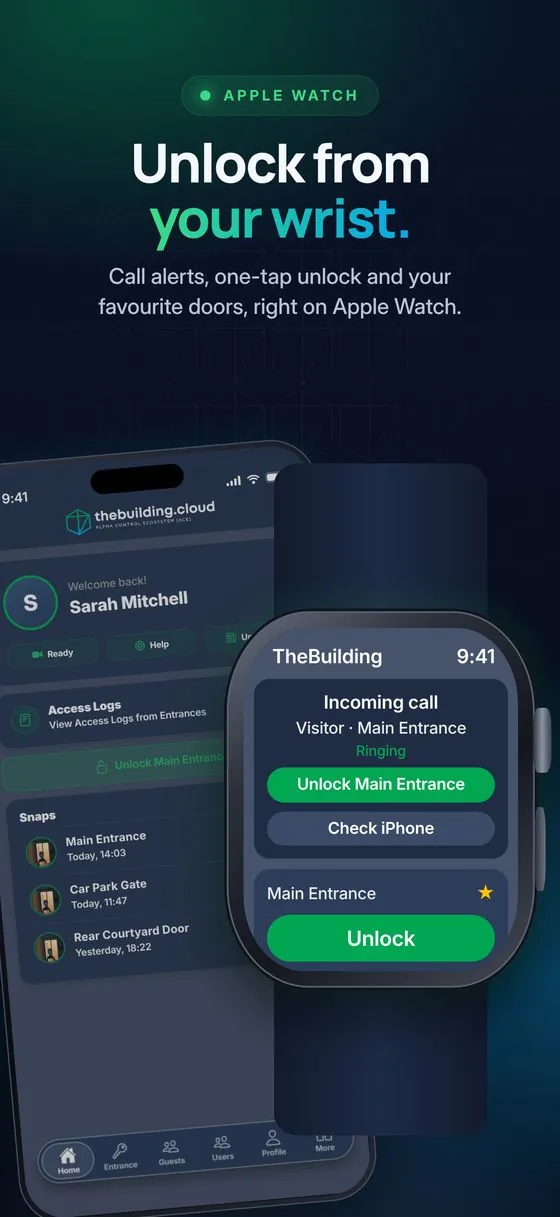
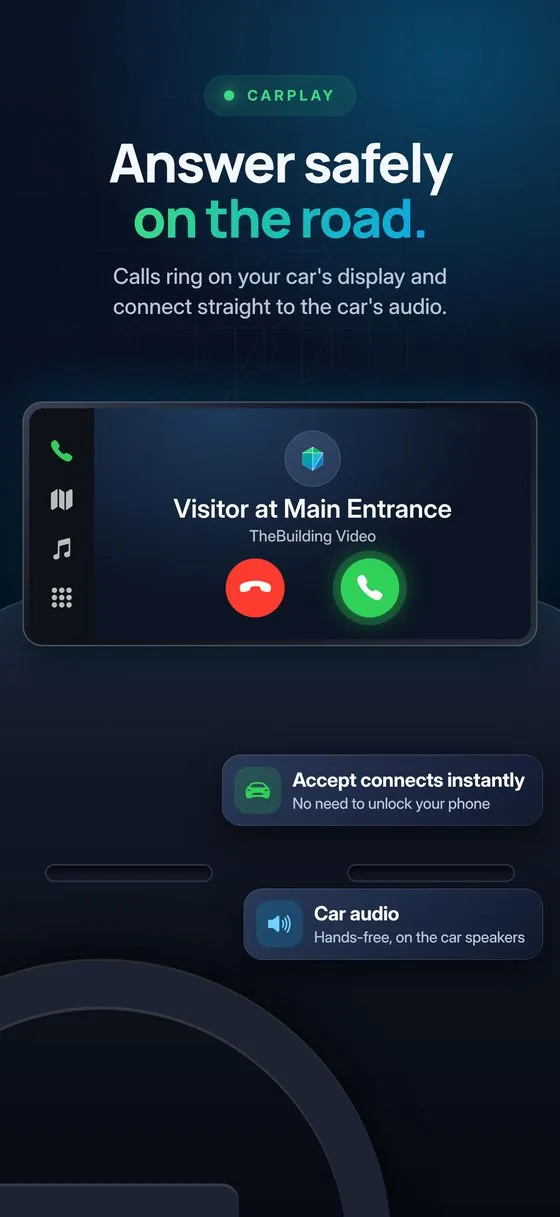
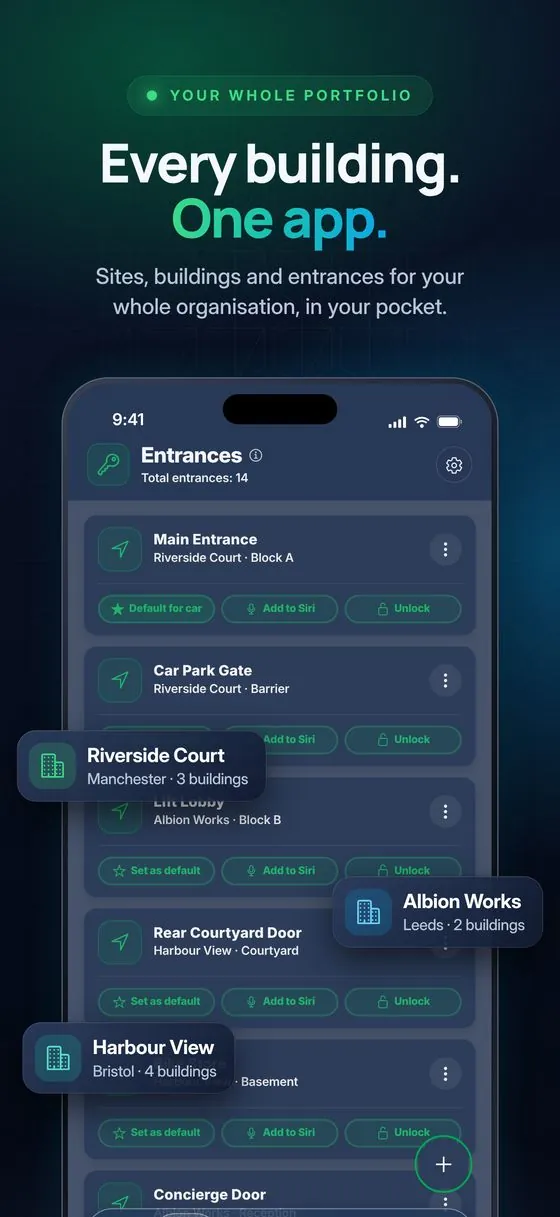
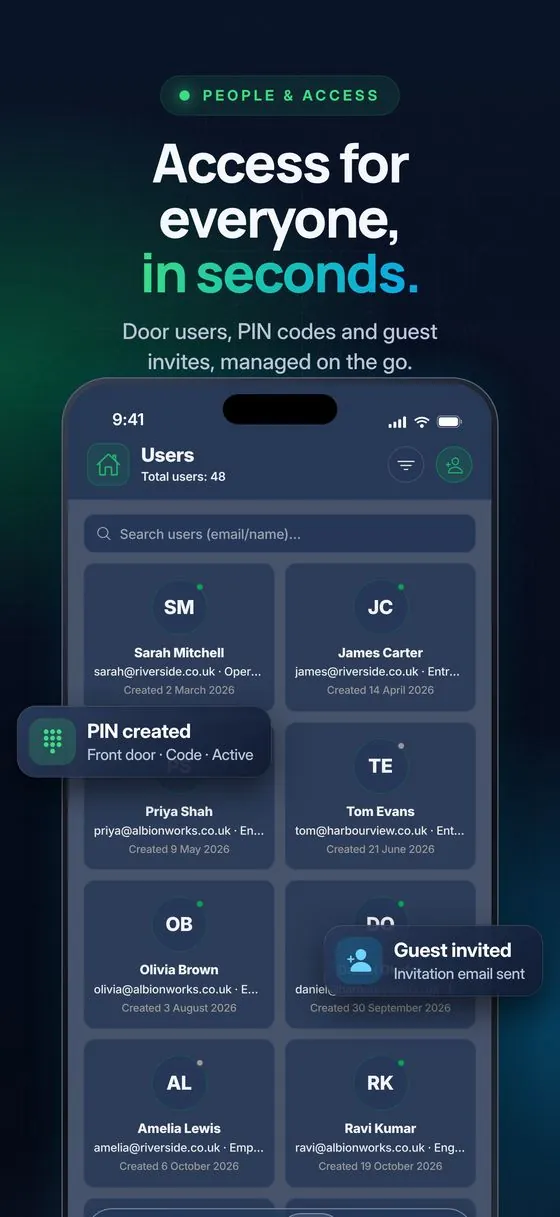
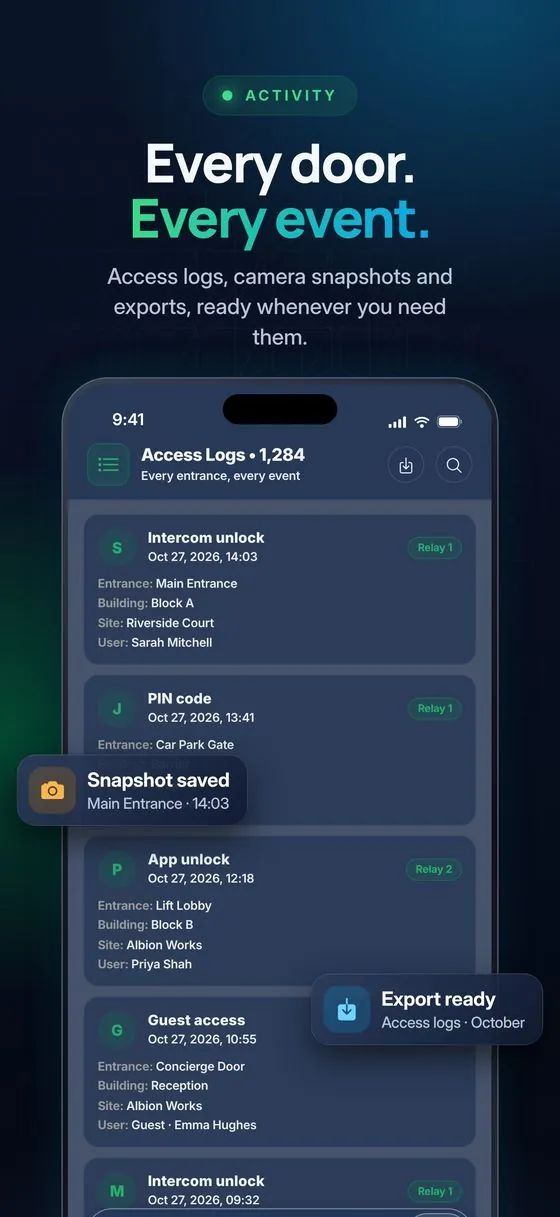
Real screens from the app's store listing.
One platform, shaped for your sector.
A student hall at the start of term, a care home at visiting time, a car park at 8am and a venue on event day all need different things from their doors. Pick yours.
Homes and living
Work, parking and mixed use
Hospitality and venues
Public, education and care
Installers and partners
Three reasons not to wait.
The UK's analogue phone lines are being switched off.
Door entry that dials a landline needs a new plan. TheBuilding.Cloud needs no phone line: controllers connect over mobile data or Wi-Fi, and nothing is fitted inside the homes.
See the brochure for housing providersMartyn's Law duties begin.
Venues, schools and public buildings in scope will need procedures for evacuation, lockdown and telling everyone. Lockdown mode helps you put yours into practice. You stay responsible for your own procedures.
Read our Martyn's Law guideThe cheapest cable is the one you never pull.
Door entry moves off the critical path and out of the flats. Tell us the number of blocks, flats and controlled doors and we will price the doors.
Read the guide for developers and architectsStart free. Grow when your building does.
Stay on the Free plan with one entrance and four intercom flats for as long as you like, and move up when you need more.
Free
One entrance, to see it workingPro
Most popularEnterprise
For estates, portfolios and managing agentsPrices are indicative and exclude taxes. See full pricing and add-ons
The questions people ask before they switch.
Still unsure? Flip through our brochures with no form to fill in, or ask us anything.
Do visitors need an app?
No. They scan the QR code at the entrance with their phone camera and the call page opens in the browser. No app and no account.
Can the visitor see the resident?
No. The resident sees the visitor and they talk to each other. The visitor does not see the resident's camera.
What hardware do I need at the door?
No intercom panel is needed for the video call: a QR plaque at the entrance is enough. Opening the door needs a controller on the door, such as FireBird. Nothing is fitted inside the flats.
What if a resident has no smartphone?
A fob or a keypad code still opens the door, other people in the flat can answer the call, and a tablet can be used as an always-on door screen.
Can it run alongside our existing intercom?
Yes. It can run alongside your existing intercom while residents move over.
What happens to the locks in a fire?
The locks release through the hard-wired fire alarm interface set by your fire strategy. The cloud is not in that path.
What if the mobile signal is weak?
Signal is checked at survey, and controllers can use Wi-Fi instead. Each controller's signal strength is shown in the dashboard.
Can we keep our current hardware and our people?
Yes. The platform works with controllers, cameras and panels already on site, and you can import people, PINs and card numbers from your old system's export.
Can we connect it to our own systems?
Yes. There is a documented API, an MCP server for AI assistants, and automation scenes can call an external API when something happens. If you need a hand, our team will help with the integration.
How is it priced?
Hardware for each controlled door plus a platform subscription, with no hardware to buy for each flat. Enterprise also charges for some use, such as intercom calls, PINs and Caller ID. The Free plan covers one entrance and four intercom flats.

See your building running on TheBuilding.Cloud
Bring your doors, cameras, intercoms and alarm panels. Pick the way in that suits you.
Start free
One building, one entrance and four intercom flats on the Free plan, for as long as you like.
Start freeBook a demo
We show your doors, your people and your visitors working together, and you can try the intercom at your own door.
Book a demoGet the doors priced
Tell us the number of blocks, flats and controlled doors, or send a ground-floor plan, and we will send a quote.
Send us your scheme